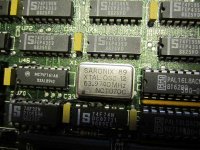
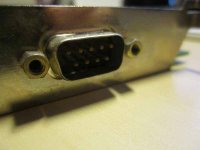
I'm not so sure this is an impossible dream for some of these ancient graphics cards to be brought back online.
A lot of video cards seem to have had their drivers stored in the Declaration ROM back in the day. My PanaPro Card/19" B&W TPD package didn't come with a disk. It used the Monitors Control Panel only for setting up multiple monitor configurations. One interesting caveat was:
The largest size that a window may be is the size of the display with the menu bar. If you are using a smaller display with the PanaPro M1900M, the menu bar must be on the PanaPro M1900M screen to have windows which will fill the PanaPro M1900M screen.
Drivers were more of a resolution/color depth switching patch for the Mac OS
after MultiSync Displays and more complex, higher performance, cards became available. Single Resolution FPD and TPD Cards didn't really NEED much in the way of drivers other than what could be stored in the DeclROM. The Monitors control panel did color depth just fine.
I'm not much of an electron pusher, but it wouldn't surprise me a bit to be able to buzz the connections and find at least half of them are ground. The other three or four being RGB/Sync on Green for a three BNC Cable or RGB/Sync on a four BNC cable as mentioned above. One of the Tech Troops might be able to identify which signal is which and what the sync rate is with an oscilloscope, if not a much more simple tool.
The PanaPro M1900M used three of its nine signal lines for VIDEO (B&W in this case) V SYNC and HORIZ. there's a slight chance that your card may be a five BNC connection which would RGB and THE V SYNC/HORIZ pair.
Dunno, but I'm gonna try to get my
first ever NuBus Card back online again!

The only curveball I can think of offhand would be the Sync on Green Kluge. I'll bet that R, G, & B could be determined by creating graphics consisting of the three pure colors and displaying them in full screen mode in something like GraphicConverter and noting the activity levels on the lines.
Hacking a cable will be simple and any good MultiSync CRT ought to be capable of being used for the display.
Once again, the 21" MultiScan CRT may come into its own in retro-computing. [

] ]'> LCDs need not apply! [}

] ]'>