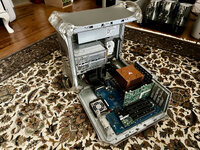
Upgrading my G4 MDD with a SONNET Encore/Crescendo MDX G4 Duet 1.8GHz Dual CPU Upgrade

That is a nice compendium of computers!

The open source or linux programs seem to be the best options for comparing a variety of different hardware. I had never run blender before, so I went looking. I found a download for the application here (macintosh garden seems dead now?):

download.blender.org/release/Blender2.56beta/

There are lots of example projects available, but this one looks like what you used:?
Thanks! :)

The version that I used is Blender version 2.60 (The last official PPC version available from Blender.org)
 
I've been trying it out and the build I used is sensitive to the graphics driver/settings, so maybe there is a non-graphical render mode that is better for testing CPU speeds. I figured out that it can use dual CPUs to good effect.
How were you able to verify this? (How did you test for this?)
 
I was trying blender on a Cube, with its original 16MB video card and an upgraded dual CPU. When doing a render, tools like top or Activity Monitor can show what is going on, and WindowServer takes a lot of CPU time as blender updates the screen. Changing the display resolution (e.g. from 1920x1200 to 1024x768) changes the render time. Minimizing or hiding the window also changes the time. A different video card (and associated drivers) in the same machine changes the results too.

I am new to using blender though. It may have a render mode that doesn't continuously draw to the screen? This would help focus the render time on the CPU.
 
I was trying blender on a Cube, with its original 16MB video card and an upgraded dual CPU. When doing a render, tools like top or Activity Monitor can show what is going on, and WindowServer takes a lot of CPU time as blender updates the screen. Changing the display resolution (e.g. from 1920x1200 to 1024x768) changes the render time. Minimizing or hiding the window also changes the time. A different video card (and associated drivers) in the same machine changes the results too.

I am new to using blender though. It may have a render mode that doesn't continuously draw to the screen? This would help focus the render time on the CPU.
I'll have to take a look into this.

I do get your point, but I also see the value of assessing the overall performance of a particular configuration rendering with a windowed output.

It is possible to do Background (Command Line) Rendering in Blender, however, this particular test, being test.blend doesn't call for it.
 
I've cloned my Sorbet Leopard drive onto the system disk of my dual 1.42GHz G4 MDD system which has 2MB of level 3 cache per CPU so that I can Blender Test it and compare it to my SONNETified MDD system which lacks level 3 cache.

DDC3830F-8557-4C5E-9AB9-777DC490DBFD.jpg

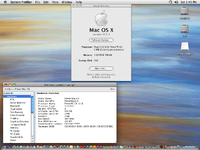
Here are the machine's details:

17721696365995CymRA3AEk1.jpg

Picture_G4MDD1.42.png

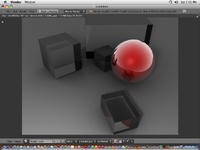
Here's the Blender result:

Blender.png

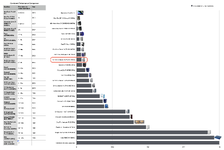
Here's where this machine falls in:

Screenshot 2026-03-21 at 14.13.25.png

The SONNET ENCORE/MDX 1.8GHz Duet's 19.67% faster!

The SONNET has a 22.4% faster clock speed, so things are pretty much proportional despite the Level 3 cache difference between the CPU Modules.
 
Last edited:
Back
Top