Hi!
I've spent today's afternoon trying to repair a Classic II that I had in my "to-do" list. I bought it as a non-working unit from UK a year ago, and as the seller said, it did not work, at all: no HD turning , no fan, no screen, no chime, nothing, nada. I opened it then and the pram battery was completely depleted, but had not leaked so I removed it and stored the unit.
Until this afternoon, that I decided to try and repair it. First of all I removed all the capacitors from the motherboard and reeplaced them with trough hole ones that I had handy. I addapted them cutting the legs short and building a sort of SMD leg wit my pliers.
After removing the capacitors and before soldering the new ones I washed the board with a toothbrush, first with very diluted cleaning vinager, to reduce the capacitor's leakage and then with soapy water. Dried the board in a dryng oven (I built it to dry paint on scale models, it keeps a temperature of 60ºC-70ºC for as long as you need) and then cleaned the pads and soldered the new capacitors. I also put a new pram battery.
Here are some photos:
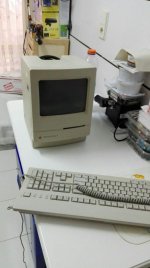
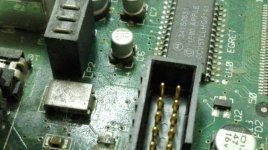
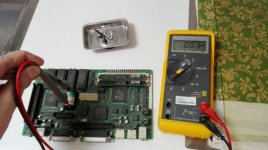
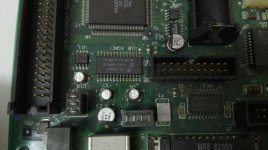
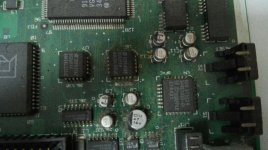
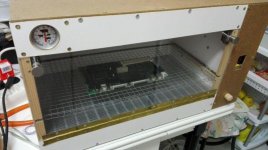
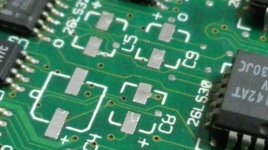
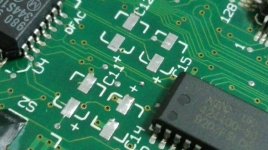
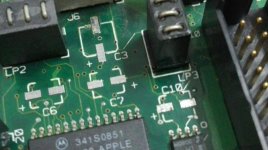
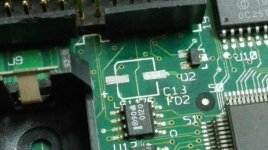
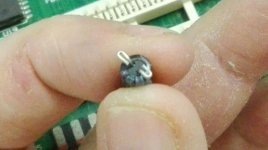
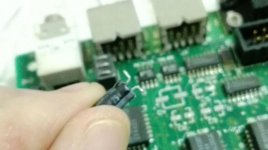
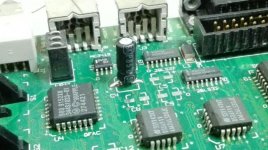
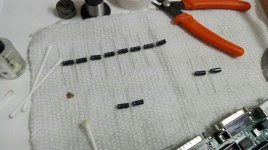
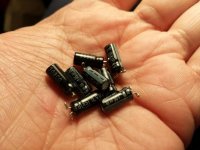
After all this work the improvement was noticeable... Still not working but when it was switched on the fan started to turn almost immediately.
I measured the voltages at the SCSI drive connector and the were quite low, 10V on the 12V rail and 4.3V on the 5V one. I then unplugged the floppy drive and the screen switched on with a very fuzzy and clicking image... Monitoring the 5V line, the voltage increased a little to 4.47V and whenever it reached 4,5V the power on chime sounded and a little after the checkered bacground was visible(I think it was, the image is very fuzzy and moving). Immediately the voltage dropped and stays like this until you power it off.
So any help will be wellcome. I'ts my first repair on a compact mac so I'm scared of being zapped tryng to remove the analog board, I'm more a 5V guy, hehehehe Do you think I should re-cap the analog board? Any non-polar electrolytic capacitors in this one?
I will like to touch the analog board as few times as possible, so do you reccomend replacing the optocoupler and the switching transistor too? Can someone provide a reference of those parts?
I've done some repairs on Atari power supplys, and one part is usually replaced too is the rectifier bridge, all silicon parts tend to age so why not, and I usually fit a more capable one (and a more capable switching transistor too). Do you also replace the rectifier bridge?
I've not found any schematics so I have to ask everything, sorry...
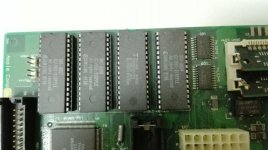
I've spent today's afternoon trying to repair a Classic II that I had in my "to-do" list. I bought it as a non-working unit from UK a year ago, and as the seller said, it did not work, at all: no HD turning , no fan, no screen, no chime, nothing, nada. I opened it then and the pram battery was completely depleted, but had not leaked so I removed it and stored the unit.
Until this afternoon, that I decided to try and repair it. First of all I removed all the capacitors from the motherboard and reeplaced them with trough hole ones that I had handy. I addapted them cutting the legs short and building a sort of SMD leg wit my pliers.
After removing the capacitors and before soldering the new ones I washed the board with a toothbrush, first with very diluted cleaning vinager, to reduce the capacitor's leakage and then with soapy water. Dried the board in a dryng oven (I built it to dry paint on scale models, it keeps a temperature of 60ºC-70ºC for as long as you need) and then cleaned the pads and soldered the new capacitors. I also put a new pram battery.
Here are some photos:
After all this work the improvement was noticeable... Still not working but when it was switched on the fan started to turn almost immediately.
I measured the voltages at the SCSI drive connector and the were quite low, 10V on the 12V rail and 4.3V on the 5V one. I then unplugged the floppy drive and the screen switched on with a very fuzzy and clicking image... Monitoring the 5V line, the voltage increased a little to 4.47V and whenever it reached 4,5V the power on chime sounded and a little after the checkered bacground was visible(I think it was, the image is very fuzzy and moving). Immediately the voltage dropped and stays like this until you power it off.
So any help will be wellcome. I'ts my first repair on a compact mac so I'm scared of being zapped tryng to remove the analog board, I'm more a 5V guy, hehehehe Do you think I should re-cap the analog board? Any non-polar electrolytic capacitors in this one?
I will like to touch the analog board as few times as possible, so do you reccomend replacing the optocoupler and the switching transistor too? Can someone provide a reference of those parts?
I've done some repairs on Atari power supplys, and one part is usually replaced too is the rectifier bridge, all silicon parts tend to age so why not, and I usually fit a more capable one (and a more capable switching transistor too). Do you also replace the rectifier bridge?
I've not found any schematics so I have to ask everything, sorry...
Last edited by a moderator: