Hi all,
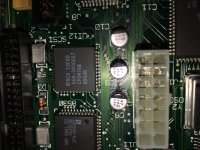
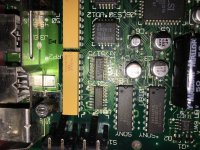
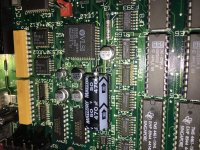
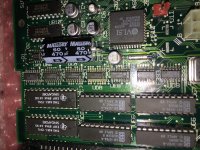
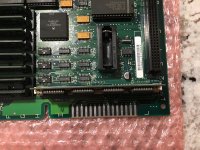
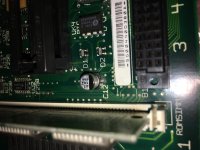
When went to purchase the SE/30 (2 months ago) it booted right up and showed the dead hard drive symptoms but had no hint of "simasimac". I put the machine in 72F climate controlled storage and just recently got around to replacing the hard drive and testing the machine when I noticed the issue. I have cleaned all the Ram and ROM pins with isopropyl and they have been also been tested with known good ones. When I originally pulled the board out of the SE/30 I found 2 caps laying inside (C1 and C13), Im guessing those were completely shot. I took a couple of pictures before sending the board out, but I would like some help in diagnosing the possible issues.
Unwilling to ruin an SE/30 board, I have sent it off to be professionally recapped. After the re cap, the simasimac problems are not going away.
I noticed that C1 may have some trace issues. Can anyone give me some insight as to what may be wrong?
PS. Ive been watching a bunch of tech knights yt videos to see if my symptoms match.
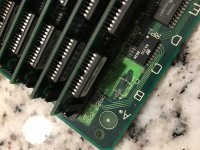
When went to purchase the SE/30 (2 months ago) it booted right up and showed the dead hard drive symptoms but had no hint of "simasimac". I put the machine in 72F climate controlled storage and just recently got around to replacing the hard drive and testing the machine when I noticed the issue. I have cleaned all the Ram and ROM pins with isopropyl and they have been also been tested with known good ones. When I originally pulled the board out of the SE/30 I found 2 caps laying inside (C1 and C13), Im guessing those were completely shot. I took a couple of pictures before sending the board out, but I would like some help in diagnosing the possible issues.
Unwilling to ruin an SE/30 board, I have sent it off to be professionally recapped. After the re cap, the simasimac problems are not going away.
I noticed that C1 may have some trace issues. Can anyone give me some insight as to what may be wrong?
PS. Ive been watching a bunch of tech knights yt videos to see if my symptoms match.