• Hello MLAers! We've re-enabled auto-approval for accounts. If you are still waiting on account approval, please check this thread for more information.

R7000 beige G3 issues

This is a bizarre one. I can’t get my newly flashed Radeon 7000 PCI to work in my beige G3 when I have a Yikes G4 ZIF installed.

The problem only occurs with the ATi extensions installed. It locks up when the CPU Director extension tries to enable the cache. If I disable the CPU Director extension, then it gets as far as the menu bar appearing before locking up. If I disable
the ATi Resource Manager extension, then everything is fine (but no 2D acceleration).

If I put back in my G3 ZIF in the beige, all works great.

The R7000 also does not have this issue in the Yikes machine with the same CPU.

Any ideas what could be going on here?
 
Ok, so it’s doing it with the same extension set and a Rage 128 installed - so not a R7000 problem per se.

ATi drivers don’t like the G4 upgrade - hmm.

Not another Rev C ROM issue I hope.
 
You might find that if you wait for five minutes it finishes loading.

I find the late versions of the drivers wuite buggy and usually run one of the oldest ones that supports the R7000.
 
You might find that if you wait for five minutes it finishes loading.

I find the late versions of the drivers wuite buggy and usually run one of the oldest ones that supports the R7000.
I’ve waited 15 mins but it’s locked hard - no mouse movement.

I’ll stick the G3 back in for now so I can fully test out the R7000. Also, I’m not really doing anything that requires a G4, it’s just ‘nice to have’.

I’m just surprised as I think that a G4 and R7000 would be a fairly common beige upgrade that people would have done.
 
Hello Phipli, do you by chance have a link to the older r7000 drivers that actually work in this exact scenario? Ive got the same happening to me!
 
….yes, I have a 350/1mb g4 zif, but I tried it today and it freezes exactly as described in this thread.
i have a g3/mt rev C fw, the VR is a Rockwell and not a Royal. I also have a flashed r7000 with 64mb vram
 
That’s very interesting. I gave up and put the G4 CPU back in the Yikes as I couldn’t find a solution. Maybe you will get further.
 
Well, I can confirm the problem being the ATI radeon 7000 Installer 1.0 for os 9. Running the mac without extensions and having said installer remove the drivers makes the machine boot normally. I'll try earlier drivers posted by unknoun-K and report here....
 
Well, I can confirm the problem being the ATI radeon 7000 Installer 1.0 for os 9. Running the mac without extensions and having said installer remove the drivers makes the machine boot normally. I'll try earlier drivers posted by unknoun-K and report here....
Yes, this is what I found. But then I couldn't find a version of the drivers that would work with the R7000 and the G4 without locking up. I'm pretty sure I tried the earliest version of the ATI drivers that supports the R7000. Do go ahead and double-check though, as I could have got this wrong.
 
Last edited:
This sounds very similar to a problem I ran into on a MDD. Playing with extensions let me identify the issue. I think it was a problem between the ATI extensions and either Open Transport or maybe QuickTime.

I think the solution was to get the latest ATI extensions. I was running something a few versions before the latest.

It's been so long ago I may be misremembering. I think I posted the details in a thread about getting OS 9 booting properly on my MDD, but I'm not certain that the thread was here. Might have been one of the LEMLists... Also could ahve been lost in one of the crashes here.
 
Hi Trag, you don’t happen to have handy those “latest” ati drivers…? Or a link? I have to use 9.1 because the USB driver will not work with the Sonnet combo usb/firewire card I use in the mac…
 
Did a little searching on the forum here and found this from an old posting:

2) Mostly Required: Latest ATI drivers. With the ATI drivers which are installed with the OS 9.2.2 update, QuickTime 6.0.3 will lock up the machine during extension loading. The mouse will move but clicking the mouse and typing on the keyboard will have no effect.

The culprit is ATI Video Accelerator 4.8.5. Update to 4.8.7 by installing the January 2005 ATI OS 9 Mac Software Update. If you have an nVidia card, this probably isn't a problem. This experience occurred with a Radeon 9000.

I'm not sure if this is relevant to your experience or not.

There's an archive to the old ATI drivers that a fellow maintains and I've got a book mark somewhere, but not on this computer. I really should rationalize my collection of bookmarks some day...

Ah, found it. Classic Mac OS ATI drivers here:

https://gona.mactar.hu/ATI_Mac/
 
I would like to share my experience with my G3 beige desktop upgrade.
I have shoehorned a 400 mhz G4 @433 mhz from a Yikes! Power Macintosh , and an original Radeon 7000 Mac Edition into my G3 desktop. I also installed the drivers from the included CD and all extensions and control panels load no problems whatsoever. Video acceleration is confirmed by Macbench (graphics performance over 3x a stock 300 mhz g3 machine) and the ATI taskbar extension.

So, maybe the Mac edition card has no issues with the ATI drivers? Maybe the problems arise with flashed PC Cards? Just a thought.

Take care

L.
 

Attachments

  • IMG_1358.jpeg
    IMG_1358.jpeg
    4.2 MB · Views: 9
  • IMG_1357.jpeg
    IMG_1357.jpeg
    6.5 MB · Views: 3
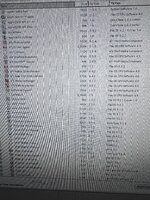
PS I installed OS 9.2.2 from the “universal installer” CD I think that has some upgraded drivers that the ATI installer seems not to overwrite (as seen in the first screenshot)
 
Back
Top