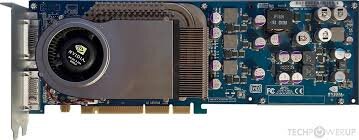
I would get you a ROM dump provided you can tell me how to go about it
I suppose if you can't move it to a PC and use NVFlash from Windows or DOS to dump the ROM, and if there's no Mac utility to do the job (Graphiccelerator? NVUserXFlash? NVIDIAFirmwareUpdate? ATI Multi Flasher NVidia? ATI Multi Flasher NVidia.app?) then there's a couple options:
- Get a dump from Open Firmware. This involves mapping the ROM BAR of the card, then dumping the hex.
- Get a dump from Mac OS X using my flashrom fork. This might not work with some PCI cards. Try my
anypci programmer first (it does mapping of the PCI Option ROM, and can't do any writing). I think the
gfxnvidia programmer is only for old Nvidia cards.
The first link has flasrom, DirectHW.kext, and some scripts and commands (which are also scripts):
https://forums.macrumors.com/thread...eige-power-macintosh-g3.2303689/post-33883037
https://forums.macrumors.com/thread...eige-power-macintosh-g3.2303689/post-32932830
https://68kmla.org/bb/threads/g4-cube-internal-speaker-functionality-dilema.46289/post-521927
To use flashrom, first you need to install DirectHW.kext. View the get-new-world-rom.command file in a text editor to see how that's done using the loadkext and unloadkext commands from my KextUtil.sh script.
Then the flashrom command should look like this:
Code:
sudo ./flashrom -p anypci:pci=04:00.0 -r 6800.rom
You'll need to change the PCI bus/device/function address to match the address for your 6800...
Actually, flashrom requires pciutils, so you'll need to install that after DirectHW.kext. Read the comments at
https://gist.github.com/joevt/e3cd4ff08aae06279134969c98ca3ab7
If you have pciutils installed correctly, then you should be able to use
sudo lspci -v to list pci devices. Or try the pcitree.sh script.
flashrom can also list PCI devices like this:
but it doesn't tell you which PCI device is the Nvidia card. It should be the one device with vendor ID 10de.


 Hello Guest! We're hosting a challenge to welcome vintage Intel macs to the MLA during the month of July! See this thread for more information.