• Hello MLAers! We've re-enabled auto-approval for accounts. If you are still waiting on account approval, please check this thread for more information.

Pb 5300ce pcmcia cage replacement

I got a second beautiful PowerBook 5300ce with a working (!) battery and working power supply board but with several other issues:

I replaced the broken front and back bezel and have to re-solder the power-connector.

But there is also a problem with the PCMCIA cage: the upper slot worked only once, the lower slot does not work - both slots seem to not fit very good and I suppose cards were put in with force in the past. :(

I have two spare 5300cs logic boards, so my question is:

is it difficult to replace the PCMCIA cage?

 
Recall the same, it's tricky to reassamble back in.  Maybe check the pins aren't damaged in the existing cage

 
If you remove the keyboard, you can use a dental probe/mirror and a flashlight to check the pins. The ejection switches are on a tiny board that always breaks from the logic board but with a steady hand you can solder it back on.

I think the PCMCIA cage just snaps into into place through a connector but you should check the connector for broken solder joints.

 
I got the PowerBook 5300ce as a gift, as something heavy must have been put on it and the hinge attachments, clutch covers etc. were broken. So I used front and back bezel and hinges from a defective cs and the display is ok and working now.

One of the broken clutch cover parts slipped in the PCMCIA cage and did some damage, when a PCMCIA card was put in. My fault: I should have seen that. :(

 
Last edited by a moderator:
Got photos to post up? This could be simple or this could be a nightmare repair. But I can't say without seeing it.

 
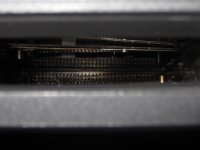
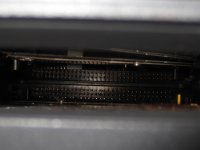
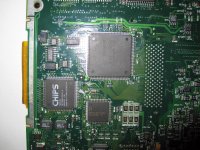
The first 2 pictures are from the (unopened) PowerBook 5300CE with the defective PCMCIA slots.

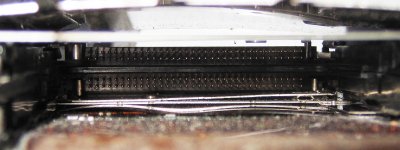
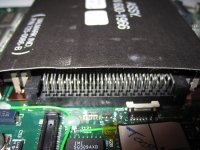
The last 3 pics are from a naked PowerBook 5300CS logic board, which I have.

1200x900 pixel

I'm not wiser, now...

PB5300ce PCMCIA Card Cage BAD 1.jpg

PB5300ce PCMCIA Card Cage BAD 2.jpg

PB5300cs PCMCIA Card Cage OK 1.jpg

PB5300cs PCMCIA Card Cage OK 2.jpg

PB5300cs PCMCIA Card Cage OK lower side.jpg

 
Last edited by a moderator:
Back
Top