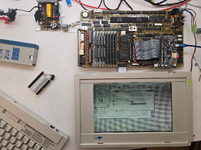
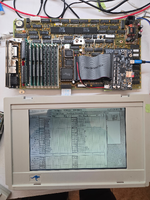
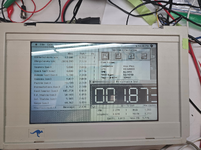
Lacking a more obvious repository, seems like it's time to start a outbound laptop worklog thread.
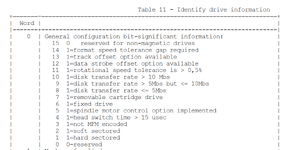
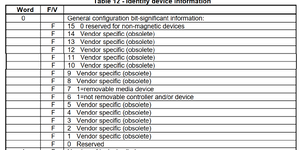
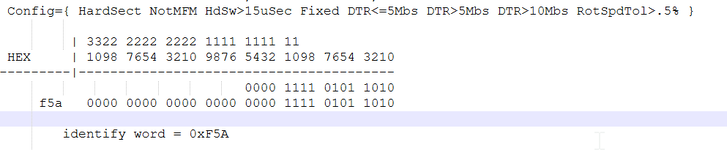
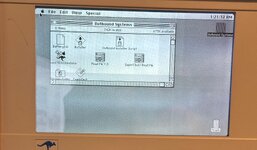
I've managed to capture an image of the prairietek 240A HD that came with my machine. While it's not remotely a clean image (contains a broken mix of sys 7 and 6.0.8), it's useful as a starting point as something that is known to boot on a physical machine. It's pretty obviously byteswapped and appears to be treated as a giant floppy (ie. no partition table), not particularly surprising on either count. I've attached both the original image and a byteswapped version - would be interesting to try to undelete files from it.
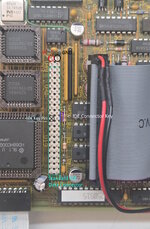
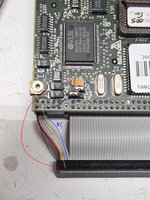
I was able to capture the image by attaching the HD to an old via industrial PC with an IDE interface and a DIY power adapter. I didn't have any luck getting a USB adapter to talk to the drive, but the via machine worked right off the bat. The IDE connector appears to use the standard pinout. Pinout of the power connector is simple: pin 1 is 5V, pin 2 is GND, pin 3 is 12V. Attached is a terrible diagram.
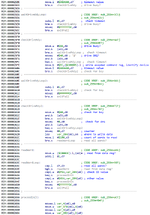
I intend to try to poke at getting a zuluide or old CF card working once I have my machine fully refurbished. I'm expecting I'll probably need to decompile the .PTek driver in the eeprom, I'm sure it's primitive and I'll need to know what it's expecting and/or perhaps modify it.
Appears to be the correct replacement battery, but I've not yet received it: EPP-100C, aka panasonic BP-80 and a bunch of other x-refs.
I've dumped contents of the internal eeproms (2x xicor 28C64). My machine had HDD version 1.1e written but I've included 1.3b2 images which I extracted from the attached installer disk (not my image).
I'm working on refurbishing my external floppy drive. It was riddled with a few nasty SMD caps. Otherwise, it's a rather strange beastie that contains an off the shelf WDC floppy controller, a SCC (???), and more ROM on the PCB. The floppy is a Citizen mechanism which uses a 230mm x 2mm belt. The additional ROM (contents attached) only seems to be used if the HD eeprom image is written to the internal EEPROM. I'm guessing the internal floppy EEPROM assumes the internal drive would be used for booting.
Also attached is a capacitor list with mouser replacements for both the logic board, internal power supply, and external floppy. A couple of the logic board caps (220uf 10v) should really be replaced with short 6mm or so capacitors; on my machine these two were bodged in sideways in order to reduce the height. Note the bipolar cap in the floppy drive! I missed this, so for the moment I've left it alone as it was the only SMD cap in there that appears in good condition.
I've managed to capture an image of the prairietek 240A HD that came with my machine. While it's not remotely a clean image (contains a broken mix of sys 7 and 6.0.8), it's useful as a starting point as something that is known to boot on a physical machine. It's pretty obviously byteswapped and appears to be treated as a giant floppy (ie. no partition table), not particularly surprising on either count. I've attached both the original image and a byteswapped version - would be interesting to try to undelete files from it.
I was able to capture the image by attaching the HD to an old via industrial PC with an IDE interface and a DIY power adapter. I didn't have any luck getting a USB adapter to talk to the drive, but the via machine worked right off the bat. The IDE connector appears to use the standard pinout. Pinout of the power connector is simple: pin 1 is 5V, pin 2 is GND, pin 3 is 12V. Attached is a terrible diagram.
I intend to try to poke at getting a zuluide or old CF card working once I have my machine fully refurbished. I'm expecting I'll probably need to decompile the .PTek driver in the eeprom, I'm sure it's primitive and I'll need to know what it's expecting and/or perhaps modify it.
Appears to be the correct replacement battery, but I've not yet received it: EPP-100C, aka panasonic BP-80 and a bunch of other x-refs.
I've dumped contents of the internal eeproms (2x xicor 28C64). My machine had HDD version 1.1e written but I've included 1.3b2 images which I extracted from the attached installer disk (not my image).
I'm working on refurbishing my external floppy drive. It was riddled with a few nasty SMD caps. Otherwise, it's a rather strange beastie that contains an off the shelf WDC floppy controller, a SCC (???), and more ROM on the PCB. The floppy is a Citizen mechanism which uses a 230mm x 2mm belt. The additional ROM (contents attached) only seems to be used if the HD eeprom image is written to the internal EEPROM. I'm guessing the internal floppy EEPROM assumes the internal drive would be used for booting.
Also attached is a capacitor list with mouser replacements for both the logic board, internal power supply, and external floppy. A couple of the logic board caps (220uf 10v) should really be replaced with short 6mm or so capacitors; on my machine these two were bodged in sideways in order to reduce the height. Note the bipolar cap in the floppy drive! I missed this, so for the moment I've left it alone as it was the only SMD cap in there that appears in good condition.
Attachments
-
PTEK_240A.zip12.1 MB · Views: 4
-
Outbound EEPROMs.zip38.7 KB · Views: 4
-
Outbound Systems.img.bin483.4 KB · Views: 3
-
 20251221_142246 pinout.jpg616.6 KB · Views: 60
 -
Outbound Ext FLoppy U1 AT27C256R PLCC32.bin32 KB · Views: 6
-
Outbound Caps.csv.zip22 bytes · Views: 7
-
PTEK_2.swapped.bin.zip11.3 MB · Views: 3
Last edited: