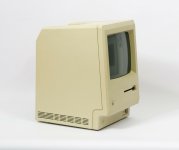
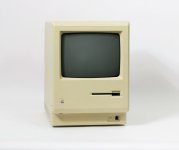
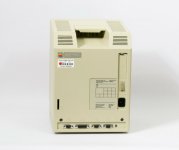
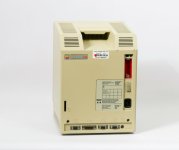
I'll see if I can find something to discharge the CRT so I can get to work on the high voltage board. I need an anti-static band or wire to connect a screwdriver to the ground point, and I need a non-magnetic screwdriver. I have neither of those right now! I start my 2 weeks holiday (first time off this year) on Monday, so I'll have all the time in the world to hopefully fix this computer.
I'll see if I can find something to discharge the CRT so I can get to work on the high voltage board. I need an anti-static band or wire to connect a screwdriver to the ground point, and I need a non-magnetic screwdriver.
Completely anecdotal: never had an issue with the Classics, definitely have heard pops when discharging Plus and lower. I have my own tool connected to a resistor that bleeds it off slowly. If you will be doing a bunch of these, it's a good thing to make.
This is remarkably dangerous and you should not do this, but I've never discharged a Classic, and have had no incidents. The conclusion you should draw: the Classic is safer than most earlier Macs and probably won't kill you, but still discharge anyway.
Everything from the SE on has bleeder resistors in place so you *should* not have to discharge the CRT if you let it sit for a while.
I never discharged any Mac CRT yet and nothing ever happened. It’s a good thing though to manually discharge anything if you want to be 100% sure you’re going to be safe when taking off the anode cap.
My dad to the rescue! He has some three core wire and three electrical tester screwdrivers I can borrow, so I'll be getting those this afternoon.
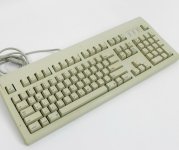
As an aside, I don't have a keyboard or mouse for this classic, so I went on eBay and as a complete stroke of luck, the same shop I bought my two dead classics from had just listed an AppleDesign keyboard, fully working, for only £29,00 with free postage!
That is EXCESSIVELY cheap for a working AppleDesign keyboard in this condition. They also have a Macintosh 128 and Macintosh 512 for £249,00 and £149,00 respectively, and they are listed as non working but look in fantastic condition.
I'm wondering if Vintage Mac (a rip off shop that tried to sell my broken classic for £599 and that 512 for £1700!) has went under and they've just gotten the old stock. I am so tempted to buy both of these.
I've removed the problem caps from the analogue board and cleaned the areas around them with alcohol. Now It's just a case of ordering some caps, and sadly the cap values are different for the 220v version of the board so I have to go order them myself rather than using a pre-made kit or list.
On the plus side, I made a video! Hopefully Part 2 involves the computer working :lol:
This site uses cookies to help personalise content, tailor your experience and to keep you logged in if you register.
By continuing to use this site, you are consenting to our use of cookies.