• Hello MLAers! We've re-enabled auto-approval for accounts. If you are still waiting on account approval, please check this thread for more information.

Netatalk/Virtual Box setup and config

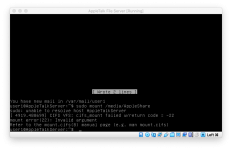
line 14 in /etc/fstab is bad

mount: can't find /media/AppleShare in /etc/fstab or /etc/mtab

those are the exact words, forgive me, I am reading this via Screen Sharing on the server at home and transcribing it.

Same thing happens and /media/AppleShare is replaced with /media/x where x is whatever else I type in (like 10.0.1.5, etc).


 
Ohhhhhhhh.

Double quotes don't work in fstab because UNIX doesn't like spaces for some reason

Try this line in fstab:

Code:
 //10.0.1.50/volumes/Mustang/Classic\040Mac\040Archive /media/AppleShare cifs vers=3.0,credentials=~smbcredentials
 
thanks buddy, let me give that a go.

As an aside, you have made muc more comfortable with typing commands as a result of this exercise!

 
Last edited by a moderator:
The pie-in-the-sky goal is that every machine I have, from System 6 up through 10.14, could access it via Network in OS X and the Chooser in classic Mac OS.
Doesn't having your archive on the a2server alone satisfy that?  You can keep the Virtualbox VM on the RAID server for data integrity purposes still.  What I do is shut it down every now and again and copy the VM to my backup / archive drives to preserve snapshots should anything go wrong, or if my RAID drive goes belly up.  Seems like the easiest solution. 

 
Getting closer...now it will try and mount but it is having trouble opening the smbcredentials file. Here is what I get:

error-1 (Unknown error 4294967295) opening credential file ~/smbcredentials

 
Oh, put the full path to the smbcredentials file, not using the ~.

In system-wide configuration stuff it's best to avoid ~, because it's often unclear which user's home directory you're talking about.

 
Last edited by a moderator:
pcamen, I may just do what you suggested eventually. Most of this is me being a stubborn ass about things not working when I think they should.

 
Pinging was successful, although I don't know how to stop the damn thing.

I also realized that the folder that this points to on the drive was not checked as a "shared folder" in get info on the host machine, so I also check that off.

let me try your suggestion

 
pcamen, I may just do what you suggested eventually. Most of this is me being a stubborn ass about things not working when I think they should.
I hear that.  When you do get it working, try and add files in both directions and see if the resource fork is properly preserved accessing it the other way; that would be good information to have.

Add file via the Mac file system, access on vintage Mac via a2server

Add file via a vintage Mac / a2server and access via the Mac file system.

 
Still not working...oh boy. I may just pull the self destruct switch soon. I’ll be ever appreciative of everyone’s help.

 
I bit the bullet and did it pcamen's way. Now the issue I have is that everything I copy gets capitalized. Should I just remove the prodos option in the netatalk drive settings, will this fix that?

 
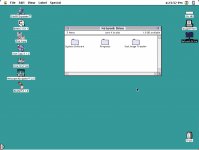
I did as pcamen suggested and just used it as-is. Works great now. I can copy back and forth, no issue. No compression - resource forks are preserved without issue. Downloaded Stuffit Expander from Macintosh garden, unpacked it on my Mac mini. The resultant Classic Application was then copied directly to the A2SERVER drive. I then ran it from the drive on my IIfx - worked perfectly. The other way works as well!

Picture 2.jpg

 
Back
Top