
I'm thinking you'll be getting a lot more than 16 levels of grays. 
/monthly_03_2017/post-4256-0-29410800-1488970854.png">View attachment 11955
/monthly_03_2017/post-4256-0-29410800-1488970854.png">View attachment 11955



I can't get more of 16 colorI'm thinking you'll be getting a lot more than 16 levels of grays.
/monthly_03_2017/post-4256-0-29410800-1488970854.png">View attachment 11955
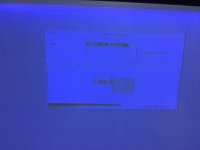
 always blue color
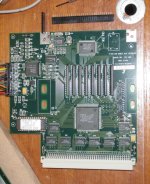
  Your card has the expanded VRAM we were talking about in another thread, note the empty ZIP sockets in that pic of 90210's board.
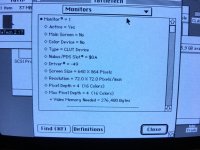
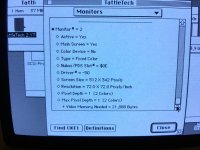
I noticed about VRAM and i tried to remove and i lost color (16 to 4). I replugged now.We've got to identify which software needs to be installed to get the additional levels of color/grayscale on my COLORPIVOT SE/30 and your GS PIVOT SE/30.
Switch your settings to Grayscale instead of Color and the BlueScale output looks a lot nicer.
Ok I understand ! No driver for this card !LOL! I'd typed this earlier and forgotten to hit post.
Doesn't sound to me like you have any need for drivers at all with your card, it's a hardware problem.
You've got to find some way to adapt your card's Cable to the VGA interface which ties the Red & Green lines to the Blue(only) output of your Monochrome Card per Themke's suggestion and your MonoBlues will go away.
It's too bad the VRAM bump only takes you from 2bit to 4bit grayscale. Make sure you're set to Grayscale and not Color in the Monitors Control Panel, you'll see the difference.

I'm sure about nothingsTrash, are you 1000% sure your card is color? I can't see a damn difference between yours and mine and the ones on google images.
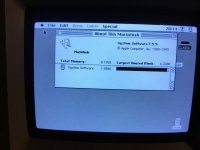
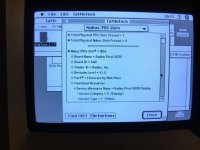
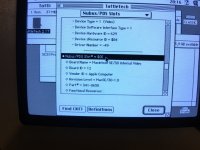
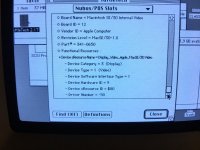
Pretty dang sure:Trash, are you 1000% sure your card is color? I can't see a damn difference between yours and mine and the ones on google images.
Yep, there's a "rarely ending" series of interrelated posts about most anything if you dig back far and wide enough into the archives. Some make for happy endings.All of these related threads seem to be bringing up the same points, over and over again.
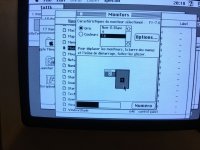
I know this is not quite what you are looking for, but if I select "millions" in the greys section on my 24-bit colour VidCard, the bar will still be colour, while the UI will go to greyscale. On the lower options, changing between colour and greys will change the bar at the bottom to one that has many shades of grey.quick test: if you toggle between colors and grays, does the sample bar underneath change at all?
Yes in color mode i have not grade of colors juste a palette (of what i don't know, everything are blueYep, there's a "rarely ending" series of interrelated posts about most anything if you dig back far and wide enough into the archives. Some make for happy endings.
quick test: if you toggle between colors and grays, does the sample bar underneath change at all?
)
 h34r:
h34r:






