• Hello MLAers! We've re-enabled auto-approval for accounts. If you are still waiting on account approval, please check this thread for more information.

Macintsh SE SuperMac SpeedCard accelerator

jasa1063

6502
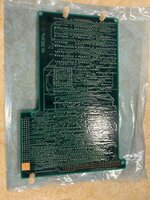
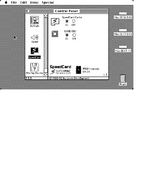
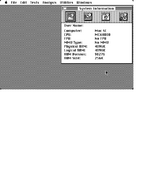
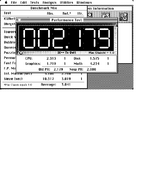
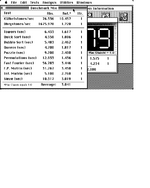
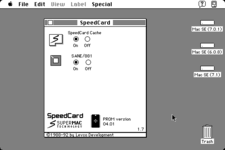
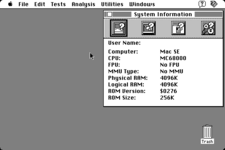
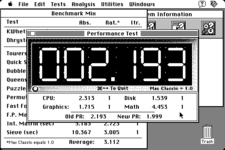
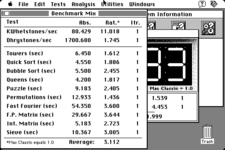
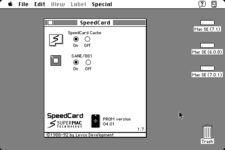
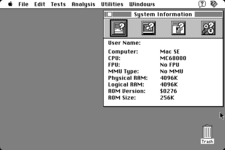
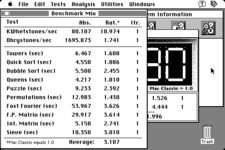
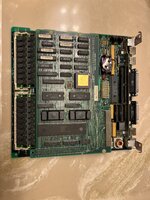
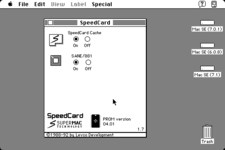
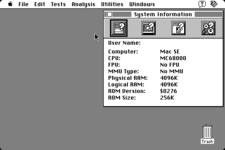
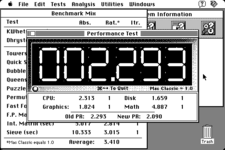
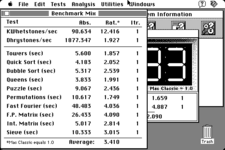
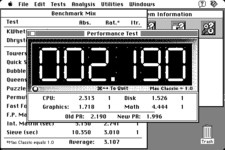
I just picked up a Macintosh SE SuperMac SpeedCard accelerator. This accelerator has a MC68000 clocked at 15.67MHz along with a MC68881 math coprocessor at the same clock speed. Finally it has 16K SRAM cache. I have been interested in getting one of these for quite some time to see just what kind of improvement over a stock SE I would get. I bought this from an eBay seller in Japan. Shipping was only $14 via DHL and was delivered in just 2 days! There were a couple of things that I like about this accelerator. The 16K SRAM Cache, a 68881 math coprocessor and the ability to boot in nomral 68000 mode for compatibility. The accelerator was in excellent condition and installed with no isue. I ran SpeedOMeter 3.23 on System 6.0.8, System 7.0.1 and System 7.1. I used the SuperCard Control Panel v1.7. Overall a 230x increase in CPU, 70% increase in graphics and 440% in SANE math performance is not too shabby. Here is a front and back picture of the accelerator
 

Attachments

  • IMG_2277.JPG
    IMG_2277.JPG
    2.3 MB · Views: 22
  • IMG_2278.JPG
    IMG_2278.JPG
    2.4 MB · Views: 23
Here are the results from SpeedOMeter 3.23 on System 6.0.8.
 

Attachments

  • Screen 0.png
    Screen 0.png
    12.1 KB · Views: 12
  • Screen 1.png
    Screen 1.png
    9.6 KB · Views: 10
  • Screen 2.png
    Screen 2.png
    13.5 KB · Views: 10
  • Screen 3.png
    Screen 3.png
    14.3 KB · Views: 10
Here are the results from SpeedOMeter 3.23 on System 7.0.1.
 

Attachments

  • Picture 1.png
    Picture 1.png
    13.1 KB · Views: 9
  • Picture 2.png
    Picture 2.png
    15.8 KB · Views: 8
  • Picture 3.png
    Picture 3.png
    18.8 KB · Views: 6
  • Picture 4.png
    Picture 4.png
    19.8 KB · Views: 5
Here are the results from SpeedOMeter 3.23 on System 7.1.
 

Attachments

  • Picture 1.png
    Picture 1.png
    13.1 KB · Views: 4
  • Picture 2.png
    Picture 2.png
    15.8 KB · Views: 3
  • Picture 3.png
    Picture 3.png
    18.7 KB · Views: 3
  • Picture 4.png
    Picture 4.png
    19.8 KB · Views: 17
Curious as it seems to be faster under 7.1 than 6.0.8! What’s the figure without the accelerator on all of those?
 
A stock SE will score the same as Macintosh Classic with some minor variations. You should get around 1.0 for score.
 
I looked through my parts inventory and found a 40MHz MC68882 math coprocessor. I swapped it out for the 16MHz MC68881 on the accelerator and ran through SpeedOMeter 3.23 under System 7.0.1 (The daily driver OS I run on this Macintosh SE). Here are the results, nothing earth shaking, but the MC68882 is a bit faster. I am also including a picture of the accelerator as installed on Macintosh SE motherboard. I took the crumbling paper off of the two EPROMs and covered them both with electrical tape.
 

Attachments

  • IMG_2291.JPG
    IMG_2291.JPG
    2.2 MB · Views: 11
  • Picture 1.png
    Picture 1.png
    13.1 KB · Views: 11
  • Picture 2.png
    Picture 2.png
    15.8 KB · Views: 5
  • Picture 3.png
    Picture 3.png
    18.9 KB · Views: 4
  • Picture 4.png
    Picture 4.png
    19.9 KB · Views: 18
You probably saw the reviews already on the internet archive. Are you planning to try it with with a network or video adapter?
"Requires: Mac SE Pros: Great low-cost alternative Requires no additional memory. Allows fall use of memory on the motherboard and full compatibility with all programs that don't work with the 68020 , Allows use of many different large-screen displays (except Radius). You can use either the Apple PC drive card or the EtherTalk card for the SE, Colorvue SE will also function on this card. Cons: Heck, we can't think of any."

 
I am not planning on anymore upgrades to the SE at this time. I have a BlueSCSI v2 with a PicoW which can emulate a DynaPort SCSI network adapter for my networking needs.
 
FYI, if you are trying to run Norton System Info 3.5.3 on a Mac SE it will crash trying display the results. Simply move or rename the Benchmark Results folder and rerun Norton System Info. You can then start moving results back into you see the problem again. There is a limit on the Mac SE as to how many results can be displayed at once.
 
Back
Top