Drat. ADB failure. That happened to me, too.

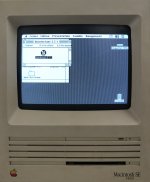
Everything but the ADB was working on my SE (dual 800K floppy, 1MB RAM). I went to one site that said you can upgrade an SE to an SE/30 simply by swapping out the logic boards. Which is what I ended up doing; I bought a good used logic board from a 68kmla member and was back in business. I did have to mod the case a bit, since I wanted to trade out the dual 800K floppies for a hard drive and a 1.44MB Superdrive. I had to Dremel tool the front bezel, since the Superdrive floppy sits lower in profile than the original, plus I had to cut and bend/flex one of the floppy drive metal brackets to fit around a standard 3.5" half-height SCSI HDD.
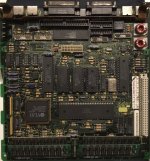
If you still want to fix the ADB, I would probably start by seeing if someone on here has a spare SE logic board (Prefer one that has a good ADB, but is dead; never salvage/destroy a good working logic board for the sake of one part.) that they are willing to part with or if they can sell/give you the ADB controller chip. I'm not sure what other parts are associated in that circuit, be they capacitors, resistors, diodes, etc., but I would check them out as well. There's bound to be something else I'm forgetting.
There is an initial voltage test you could do to verify first if they truly are dead. There are 4 pins used on those connectors:
Pin #1 = Apple Desktop Bus (Macintosh bidirectional data bus; possibly direct to the controller chip)
Pin #2 = Power Switch (Switch to startup, reset or interrupt the computer. Only works with the Macintosh II family, Quadra 700, 900, and PowerBook series. Unused on all other models.)
Pin #3 = +5 Volts DC
Pin #4 = Ground (Earth)
Note : Power +5V is 200mA (500mA?); each peripheral should use 100mA max. You can daisy-chain up to 16 possible devices and the maximum length of the ADB is 5 meters. Strange but true, you can use S-Video cables as ADB cables; both type of cables are electrically wired the same way. On the Mac SE, SE FDHD Superdrive and SE FDHD, there are no fuses connected between the ADB jack and the chip, but on the SE/30 and later there is one. Use
this site for reference.
So, it looks like you'll need to have a digital multimeter handy. What you can do (and this is perfectly safe to do) is to reconnect everything back together. Don't put the back plastic case or the RF shield back on. Place a pillow or a towel (folded up) on your table/workbench and orient the SE, so that the front display is facing down and the back is facing straight up. In front of you, you'll see the bottom of the logic board.
Locate the ADB ports. It doesn't matter which port you choose to test with, as long as you test one port at a time. You should see 7 solder points per ADB jack. It will look like this:
*(Ground) * (Ground) *(Ground)
* (Pin #2) * (Pin #1)
* (Pin #4) * (Pin #3)
Those are solder solder joints for those jacks. Turn on your multimeter and set it for measuring DC volts 1-12 range or equivalent. Turn on the SE. Place the tip of one probe (Red) carefully on Pin #3 and the other (Black) on Pin #4, making sure not to short/bridge across any other connections, since you're working on a "LIVE" circuit. You should see approximately 5 volts DC on the multimeter. This tells you that power is flowing through that jack. Repeat these steps for the other ADB jack. If you get nothing through one jack, then that single one is dead and the other is alive. If nothing on both jacks, then the ADB circuit is dead. Which part is faulty will be the question to ask; my bet could be the chip or another component.
Give this a try and report back with your findings. Good luck, mate. Go get 'em!
73s de Phreakout. :rambo:
PS: "73s" means best regards, "de" means this is, and Phreakout obviously is my username/handle. :beige:



 )
) 





 Its in may, and its right around the corner. Would look forward to meeting people. Never know what you will find either.