
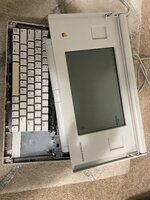
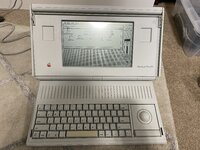
Bought a Portable and when I got it it powered on and gave a Sad Mac code didn't write it down. I finished a recap last night also removed and solder back on three of the SRAM chips down in the lower right since the had a bit of corrosion. It boots but now if loops the startup chime if I reset the system. I'm getting a Sad Mac error 03001500 00001FFA came across a post whren it was a bad trace between ram chips and fixing that resolved the issues so I'll start there. Techkinght mentioned swapping RAM till you find the bad chip. Question does anyone know of a source for replacement ram chips or would I need another portable to scavenge ram chips from. Thanks in advance

-
Hello MLAers! We've re-enabled auto-approval for accounts. If you are still waiting on account approval, please check this thread for more information.
Macintosh Portable Sad Mac 03001500 00001FFA
- Thread starter jlindsay26
- Start date
 sigh, rolls eyes… no-one said it would be easy, I guess
