• Hello MLAers! We've re-enabled auto-approval for accounts. If you are still waiting on account approval, please check this thread for more information.

Macintosh Portable M5120 error and vertical stripes on start

Hello Folks ! 

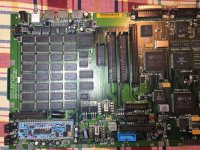
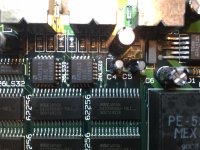
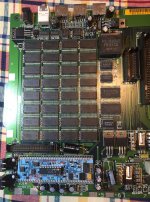
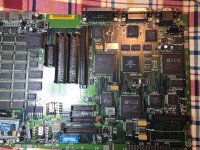
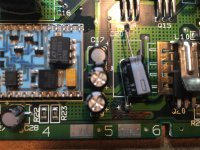
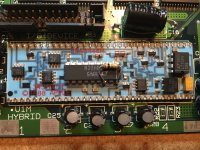
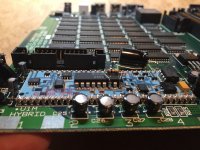
recently acquire a Macintosh Portable M5120 non backlit , as usual washed and cleaned motherboard  , recapped with new capacitors  , cleaned as if there no tomorrow hybrid but on start up Portable start immediately with sad icon , distorted video and stripes (see video)  the "intermittent start and stop on video at first is due to the fact that power supply was not connected and battery was low ,Portable normally start up with sad icon ( 2 distorted )  and stripes , hard drive spins but nothing else .

Maybe Techknight can "unlock " the secret  :-)

thank you 


IMG_9290.jpg

IMG_9324.jpg

IMG_9294.jpg

IMG_9291.jpg

IMG_9326.jpg

IMG_9327.jpg

IMG_9328.jpg

 
First off you need to make sure your battery is 100% rebuilt and in good shape or we are wasting our time. 2nd, make sure your power brick is recapped and good as well. 

3rd, replace the 74AC02, 74AC10, and 74AC157. All 3 are clustered together, You'll thank me later. This may even fix it. 

4th, Check the NMI and Reset buttons, make sure they both are reading 10K ohms on 1 pin to +5V supply, and also make sure they ring out to SYS_RESET and NMI, both of which can be found on the MISC_GLU. just probe around in continuity mode, if its good, youll find the pin and itll BEEP. Both buttons should do this. If the Reset line floats, or the NMI line floats, it will have this effect.

If your voltages are stable from your sources (battery/AC) then the other thing that causes this condition is floating RESET/NMI lines, bad PMGR IC, bad hybrid, or the bad 74AC02/10/157. the 74AC02 will go short internally and the machine will eventually appear dead, and that chip will get red hot really fast. 

we also cant rule out broken data bus wires either, Most likely 1 or more of the data/address lines to the video IC itself has a break somewhere which is why the screen corruption isn't random, and is consistent. So you have a multitude of issues going on here. 

 
Last edited by a moderator:
First off you need to make sure your battery is 100% rebuilt and in good shape or we are wasting our time. 2nd, make sure your power brick is recapped and good as well. 

3rd, replace the 74AC02, 74AC10, and 74AC157. All 3 are clustered together, You'll thank me later. This may even fix it. 

4th, Check the NMI and Reset buttons, make sure they both are reading 10K ohms on 1 pin to +5V supply, and also make sure they ring out to SYS_RESET and NMI, both of which can be found on the MISC_GLU. just probe around in continuity mode, if its good, youll find the pin and itll BEEP. Both buttons should do this. If the Reset line floats, or the NMI line floats, it will have this effect.

If your voltages are stable from your sources (battery/AC) then the other thing that causes this condition is floating RESET/NMI lines, bad PMGR IC, bad hybrid, or the bad 74AC02/10/157. the 74AC02 will go short internally and the machine will eventually appear dead, and that chip will get red hot really fast. 

we also cant rule out broken data bus wires either, Most likely 1 or more of the data/address lines to the video IC itself has a break somewhere which is why the screen corruption isn't random, and is consistent. So you have a multitude of issues going on here. 
:)  Thank you Techk will update !

 
First off you need to make sure your battery is 100% rebuilt and in good shape or we are wasting our time. 2nd, make sure your power brick is recapped and good as well. 

3rd, replace the 74AC02, 74AC10, and 74AC157. All 3 are clustered together, You'll thank me later. This may even fix it. 

4th, Check the NMI and Reset buttons, make sure they both are reading 10K ohms on 1 pin to +5V supply, and also make sure they ring out to SYS_RESET and NMI, both of which can be found on the MISC_GLU. just probe around in continuity mode, if its good, youll find the pin and itll BEEP. Both buttons should do this. If the Reset line floats, or the NMI line floats, it will have this effect.

If your voltages are stable from your sources (battery/AC) then the other thing that causes this condition is floating RESET/NMI lines, bad PMGR IC, bad hybrid, or the bad 74AC02/10/157. the 74AC02 will go short internally and the machine will eventually appear dead, and that chip will get red hot really fast. 

we also cant rule out broken data bus wires either, Most likely 1 or more of the data/address lines to the video IC itself has a break somewhere which is why the screen corruption isn't random, and is consistent. So you have a multitude of issues going on here. 

 
Hey TechKnight - I was curious why you mentioned replacing the 74AC02, 74AC10, and 74AC157 chips on this board. Are these well known to fail for this version of the Macintosh Portable? The reason I ask if that I am about 70% finished recapping and waiting for the remaining caps to be delivered. Since I have bought a few more Mac Portables...should I just go and order these chips as well? Upon inspection, these chips do not appear to have any capacitor fluid damage. Perhaps I don't have the whole story here.

Thanks,

Jeff 

 
Back
Top