


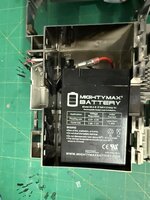
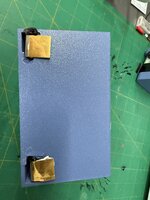
I got my first portable, 5126 backlit. I took all the advice here and didn’t try and boot anything. I recapped the board, got a new battery that I’ve seen others use, 6.5V lantern battery and used the 3d printed shell and connected copper feet.
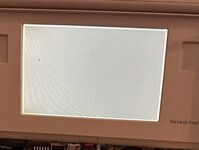
Got a new 9v battery as well and the system booted to a Mac OS can’t run 7.01 due to ram. I forgot the ram card. So I powered down, plugged in the ram card and it stopped chiming and booting. Pulled the ram card back out. Still no chime or boot. From what I can see it’s a power issue in the error, but it’s weird since it booted fine once. I am not sure about the power brick, I’ve been trying to use only the battery which still shows a full charge. I know I need to recap the power brick but I have no idea how to open it up yet.
Thoughts?
Got a new 9v battery as well and the system booted to a Mac OS can’t run 7.01 due to ram. I forgot the ram card. So I powered down, plugged in the ram card and it stopped chiming and booting. Pulled the ram card back out. Still no chime or boot. From what I can see it’s a power issue in the error, but it’s weird since it booted fine once. I am not sure about the power brick, I’ve been trying to use only the battery which still shows a full charge. I know I need to recap the power brick but I have no idea how to open it up yet.
Thoughts?
 The one I have here isn’t doing that (separate thread)

