• Hello MLAers! We've re-enabled auto-approval for accounts. If you are still waiting on account approval, please check this thread for more information.

Mac SE general questions

I’ve just taken delivery of a Mac SE and I’m delighted to say it looks in great condition and it boots up from the internal HDD. So far so good, but god is the fan noisy? I mean it’s really noisy and when I shut down I can hear it slowly whirling down.

One thing I’ve noticed is that when I launch the word 4 I get a system ID=2 error and I have to restart. I’m guessing the app is corrupt, as other apps seem to launch ok.

Im having some trouble trying to find out what OS is installed. I thought if I went into finder it would tell me, but nope. If I go into the system folder if I click on general or finder I get a “application is busy or damaged”.

What am I missing / doing wrong? Anyhow, it’s early days for me and so far I’m just delighted it powers up and I’m the main seems to work!
 
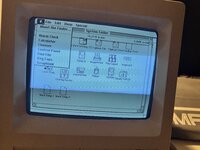
There’s no about this mac option from the Apple menu - just finder, alarm clock, calculator, chooser, control panel, find file, key caps, scrapbook.
 
The first option at the top of the Apple menu probably says something along the lines of "About the Finder," correct? Choose that and it should tell you the version.

(You can't "open" the files within the system folder. If you get an error message trying to open a system file, this is normal. You shouldn't tamper with the system folder unless you know what you're doing.)
 
"About the Finder" is the equivalent of "About this Macintosh" in system versions before System 7. Also, the message "application is busy or damaged" for the Finder and System is pre-system 7 too, in System 7 or higher more sensible messages are displayed. That said, 6.something is more sensible to run on an SE than 7 in general anyway, so.

The other place to look is to select the System or Finder files in the Finder and look under Get Info, which will usually display some version information.
 
Like I said above, when I click the apple menu all I get is “About the Finder” and the apps I listed above.

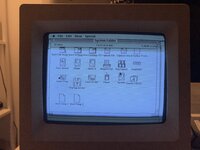
The only other area where there is anything system related is the system folder, and again, as explained above, when I click on General, System or Finder I get an error.

I’m inclined to wipe the hard drive and do a fresh install of 6.0.8 when I can find some disks.
 

Attachments

  • B9C15384-4C4F-4877-9229-B78A455E6DD8.jpeg
    B9C15384-4C4F-4877-9229-B78A455E6DD8.jpeg
    2.2 MB · Views: 15
  • 6E04F4B8-9FEC-4C8C-AB1B-8B61F1C09AC5.jpeg
    6E04F4B8-9FEC-4C8C-AB1B-8B61F1C09AC5.jpeg
    4.1 MB · Views: 15
"About the Finder" is the earlier equivalent of "About this Macintosh", same thing. See what Finder version is in that window when you select it.

Your idea to just install 6.0.8 is a good one.
 
Back then, they were somewhat discoordinate. The System and Finder had different version numbers. If you want, in the System Folder, click on the System and Get Info with Command-I, and do the same with the Finder. Their version numbers will be in the info screens.
 
How can you resist doing more forensics before wiping? I'd try to get a feeling for what the previous or original owner was doing with it and when.
 
No, don't double-click on the system or finder, click on them once to select them, then go File -> Get Info. The error you are getting is from double-clicking.
 
Back
Top