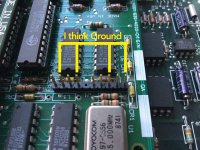
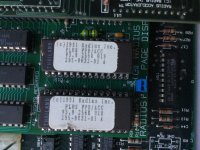
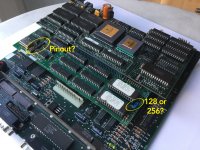
Missed your graphical question about the 128/256 jumper. You're in luck, it seems you have the latest ROM available from 1991, which is 256K. I'm guessing the jumper provides the additional address line for accessing the higher capacity ROM.
Don't remember the thread, but someone linked to another source the Radius Docs Archive (Thanks much!) and there's good info there on the older vs. newer FPD interface cards and FPD model compatibilities.
http://radius.vintagebox.de/RadiusQA/FPD64_68.html
First Q's A poses a problem you may face even before worrying about video signal compatibility and where it is on the pinout:
Q: When I double click on the Classic/SE/Plus control panel, I receive an error message stating it cannot be used with this Macintosh. Why?
A: The software is not detecting the presence of the Radius FPD interface and monitor. The Classic/SE/Plus Control Panel will not open unless there is a monitor connected to the interface card. If the monitor is connected . . .
So the first hurdle looks to be spoofing the interface card so as to make it believe the proper display is attached. Running the control panel without getting that documented error should put you in your next step, noodling out the remainder of the pinout.
Check out the Q&A to see if anything makes sense. I'll be checking out the SE PDS TPD card we've been trying to get up and running on a multisync display. Thanks, you've opened up a new line of research for that stalled project. [

]