Well in case anyone needs the part numbers (the IR emitter was easy as someone has posted it here in the past and a quick google search found it, but the receiver wasn't so clear cut) so I figured I'd make this post.
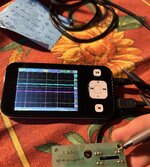
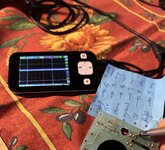
Remember to replace the receiver you will need to completely de-solder the cage from the PCB including the header connector so that only the resistors are left. Once that is done you can carefully press the two locking tabs on receiver holding frame out to remove frame and the receivers. Since the IR transmitters can be removed and installed with the cage still installed on the PCB, a reassembly trick is to remove them and reinstall them last to make lining up the legs and PCB easier for the receivers. Make sure you point the emitter in the right direction towards the receiver. Also a tip, if you have a dual channel oscilloscope and a 5v supply you can easily test the mouse outside of the Lisa. You don't even need to set a trigger so you can see the waveforms as you manually move the wheels. The pin out is on the PCB reverse side.
Why do I need this information you may ask... once you verify your cable is fine and use your cellphone camera in the dark with a 5v lab supply to verify the IR transmitters are good it most likely will be the receivers. I had two mice with bad up/down receivers (one Lisa and one Mac 128k).
Here are the parts...
IR Receiver - OPL550 TT Electronics Photo IC Sensor
IR Transmitter - OP240A High Intensity 890nm
I got mine from mouser since they are pretty cheap and offer basic shipping so I ordered 10 of each which gives me 5 sets. Remember each mouse uses two sets if you are keeping spares for the future.
Cheers.
Corey
Remember to replace the receiver you will need to completely de-solder the cage from the PCB including the header connector so that only the resistors are left. Once that is done you can carefully press the two locking tabs on receiver holding frame out to remove frame and the receivers. Since the IR transmitters can be removed and installed with the cage still installed on the PCB, a reassembly trick is to remove them and reinstall them last to make lining up the legs and PCB easier for the receivers. Make sure you point the emitter in the right direction towards the receiver. Also a tip, if you have a dual channel oscilloscope and a 5v supply you can easily test the mouse outside of the Lisa. You don't even need to set a trigger so you can see the waveforms as you manually move the wheels. The pin out is on the PCB reverse side.
Why do I need this information you may ask... once you verify your cable is fine and use your cellphone camera in the dark with a 5v lab supply to verify the IR transmitters are good it most likely will be the receivers. I had two mice with bad up/down receivers (one Lisa and one Mac 128k).
Here are the parts...
IR Receiver - OPL550 TT Electronics Photo IC Sensor
IR Transmitter - OP240A High Intensity 890nm
I got mine from mouser since they are pretty cheap and offer basic shipping so I ordered 10 of each which gives me 5 sets. Remember each mouse uses two sets if you are keeping spares for the future.
Cheers.
Corey