• Hello MLAers! We've re-enabled auto-approval for accounts. If you are still waiting on account approval, please check this thread for more information.

Liquid cooled G5s

The highend G5 towers mostly had liquid cooling systems that are said to be prone to failure, though I also read that the Quad G5's liquid cooling is better than the rest.

I don't have a G5 tower but am pondering getting one now that the prices put them in "collectable" range. They are also still very usable in real life situations, and I happen to have a real life situation now where a G5 tower would likely plug a hole just fine.

What do those with some experience of these machines think? Are the liquid cooled models to be avoided or are most of them still in service at this stage best seen as tested, proven and therefore "buyable"?


 
i have two power mac G5's, a dual 2.7 GHz (Early 2005 - purchase jun 2005) and a quad 2.5 GHz (Late 2005 - purchase jan 2006),

both max ram, HD : 2 x 1 TB, in use on daily base

The quad is better than the dual, less noisy, and a lot faster (40 to 70%)

if you buy one second hand, inspect the cooling unit for traces of leaks (you have to remove the alu shield)

if there are no traces, download iStat pro (widget)

check the speed op the CPU A pump & CPU B pump at start up, they always must have an equal value rpm (1250 rpm at start)

run some apps ( photoshop with a big file and run some filters, or videorendering, ...),

a higher value, but equal

most stable mac os : 10.4.11

in energy saver, tab options > Processor speed > Highest

with this option selected, the fans starts immediately after boot

the sound level is low, with less peaks or peaks with shorter duration

HD's : never in sleep mode

if you have to move the G5, let it always upright

i always shut down de G5's at the end of the day

(some people say you must leave the computer on to avoid leaks, i never seen a problem with daily shut down/start up )

for best performances, max ram (use apple compatible ram - and test it - hardware test) and a huge amount of free hard space

page-ins/outs , on my G5's : the page-outs ever stays = 0

(apps : 3D rendering ArchiCAD, Cinema 4D, Final Cut Pro - DVD Studio Pro, Photoshop, Cleaner 6, Filemaker - huge databases... )

bbn.jpg


don't put the G5 on the floor,

clean the inside regularly with a vacuum cleaner

 
If you can find a G5 that has already leaked for cheap, buy it. Apple still regularly replaces these machines, for free, with a Mac Pro. My friend just had his replaced last week. Funny thing is, someone gave him the leaked one to junk and now he got a free Mac Pro.

 
It's the only place I have for my G5
reorganize your workspace ....

end 2006 - Saved a G5

someone said to me his quad wasn't cooling at all

only making a terrible noise

he had to shut down the quad

i saw the G5 on the floor, onder the table

at the floor level, there are usually 'hovering' dust particles

opened the quad

G5_stof.jpg


disassembled as much as possible,

cleaned every part thoroughly

problem solved ......................

 
Last edited by a moderator:
For dusty areas, pantyhose over the areas where the air comes in helps a lot. It catches lots of dust and can easily be cleaned.

 
This quad is going on 4.5 years old. Doing well. I periodically open the case to blow out the crud and rehabilitate it, and it's pretty quiet. I do, however, run it in Reduced mode (using a menu control to flip it into Highest when I need the horses), and this has probably contributed to its so far uneventful and reliable existence.

 
If you decide to get a Liquid Cooled G5, try to inspect it before you purchase it.

There are two different models of Liquid Cooling pumps in the G5's.

The Delphi version is the most common, and also has the most leaks.

The Panasonic version is not as common, but it's certainly out there, and I believe that it has a very low leak rate.

If you already have it, and you've got a delphi pump in it, you can avoid leaks simply by replacing all the hoses in the pump. I believe that there are guides floating around the net on how to do this.

Inspect the inside of the tower for rust, If it's leaking or has leaked before there will probably be staining in the case somewhere. Take the processor out and inspect the logic board for anything sticky or slimy. Take the cover off the processor and inspect the hoses for anything loose, if the hoses are sticky or slimy, they're about to leak all over your computer.

This has been my experience with all the G5's I've ever fixed.

Good Luck!

Blake.

 
I have been looking in the usual places for a good deal, and find that Quad G5s, which is really the only LCS unit I would want to buy, still command quite a price premium over the other G5s. I will most likely go with an air cooled unit when the time comes, depending on what can be found, as the Quad is priced a little beyond my old Mac budget!

 
Yeah, the G5 Quads are still pretty spendy but if you're patient you can find a 2.3 GHz dual core for a decent price. I got mine for $290 shipped a couple of months ago and have been quite happy with it. Not only is it quieter than the 1.42 DP G4 MDD, the processor runs cooler most of the time.

 
I bought a Quad for only $350 and sold my dual core 2.3 for $300. The owner said he bought it new and almost never used it because it was so loud. No leaks on the Delphi Single Pump system, but the fans were always going to max after a few minutes and istat showed CPU A Core 2 was running upwards of 195*f all the time while the rest were around 145*f.

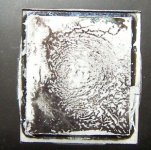
Pulled the CPUs and found CPU A had only half coverage of thermal paste. After new Arctic Silver 5 paste they both run cool and stable.

CoreA.jpg

CoreB.jpg

A huge help in reducing noise and temperatures was to tweak the AppleFan.kext file with a plist editor.

/System/Library/Extensions/AppleFan.kext/Contents/Info.plist

Stock code has it set to start spooling up up at 135*f and max them out at 144*f with very small even speed steps between and a very long delay before they spool down.

Code:
fan-hysteresis-temp
14080
fan-polling-period
8
fan-slowdown-delay
48
fan-speed-table

14592
14922
15059
15164
15252
15331
15401
15466
15526
15583
15637
15688
15736
15783
15828
15872

fan-speedup-delay
8
I modified the code to spool up gradually 129*f-163* then ramp up to max quickly between 165*f-167*f. Slowdown delay was cut by 2/3 from 48 to 16.

Code:
fan-hysteresis-temp
13300
fan-polling-period
8
fan-slowdown-delay
16
fan-speed-table

13800
14200
14600
15000
15500
16000
15500
16768
17200
17800
18176
18700
18950
19100
19150
19200

fan-speedup-delay
8
These changes have made the fans behave far more civilized. They now spool up quietly to maintain 130*f at average loads and 165*f at 100%x4 load.

 
For dusty areas, pantyhose over the areas where the air comes in helps a lot. It catches lots of dust and can easily be cleaned.
Thank you for the brilliant suggestions.

There's my Power Mac G5 with stocking (pantyhose):

g5_stocking.jpg


And my Mac Pro:

macpro_stocking.jpg


They've been covered for about 1 month.

 
Back
Top