Installing RAM in a IIcx...

Hello folks...

I bought SIMMs for my IIcx. The RAM in there now I cannot remove. They feel locked in. And, the sockets do not have openable clips.

How do I remove the SIMMs in there? And, are there any tips you can think of for installing the new RAM?

Thank you!
 
The SIMMs are held in by retainer clips on either side. You would GENTLY, GENTLY, GENTLY push those aside with your nail, a small spudger or screwdriver, or ideally, a 30-pin SIMM removal tool. But it CAN be done with a nail or spudger. You just want to be VERY gentle, because these retaining clips are made of plastic on the IIcx, and 40-year-old plastic is very brittle.
Without the retaining clips, they'll tilt slightly forward in the slot; they come out at about a 55-degree angle, as opposed to the 90-degree angle they're installed at.

You can see the process on a IIcx in this old MacConnection video teaching customers how to install RAM upgrades. The link below is bookmarked at the beginning of the IIcx demonstration in the video.

 
The SIMMs are held in by retainer clips on either side. You would GENTLY, GENTLY, GENTLY push those aside with your nail, a small spudger or screwdriver, or ideally, a 30-pin SIMM removal tool. But it CAN be done with a nail or spudger. You just want to be VERY gentle, because these retaining clips are made of plastic on the IIcx, and 40-year-old plastic is very brittle.
Without the retaining clips, they'll tilt slightly forward in the slot; they come out at about a 55-degree angle, as opposed to the 90-degree angle they're installed at.

You can see the process on a IIcx in this old MacConnection video teaching customers how to install RAM upgrades. The link below is bookmarked at the beginning of the IIcx demonstration in the video.

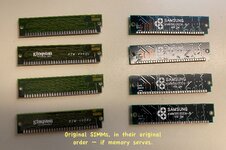
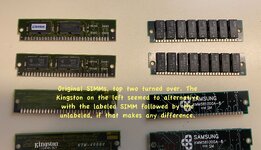
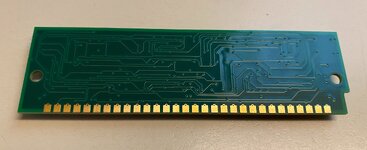
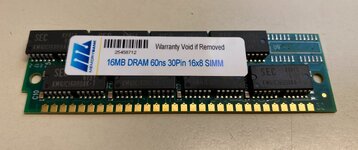
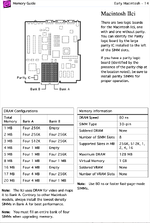
Hey there... as far as I can tell, I removed the original SIMMs damage-free, and installed the new ones -- just four in the RAM bank that is closer to the hard drive. I believe this is the "A" bank? And, with all four slots occupied by a 16MB SIMM, I am getting the unhappy chime.

I haven't tried the replacing these with the remaining four SIMMs I have that are still in their silvery bags.

Any thoughts?

The second bank, the one closer to the video board, is unoccupied.
 
Last edited:
did you try reinstalling the old simms? does it power up fine with them installed?
This is something I absolutely will do barring a suggestion that doesn't require me to move those retaining pins more than is necessary. Did that make sense? LOL

It’s probably either bad ram or badly seated ram.
I don't believe they're badly-seated. They did seem to lock / snap into place, and they're pretty solid now.
 
Back
Top