• Hello MLAers! We've re-enabled auto-approval for accounts. If you are still waiting on account approval, please check this thread for more information.

I have diagnosed my problem (as much as possible)...

Yeah, thanks for that.

In earlier conversations, it appeared it was a Mac 128K, not just a Macintosh. Answer found, happy days.

 
OK, now that I have shown the pictures and given the information, how can it be that I have a 128k that was bought after the 512k was released (October 7th was the week my 128k was produced but the 512k was made starting on September 10th). How can it be that I have an evenly yellowed (so therefore there has been no rear bucket case swap) and the logic board matches the description of it as a pre-512k Macintosh. So now, what can I do about how I have an original Macintosh 1 month seemingly too late? How did this happen? It supposedly should be a post-512k 128k, but the rear bucket, front serial number, internal logic board all match up to be an original Macintosh.

Once again, did I get a "using up the last of the old parts" Macintosh or is something else the case? Explanations on this second question would be so greatly appreciated (since I may have a way to fix my original issue...)

 
This post is mind-numbing. Your question is not clear, but I think you are asking why does the rear bucket label only say "Macintosh" when it was manufactured a month after the 512K was released? Is that about right? In which case if you check the M0001 Registry, you'll find the 128K labels do not appear until well after the 512K was released. The label did not change overnight, the exact reasons are unknown. It could well be that the Mac was selling poorly at that point and they decided not to throw out their stock of bucket labels and print new ones to save money. It's also possible given their tight supply chain that Jobs simply made the decision that the label not change on the original 128K, and only when he got distracted with internal control of the company, did marketing make the decision To revise the label because there may have been confusion in the market place. Regardless, it is perfectly normal for a 128K Mac to have the original label through the end of 1984 and even later.

The one picture you did not post or make clear is that of the logic board. If it is an original single part number 630-0101 (not the dual hybrid 630-0101/630-0118), there are a number of explanations for this, the least of which is they exhausted their supply of the original board stock prior to assembling 128K boards from the limited supply of initial 512K boards which would have been dedicated to getting the highly awaited 512K Macs out the door. Another explanation could be that the board was swapped at some point since the hybrid boards were much easier to upgrade to 512K.

So no real mystery here.

 
Bless you kind sir for correctly deciphering my second question! The part number does indeed check out as the original 128k board and I had no idea that my guess was so correct! All I had before was a guess, now I have expert information. Thank you again for deciphering my question in the way I was trying to ask it-I just didn't know it took "THAT" long to start producing 128k/512k hybrid boards, rear buckets, and serial numbers. I appreciate you so much enlightening me that my guess was correct!

God bless you and have an EXCELLENT day for living up to your well-earned name!

Alex Harris

 
While we're at it, I wanted to inform everybody that I had an old Apple II "MousePaint" mouse and it hooked up to the 128k and did everything I could get it to do with the horizontal deflection issue (which primarily is ejecting the boot floppy I bought for it.) I have not noticed any problems from using the Apple II MousePaint mouse, and wanted to know if it could be a usable backup mouse or if it would permanently injure the 128k to use it like a 5.25" floppy would.

I am curious to know if anyone else who has a M0001 model Mac (original Macintosh, 128k, 512k, 512ke, Plus, or some combination thereof with all the degrees of upgrading that were possible) have used a MousePaint Apple II mouse with their Macintosh and if so, was there any difference between it and a Lisa mouse or a standard M0001 Mac mouse? I will buy an official keyboard and mouse once I get the screen issue fixed, but in the meantime want to be able to test the machine as effectively as possible.

Final portion: The MousePaint mouse came to me missing its mouse ball and locking ring, but I had a very early Apple Desktop Bus Mouse I and it had the proper size mouse ball and proper size locking ring. As I had tons of others, losing this one wasn't too big a deal, especially to revive an Apple II MousePaint mouse.

(And yes, it does have the beige color of the Apple IIe/IIe Enhanced but with a beige mouse button instead of dark grey, which Google spat back was an Apple II MousePaint mouse...

Thanks everybody and have a blessed day!

Alex Harris

 
God helped me find someone with soldering skills in my neck of the woods, and who would do it for an excellent price. $25 for the 128k and $55.99 for the repair since you nice folks had helped me successfully diagnose the causes of the issue (both the C1 and opposite side of the adjustment next to C1 capacitors AND the yoke connector solder joints were bad it turns out. Got them fixed, got the 128k buttoned back up properly (the person doing the soldering didn't put the digital board back in place properly and I had to reseat the analog board after reseating the digital board), and it works as well as it can without a keyboard or mouse (I'm hoping I don't have to pay inflated eBay prices for the proper 128K/512K/512Ke keyboard and mouse; if anyone could sell me a Pantone 453 128K/512K/512Ke keyboard with proper cable and mouse for less than $150 I could get that as a Christmas present [don't mean to offend anyone; we are believers in my house.])

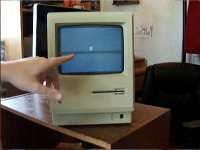
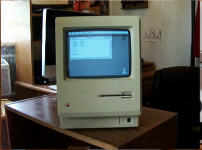
Since it didn't let me attach the video, I have 3 photos captured from the video:

Mac 128k Video Excerpt 1.png

Mac 128k Video Excerpt 2.png

Mac 128k Video Excerpt 3.png

Again, for those who are critical of 128k units from eBay for ridiculous prices, this is anything but that, being a 128k sourced from Craigslist for Chattanooga (my home town) for $25 that was sold by someone who was downsizing their living accommodations due to the recession and repaired locally for $55, so it is definitely different.)

I really wanted to share my good fortune with you guys since you helped me get it running for an acceptable price, and also since I would like to see if anyone can offer a period keyboard and mouse for $150 for a Christmas gift!

Blessings most,

QuicksilverMac2001 (Alexander Harris)

 
How much exercise should a Mac 128k be given before it would be considered over-stressed? I want to use the 128k, but also don't want to stress it out and have to pay for un-necessary repairs?

I just thought some of the brilliant minds on here might be able to answer that question based on their 128k usage.

Blessings most,

Alexander Harris (QuicksilverMac2001)

 
Don't worry about over-stressing the Mac. It's old, and it's probably been unused for a long time, so it wouldn't be a surprise if another capacitor gave out, but using it won't shorten its life noticeably more than leaving it turned off. It's not useful for current work, so you won't be running it 24/7 anyway. My much-abused and hot-rodded original Mac is still in use a couple of hours a week and hasn't worn out yet, though it's needed that yoke connector and the flyback transformer and C1 resoldered where heat cycling cracked the original solder. A cooling fan like a Fanny Mac or a System Saver is a good idea.

As for the Apple II mouse, if the plug on the mouse fits the mouse jack on the back of the Mac, it's OK. They were identical except for color, and the Apple II versions were several colors, not all the "one official color scheme" listed on a certain well-known Apple website. You can't believe everything you read on the internet. Your Mac is exactly what you thought it was in your first post. Good price, and a good save of a classic Mac!

 
My 128k, once I got it running, has been running almost perfectly for almost 9 months now. I have gotten peripherals for it (a M0110 keyboard with a separate cable, M0100 mouse-a Platinum example, but with matching holder, I haven't seen any more of those), a PRAM battery, a pair of OS floppies with System 1.1 Finder 1.1g and System 2.0 Finder 4.1, with the applications MacWrite, MacPaint, and TeachText that came on the System 1.1 Finder 1.1g floppy, and MacDraw that came on the System 2.0 Finder 4.1 floppy. I got a copy of Macintosh Repair and Upgrade Secrets-with the Test Pattern Generator floppy disk, an Apple carrying case, an ImageWriter original with manual, 2 ribbons, and with a separate cable; and I just got a deal on an official Apple external 400k floppy drive.

I sure do love what the 128k with what all I have for it can do, I am looking forward to it doing even more with the external floppy drive, but I don't understand why I can't drag the floppy in the internal floppy drive (which is right now my only drive) to the Trash. Is that a feature introduced in an OS beyond what a stock 128k can run? I thought I remembered hearing that the 128k could do the drag floppies to the Trash and it will eject the floppy perfectly.

Do I need dual floppy drives for that? I couldn't find a satisfactory explanation, but I can't see the forest for the trees pretty much ever.

I will post updated pictures once the floppy drive is here and working.

 
Back
Top