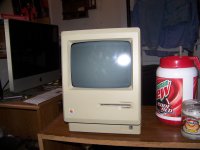
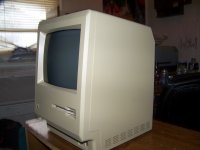
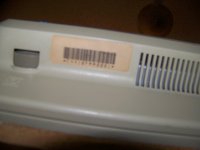
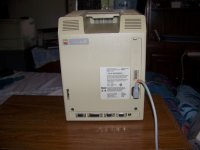
I know now that my Mac 128k has either a bad connection between the deflection yoke cable and the motherboard or at worst the deflection yoke cable is shot. The CRT tries to come on, but we get the most annoying single vertical line issue. Everything else works as much as can be tested (I want to get the CRT going again before I start buying accessories.) With that said, I can't do anything with a soldering iron except kill what I am trying to work on. The Mac 128k in question is a serial number F4410PM0001, and it's previous owner used it until the deflection yoke connector gave out. The C1 capacitor works, the low-voltage fuse doesn't have issues, I am not getting any symptoms that the flyback transformer is at fault, so three of the four things check out (AS MUCH AS I CAN TEST THEM.) The one weird thing is, slapping the side of the Mac doesn't revive it, making me think (based on everything I can read, if I had Larry Pina's books I couldn't SUCCESSFULLY do what I need done) the yoke connector itself has gone.
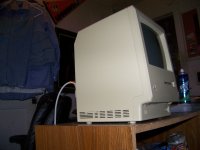
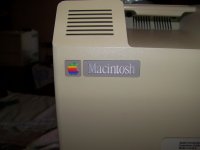
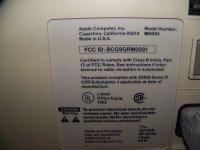
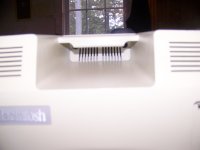
You might say, why buy a real Macintosh 128k (the RAM chips are all the originals based on what they say on them) when you can't do soldering? Well, because unlike most people my age, I USE newer computers but ACTUALLY ENJOY the classics; I got the 128k for $25 because the former owner wanted it gone pronto, and even though it was the 803rd made on the 41st week (October 7th) of 1984 in Fremont, California; it still had the original Macintosh logo on the back even though it was made a month after the 512k was introduced. The seller said it was the same case (both sides) it had came with to the person he was selling it for, so I doubt someone swapped back cases, because the amount of yellowing is equal on both halves of the case.
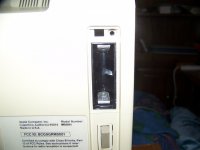
The PRAM battery has been removed, so there is no corrosion from the battery compartment. The computer does the boot-up ding, accesses the floppy, everything is good except the yoke connector cable (since slapping the Mac in the yoke connector's location has 0 effect whatsoever.
I don't want to wimp out and use Mini vMac. "There ain't nothing like the real thing, baby" the song goes.
I am willing to pay a not-insignificant amount of money if someone could take care of the replacing the yoke connector for me and then checking to see if it works. (PM me for details)
Sorry for the long post in the utmost, but I didn't want you to be mad that I gave insufficient information.
You might say, why buy a real Macintosh 128k (the RAM chips are all the originals based on what they say on them) when you can't do soldering? Well, because unlike most people my age, I USE newer computers but ACTUALLY ENJOY the classics; I got the 128k for $25 because the former owner wanted it gone pronto, and even though it was the 803rd made on the 41st week (October 7th) of 1984 in Fremont, California; it still had the original Macintosh logo on the back even though it was made a month after the 512k was introduced. The seller said it was the same case (both sides) it had came with to the person he was selling it for, so I doubt someone swapped back cases, because the amount of yellowing is equal on both halves of the case.
The PRAM battery has been removed, so there is no corrosion from the battery compartment. The computer does the boot-up ding, accesses the floppy, everything is good except the yoke connector cable (since slapping the Mac in the yoke connector's location has 0 effect whatsoever.
I don't want to wimp out and use Mini vMac. "There ain't nothing like the real thing, baby" the song goes.
I am willing to pay a not-insignificant amount of money if someone could take care of the replacing the yoke connector for me and then checking to see if it works. (PM me for details)
Sorry for the long post in the utmost, but I didn't want you to be mad that I gave insufficient information.