

It's from the Memory Guide, not sure if you know it. See attached.Well done sir!
This is great. I was thinking about the service manual while I was writing my post but I had too many thoughts in my head at once and ended up omitting it.


It's from the Memory Guide, not sure if you know it. See attached.Well done sir!
This is great. I was thinking about the service manual while I was writing my post but I had too many thoughts in my head at once and ended up omitting it.


but if you use Windows machines do not feel like you must buy another system to put files onto your SE.
Bring on the downvotes...
It is very possible to transfer files from a modern Windows PC to a vintage Mac using either a Floppy Emu or BlueSCSI (or other SCSI emulators). It is not nearly as easy as using a bridge system, but I do not have room for a bridge system so I use what I have. I download files from Macintosh Garden (or other sources), import them into an emulated machine, decompress the files there, save to a drive image, and copy the drive image to the SD card for the Floppy Emu or BlueSCSI. I use Mini vMac to put files onto my Floppy Emu, and Basilisk to put files onto my BlueSCSI. It definitely requires a few steps but gets the job done, but if you use Windows machines do not feel like you must buy another system to put files onto your SE.
Yeah, I've always prioritised the luxury of an ethernet card over using bridge machines, except recently they have gone pricy. I'm watching the concurrent thread on a new ethernet card for the SE with interest. There is a possibility that it could be made to work in the address space left available by an accelerator cards pass-through and so give me ethernet on top of my 030 upgrade, which would be perfect.Totally agree. A bridge system is a convenience (or an excuse to buy more computers), not an absolute essential.

I use something a bit like this. I can't find the exact one I have, but this one looks like it would reach.Haven't been able to open
it up because I don't have a "Mac-Cracker" screwdriver,
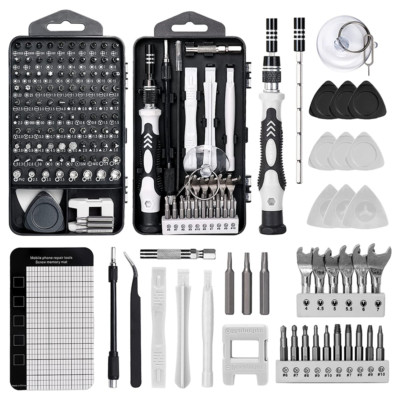
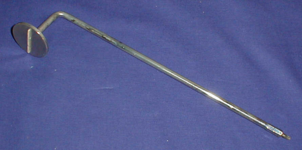
Yeah, I realise, but you don't actually need one of them, so I assumed it wasn't what they meant."Mac-Cracker" actually refers to a different tool, not the long T15 screwdriver.

Holy cow, thanks a ton!It's from the Memory Guide, not sure if you know it. See attached.
I found a piece of software on Mac Repos. that I've been looking for for a while. Thanks.If you're looking at the SE as the beginning of a hobby, you might consider a later machine to use as a bridge box for the SE.
A mid-90s PPC with a floppy, printer port, and RJ-45 Ethernet could be used to download software and transfer over to the SE. I have a PM 7500 for this purpose and use a printer cable to transfer via AppleTalk.
Check out macintoshgarden.org and macintoshrepository.org, as well as machut.net
Do you have this?Holy cow, thanks a ton!
 Anyways, this whole forum has a niche. You have to know how to word things so messages don't get sent the wrong way. Also, you have to remember, Anyone can buy a Macintosh, but only the true fans take care of it
The SD-SCSI method is similar to the CF-SCSI external drive method I use currently to transfer files from my bridge machine (currently a PowerBook G3 Lombard) to my SE/30’s. I have an Adtron SCSI-PCMCIA card reader that reads/writes CF cards in a PCMCIA adapter. The card/adapter fits in the Lombard’s expansion slot. It’s as easy as drag-and-drop from there.@Phipli, but wouldn't an SD-SCSI make it easier to get any software to a Mac SE, or does the Floppy Emu have a SD slot?
I'm glad to know I'm not the only one that does this.Yeah, I realise, but you don't actually need one of them, so I assumed it wasn't what they meant.
My dad's Classic is the only one I struggle with. The SEs and Plus just require... the case removal snatch (face down on a towel).
 I also never tighten the case screws much, just until they touch the case. It makes it much easier to remove the case next time. And there is always a next time.
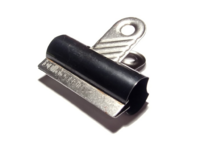
Really no, there are always better ways, use a plastic prying tool, spatula, or a bull clip. There is no reason to ever use a screwdriver to do this other than you hate plastics and want to scuff them.I believe one can very carefully place a slot head screwdriver in the joint where front meets back and gently turn it to force the two sides apart. This method tends to be highly discouraged, however, as the risk of marring the plastic is very high due. But still, if one is careful and they don't mind a few minor divots in their Mac's case, it can work.
This.Really no, there are always better ways, use a plastic prying tool, spatula, or a bull clip. There is no reason to ever use a screwdriver to do this other than you hate plastics and want to scuff them.






