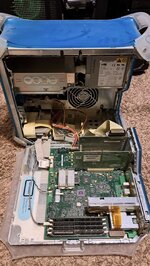
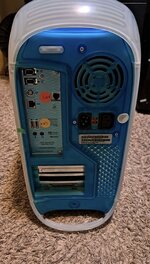
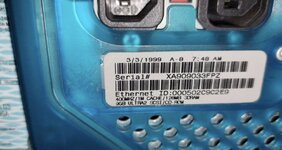
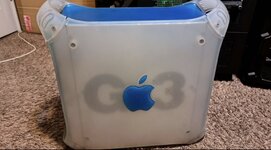
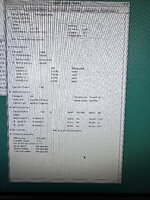
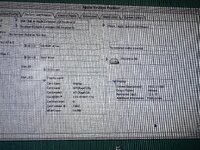
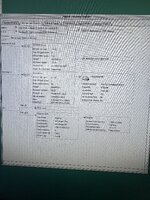
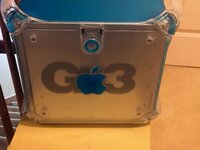
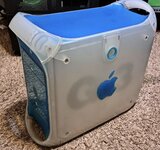
Got a blue/white G3 tower for 50 bucks. Freezing MacOS 9.2

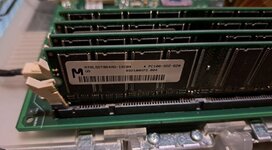
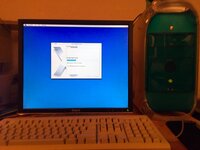
Got this for 50 bucks from a guy who was given it from a gentleman who used to have a Mac museum somewhere here in the Boise area. This was his working second of this model. Looks pretty clean, but it is freezing. It also keeps saying that the MPEG extension of QuickTime 6.02 want lunch. And then freezes within a minute a few minutes after that. Thinking I will find an installed disc for 9.2 and run a clean install after wiping the HD.

Once I get it running, I’m going to keep this one in my office in order to access old files. I have from my career back when I was using WordPerfect before Corel killed it on the Mac side.

And also just fun to have one and add one more to my collection.
IMG_8035.jpegIMG_8036.jpegIMG_8037.jpegIMG_8039.jpegIMG_8040.jpegIMG_8041.jpegIMG_8045.jpegIMG_8046.jpegIMG_8047.jpegIMG_8048.jpeg
 
Last edited:
Jealous! Looks like it's in great shape! I've been wanting to add one of these to my collection.
Funny, I didn’t have any specific intention, but I saw it when I was surfing around Facebook marketplace and couldn’t pass up the price. And it will be useful, I think once I get it up and running properly.

The plastic is pretty darn brittle, and one of the little handles already cracked transporting it. But I might be able to find a replacement for that piece or even have one 3-D printed.
 
You can also use the Graphite G4 plastics on it. My last B&W G3 was essentially a B&C G3 (Blue & Clear) when I got it. I did notice that said computer was a little unstable with an Adaptec 2940U2W card installed. Replaced that with a 29160N, and it was a lot more stable. Currently have that card in my G4 DA.
IMG_7047.JPG
Bad photo, but my old G3 B&W, installing 10.4 on the 120GB drive that was in it.

IMG_7906.JPG
The G4 plastics...

-J
 
OK, thank you for all of the advice everyone. I will try to compile it and go step-by-step. I am away from that computer for several days so I will have to get into it next week. It is back in Boise and I am in Hailey for the weekend.

But keep the suggestions coming if you see anything that is missing.
 
Why is there a dark spot about 3 inches big near the fan, inside the case? Or is that a shadow? I would clean out the inside with a can of air and confirm the fans are working. The loose RAM stick will definitely cause the computer to freeze.
 
Why is there a dark spot about 3 inches big near the fan, inside the case? Or is that a shadow? I would clean out the inside with a can of air and confirm the fans are working. The loose RAM stick will definitely cause the computer to freeze.
It's a shadow... My G4 has the same dark spot when you look at it from the same angle.
 
Here’s a few tidbits that might be of some relevance, or even possibly welcome help.

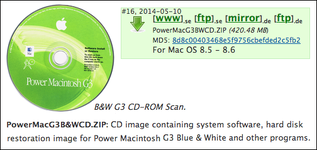
If you do not have the original OS installer, and IF you are planning on wiping and clean-installing the OS — you might install from an original restoration installer for the B&W first, as opposed to just using a “Universal” OS 9.2.2 downloaded and burned disc.

B&W Pre-Installed.png

Mentioned here because not all original pre-installed enablers and extensions may be present or installed otherwise. Once 8.51 or 8.6 is installed and stable, then installing OS 9.2.2 afterwards could then lead to better performance and fewer B&W resurrection headaches.

MG B&W.png
*Above from Mac Garden. Apple retail 8.5 / 8.6 discs might serve as well.

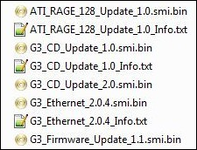
Also, there are other updates AND a Firmware Updater, that may be necessary too.
Image below from Mac Repository. Google “Apple G3 Blue & White Firmware update”.

B&W Updates.png

See: https://68kmla.org/bb/threads/help-with-power-macintosh-g3-400-blue-white.32332/ for much much, more info. (Also: https://macos9lives.com/smforum/index.php?topic=6127.0 and or this thread https://macos9lives.com/smforum/index.php?topic=5436.0 IF you have not read enough already.);)

Best of luck with your B&W!
 
Here’s a few tidbits that might be of some relevance, or even possibly welcome help.

If you do not have the original OS installer, and IF you are planning on wiping and clean-installing the OS — you might install from an original restoration installer for the B&W first, as opposed to just using a “Universal” OS 9.2.2 downloaded and burned disc.

View attachment 94479

Mentioned here because not all original pre-installed enablers and extensions may be present or installed otherwise. Once 8.51 or 8.6 is installed and stable, then installing OS 9.2.2 afterwards could then lead to better performance and fewer B&W resurrection headaches.

View attachment 94480
*Above from Mac Garden. Apple retail 8.5 / 8.6 discs might serve as well.

Also, there are other updates AND a Firmware Updater, that may be necessary too.
Image below from Mac Repository. Google “Apple G3 Blue & White Firmware update”.

View attachment 94481

See: https://68kmla.org/bb/threads/help-with-power-macintosh-g3-400-blue-white.32332/ for much much, more info. (Also: https://macos9lives.com/smforum/index.php?topic=6127.0 and or this thread https://macos9lives.com/smforum/index.php?topic=5436.0 IF you have not read enough already.);)

Best of luck with your B&W!
Cool. I have both those discs coming. Originals I found on eBay. I will also open it up and check ram and etc., and check that shadow to be sure, and the other tips before doing that. And go from there,
 
If you’re planning in expanding your collection, imho a cheap CD/DVD burner is a great investment and will save you a lot of money in the long run vs. sourcing original disks.
 
^This. You can even pick up a USB Apple SuperDrive burner and use that with a USB-A to USB-C adapter on your 2021 MBP and burn disc images to CD-Rs using Disk Utility.

Eventually, I would get a Pioneer DVR-107 or 108 and install that in the G3, once that machine is stable. That way, it will be able to read and write everything except for blu-ray discs. The other thing I'd do, is pick up the SCSI card I recommended earlier, then either get a UW SCSI to 50 pin Centronics cable and an external hard drive enclosure, or a long 50 pin SCSI ribbon cable, plus a long hard drive power cable harness. Stick both items out an empty slot opening. That way, you can install updated software onto older Macs' hard drives without having to use floppies or network machines together if you can't going the BlueSCSI or ZuluSCSI route for booting those machines up.
 
Back
Top