• Hello MLAers! We've re-enabled auto-approval for accounts. If you are still waiting on account approval, please check this thread for more information.

Getting my Mac SE (800k drive) on the network

Hello everyone,

I'm looking for a cheap way to get files on my Mac SE from modern computers / the internet.

There is already Kinetics EtherPort SE card inside, so I figured the easiest / cheapest way to do this would be to have the Mac on my local network.

The Hard Disk died a few years ago, I've replaced it with a SCSI2SD. The only OS I had install floppy disks for was System 6, so this is the current OS on the machine.

I can get a CentreCom 210T AUI - RJ45 adapter for 20€

Is there something else I need ?

Also, how can I install the drivers for the EtherPort card ? I don't have any floppies with the drivers.

My Mac SE is the non-FDHD model.

The only other old Macs I have : a Mac Plus and an iBook G3.

Thanks for your help !
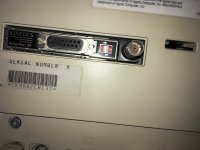
IMG_1153.JPG

 
Also, how can I install the drivers for the EtherPort card ? I don't have any floppies with the drivers. 
You may well be able to copy files onto the scsi2sd's SD card using Basilisk II on a modern computer, if you have an SD card reader.  That's probably the direction I'd try to take.  There are instructions on the codesrc website, if I remember correctly.

I can get a CentreCom 210T AUI - RJ45 adapter for 20€ 

Is there something else I need ? 
That sounds fine to me!  One thing to be aware of is that some older NICs/transceivers struggle with ethernet speed autonegotiation on newer network equipment.  If you don't get a link, or you get the collision light lit up like a Christmas tree on your transceiver, you can get around this by forcing the speed of the other end to 10mbit if you have a managed switch, or you can get an old 10BaseT hub and sit it between the card and the 10/100 switch or router. 

 
FWIW, I have a 10Base-T hub FS in the trading posts right now, but I don’t think I want to try to ship it out of the USA right now...


Last edited by a moderator:
You may well be able to copy files onto the scsi2sd's SD card using Basilisk II on a modern computer, if you have an SD card reader.  That's probably the direction I'd try to take.  There are instructions on the codesrc website, if I remember correctly.

That sounds fine to me!  One thing to be aware of is that some older NICs/transceivers struggle with ethernet speed autonegotiation on newer network equipment.  If you don't get a link, or you get the collision light lit up like a Christmas tree on your transceiver, you can get around this by forcing the speed of the other end to 10mbit if you have a managed switch, or you can get an old 10BaseT hub and sit it between the card and the 10/100 switch or router. 
Thanks for the codesrc website tip, I've managed to copy files mounting the sdcard on my Linux machine and running the image with mini vMac. Now that this works I'm wondering if I should upgrade to System 7 or stay on System 6 (The Mac has 2MB of RAM).

FWIW, I have a 10Base-T hub FS in the trading posts right now, but I don’t think I want to try to ship it out of the USA right now...
I'm waiting for the AUI - RJ45 adapter to arrive, if it doesn't work with the network switches and routers I have at home, I might be interested by your old hub.

 
I can get a CentreCom 210T AUI - RJ45 adapter for 20€
In another thread, @Byte Knight just recommended this exact transceiver (I think), so it sounds like it should do what you need.  I've tagged them here in case they've got anything to add about using it.

Now that this works I'm wondering if I should upgrade to System 7 or stay on System 6 (The Mac has 2MB of RAM). 
For a 2 meg machine I would probably stick with 6 + MultiFinder myself, but 7 ought to run, you just might be rather constrained for application memory.

 
I've got the CentreCom 210T, and it works in the sense that the LEDs on the adapter light up when it is plugged-in the Macintosh.

How could I test if it is actually connected to my local network now ? Unfortunately, I don't know anything about networking with these old Macs. If it could help, I have an iBook G3 running Mac OS 9.

 
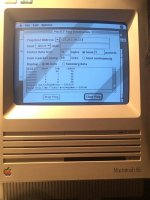
Success ! No luck having file sharing working, but at least my Mac can connect to the internet. 
(The IP address is google.fr)

C14CFE79-6251-48B5-A8F6-F2F10FF1A0B1.jpeg

 
I have the same Kinetics Ethernet board in one on my Mac SE and I cannot seem to find the correct driver for it. May I ask which driver you're using?

The Ethernet boards says Kinetics EtherPort SE on it, can't seem to find the driver anywhere. Also using the CentreCom 210T AUI.

 
Shiva Etherport II Drivers (356 k, 800k image), you can get it there.

https://vintageapple.org/macdrivers/network.shtml

If your Floppy drive doesn't work very well, it is quite hard to install those drivers, as the installer will refuse to install anything if you run it from the hard drive you want to install the drivers to.

You might need MacTCP and MacPing to test if it works if you have trouble with AppleTalk/Ethertalk not working. (or you can use what @NZ_KGB suggested). Just that you know, MacTCP will make your System use quite a bit of additional RAM.

 
Back
Top