This reminds me that I have one (my first, bought for Christmas of '06) in pieces because the nylon screws for the heatsink broke. I sort of remember something being wrong with that interconnect cable and the cooling fan, too.
Before that happened, I had it set up pretty well; back around 2015 or so, I upgraded it with MacMini2,1 firmware and a C2D 2.33 GHz CPU so it could run Lion. Because of the faster CPU, it felt somewhat faster (and because it could now run Lion, which was only just then falling out of support, safer), but it was still pretty slow by 2015 standards.
I should dig it out from wherever it is and get it put back together. By now, it could probably run Mavericks or even Yosemite or newer via OCLP, but probably at the speed of a melting glacier (which, climatologically speaking, is tragically fast, but still mind numbingly slow in terms of computing).
c


 Hello Guest! We're hosting a challenge to welcome vintage Intel macs to the MLA during the month of July! See this thread for more information.

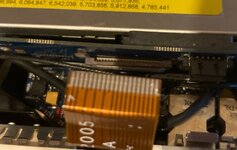
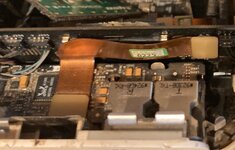
 or maybe a piece of cardboard under the brown sliding part, push ribbon back in firmly then push brown plastic down to lock it in. They are not rated for repeated use, I've been known to have to tape some ribbon cables down to get them to fit securely before.


