



Hi!
Maybe this is old news for everyone, but I just discovered how to directly access a floppy disk from minivmac without any of the usual detours using disk images and the like.
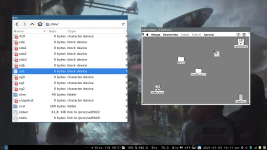
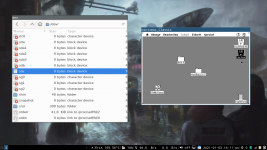
Using an external USB Floppy Drive, it is possible to directly drag and drop the /dev/sd* device file on the minivmac window to mount it from within the emulation! If write support is needed, the device file has to have write access from the user too!
In short:
- Figure out what is the device file for the USB Diskette drive. - Mine was /dev/sdc
- sudo chmod 777 /dev/sdc - to enable write access to the device for anyone (good idea to reset permissions after you're done)
- Drag the /dev/sdc device on the minivmac window
- Profit!
This is actually quite convenient, even tough I have some older networked Macs that I could use for data transfer. But this way I can do it directly from my day-to-day working machine.
Maybe this is old news for everyone, but I just discovered how to directly access a floppy disk from minivmac without any of the usual detours using disk images and the like.
Using an external USB Floppy Drive, it is possible to directly drag and drop the /dev/sd* device file on the minivmac window to mount it from within the emulation! If write support is needed, the device file has to have write access from the user too!
In short:
- Figure out what is the device file for the USB Diskette drive. - Mine was /dev/sdc
- sudo chmod 777 /dev/sdc - to enable write access to the device for anyone (good idea to reset permissions after you're done)
- Drag the /dev/sdc device on the minivmac window
- Profit!
This is actually quite convenient, even tough I have some older networked Macs that I could use for data transfer. But this way I can do it directly from my day-to-day working machine.


