Diagnosing Macintosh Classic

It does that much without UA5 being present? Interesting I would not have expected that.

The variation in screen brightness may be down to electrolyte that has seeped into the PCB of the analogue board. It's quite porous and a real pain to deal with. Usually a deep soaking clean is required if this is the case - hot soapy water, or a ultrasonic cleaner if you have one
 
It looks like the "Screen" adjustment is overdriving the flyback. I suggest you adjust the brightness/contrast dials on the analog board. The Service Manual (page 89) has instructions on how to do this; ignore the light meter stuff (unless you have one) and adjust it so the non-lit areas around the sides of the screen (glass, but no image being projected) is as dark as possible.
 
will try the adjusting the dials and if that doesn't help i'll pull the boards out for another cleaning.

Any clues on the sad mac icon and the error code?
 
Nicely done! I suspect cap goo is still present, have you checked the other culprits as noted TDA4605 @ IP1, CNY17G @ QP1, and diodes on the analog board, also clean the CRT adjustment pots and check voltages now showing life.

The Sad Mac: related to the motherboard likely caps or bad RAM; check again for cap goo, double check recap work and reseat the RAM, ROM chips (if socketed), electronic solvent cleaning spray on the sockets/slots helps.
 
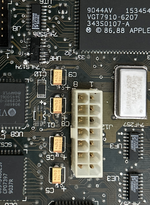
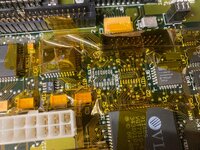
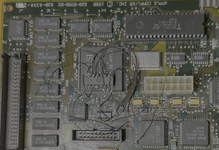
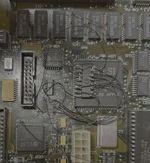
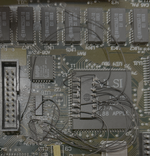
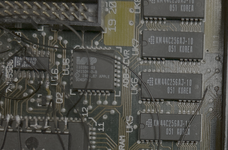
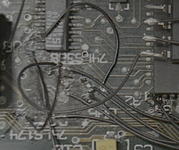
Did a bit more work on the board. In particular, I found that UH6 had significant rust and rot. So I removed it from the board and sure enough it was a giant mess under the chip. I cleaned up the spot, a few pads were gone. Then I soldered it back on and jumperwired the pins without pads. Continuity tests showed that each of the pins is connected to where it should be. At the same time, I also put the sound chip back on in the same way.

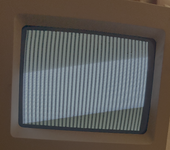
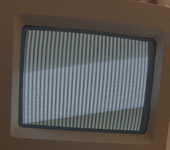
And the result... was a black and white checkered screen :cry: It feels like I've regressed from the sad mac icon to this.
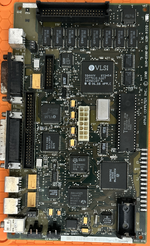
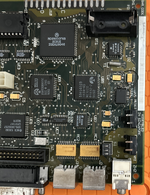
Searching around, the checkered screen seems to indicate issue on the logic board. Lot of people mention the ram. The ram on my board is soldered on, and the chips SEEM OK. I don't see the usual rust and rot I see on other chips pins. I went ahead and cleaned up all the chips anyway, but no go!

Any suggestions on what I should try next? Can the problem still be with the analog board?
 

Attachments

  • logic_front_2.png
    logic_front_2.png
    6.3 MB · Views: 2
  • logic_snd_1.png
    logic_snd_1.png
    6.7 MB · Views: 2
  • logic_uh6_1.png
    logic_uh6_1.png
    1.8 MB · Views: 2
This is usual: I've taken steps forward and then steps back before. There's got to be stuff going on elsewhere, possibly under other chips that you haven't looked at yet. Don't feel bad; it happens. Likely your issue is still on the logic board, but, if you want, try and run a voltage test on the floppy port with the machine on to make sure that the correct voltages are getting to the logic board. If that is good, for now I'd just focus on the logic board.
 
Back
Top