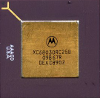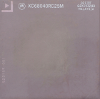
I decided to have a go at converting video files to play on my Performa 630 with an MPEG card today.
I used FFMPEG and the command...
It threw a couple of errors so I'm sure it isn't perfect, but this was the result on my Performa 630 once I got it transferred over (I made two slightly different versions, each was about 30MB for the full video).
Sorry about the auto-focus on my phone camera. It really doesn't like screens.
If you mess about too much and use funny scaling or move the window about and click around, the sound does get out of sync, but it fixes if you set it back to a sensible size (100% or 200%), pause, click somewhere slightly different on the playback position and then click play again.
I'll dismantle the machine in a moment and film performance without the card for comparison.
Edit - without the MPEG card, even when booted from a system without any of the extensions, you just get a blank white window and no sound.
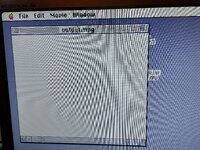
If anyone is wondering, the DAV cables are about 120mm long.
I used FFMPEG and the command...
Bash:
ffmpeg -i ./For\ the\ Birds.mp4 -c:v mpeg1video -s 352x240 -r 30000/1001 -b:v 1000k -minrate 1000k -maxrate 1000k -bufsize 40k -g 15 -bf 0 -c:a mp2 -ar 44100 -ac 2 -b:a 224k -f mpeg ./output.mpgIt threw a couple of errors so I'm sure it isn't perfect, but this was the result on my Performa 630 once I got it transferred over (I made two slightly different versions, each was about 30MB for the full video).
Sorry about the auto-focus on my phone camera. It really doesn't like screens.
If you mess about too much and use funny scaling or move the window about and click around, the sound does get out of sync, but it fixes if you set it back to a sensible size (100% or 200%), pause, click somewhere slightly different on the playback position and then click play again.
I'll dismantle the machine in a moment and film performance without the card for comparison.
Edit - without the MPEG card, even when booted from a system without any of the extensions, you just get a blank white window and no sound.
If anyone is wondering, the DAV cables are about 120mm long.
Last edited: