Oh yeah! I don't have XP64, but if you have it, that would be awesome!
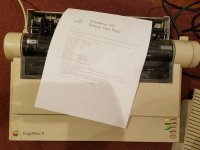
Under XP-32, I was able to get the C-Itoh 8510 driver this way:
1. Go to the Printers and Faxes control panel, and install a new C-Itoh 8510 on any random COM port.
2. Go to C:\Windows\System32\spool\drivers\
3. Somewhere in there should be a subdirectory containing 9 files, with names like CITOHRES.DLL. The exact name of the subdirectory will depend on the CPU architecture. For example the 32-bit subdirectory is named w32x86.
4. Copy all the files out
5. Under Windows 7, rename CITOHRES.INI to CITOHRES.INF

 Hello Guest! We're hosting a challenge to welcome vintage Intel macs to the MLA during the month of July! See this thread for more information.