• Hello MLAers! We've re-enabled auto-approval for accounts. If you are still waiting on account approval, please check this thread for more information.

Centris 650 green screen of death?

0xABE

6502
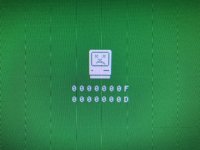
I just bought a Centris 650 from eBay. There are two buttons on the front left. The left button is the reset button, and the right button makes this screen appear. Can anyone tell me about this screen? By the way, the screen has a green hue to it upon start up and it is unable to read the hard drive which I believe are common problems associated with bad capacitors.

379FABF1-E113-4CC1-8868-560DF51A5403.jpeg

 
The left button is the reset button, and the right button makes this screen appear
If it's next to the reset button it's probably the interrupt button, which forcibly interrupts whatever you're doing and would generally dump you into a debugger.  If you press it before an OS is loaded, there isn't a debugger to drop into, so it just kind of ... freaks out.

the screen has a green hue to it upon start up
If you're using an adapter to plug this into a roughly modern monitor, check the settings on it (if any).  I've had a machine go green where I'd just got the DIP switches on the adapter in a configuration the screen didn't like.

 
Thanks. I remember reading about “programmer switches” but I got the impression that they were addons (and usually in the back?). So I’m surprised to see this built in and displayed prominently on the front. Cool!

Yes, I’m using an adapter but it’s the kind without switches. When I recapped my 660AV I ran into this green hue problem temporarily and the HD not being recognized was another symptom.

 
Just got done reading this thread: 


It seems the 650s don’t need to be recapped. So now I’m rethinking the source of the green hue and not booting from the HD. Thoughts?

 
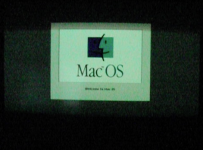
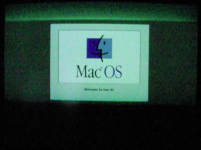
I have a 700 and a 950 that both output this same green hue. I believe this is for compatibility with SoG displays- it lasts from monitor powerup until just before extensions begin to load during OS startup, where the color suddenly shifts to be 'correct.' (This behavior changes based on the DA-15 adapter I'm using- the 950 runs VGA to a newer ViewSonic CRT, and the 700 uses the DOS card Y-cable before an Apple MS17, which my two other 950s plug directly into with no green hue.) I'm not sure why yours isn't able to boot from its drive, but I don't think the green hue is an issue by itself.

Pressing the programmer's switch (non-masked interrupt) will normally produce that error screen, if pressed before the OS is loaded (same on my SE, IIci, and Q700.) Are those vertical lines in your photo present all the time or only when you hit the button?

I tried to capture the difference in hue as it switches, but my phone's stubborn auto white balance is killing me... The battery in my old casio pocket camera is charging now, so maybe I'll be able to capture it later.


 
Last edited by a moderator:
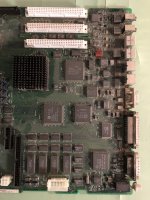
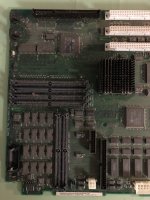
Disassembled down to the motherboard. Needs to be cleaned so will try that and look for any loose cap connections.

5DAA227F-06BE-4981-9BD1-0E7D71C2F5C1.jpeg

973C1817-F2E3-4899-BFA2-EA586999F2D1.jpeg

 
The chances of you finding a bad cap connection on the logic board are slim to none since the 650 uses tantalum caps. Like @jeremywork said, the green hue is almost certainly because the Centris is outputting SoG (Sync-on-green), so you need to find a monitor/adapter combo that doesn't have this problem.

 
When I went for the 660AV’s HD I found it was no longer working, hence the long delay here. In the meantime I acquired a LCIII with a working HD :-p  The Centris 650 fired right up and just as you said, the green hue disappeared when the extensions started loading. Thanks!

 
I've read that too about the green hue disappearing once the extensions load on my Q950. However, I noticed if I use a newer LCD that has VGA, the green hue never goes away. I tried using two 15 year old LCD monitors and the green hue never shows up. I think it has to due with the sync-on-green signal the macs use, and it being an obsolete standard.

 
Back
Top