• Hello MLAers! We've re-enabled auto-approval for accounts. If you are still waiting on account approval, please check this thread for more information.

Bug in Apple's Find File app (System 7.5 – Mac OS 8.1)

All right, the combined version is up now!

My first guess would be that it's looking for the creator code. Out of curiosity, I tried changing it to something else and rebuild the desktop file, but the system still finds it. Just changing the file name also doesn't fool it. However, if both the creator code and file name are changed, it fails and opens the built in search function instead. With that done, adding the creator code to another APPL, say the CD player, opens that instead, so I think I'm on to something :) If the original name is restored, it goes back to opening the find file app despite the creator code being applied to another app. So it probably looks for at least a combination of file name and creator code.

 
Last edited by a moderator:
Good intuition - I was thinking the file creator was the key too, but wouldn’t have explored this further without your comments.

I figured out how to find the Find File app, whatever it’s called, by using a System 7 Toolbox call, PBDTGetAPPLSync() and passing it the file creator, ‘fndf’. (Oddly I can’t prove that this is what the Finder itself is doing — or perhaps, it did it once before and stored the result in a prefs file someplace, for efficiency?)

Using this I should be able to make a generic version of the extension that will work in any language.  I’ll try it hopefully this weekend.

 
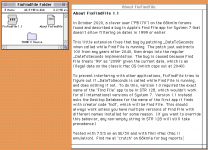
Hi @PB170 and @BadGoldEagle, if you guys have time I would appreciate if you try out the new FixFindFile 1.1, uploaded to the Garden (last link):  https://macintoshgarden.org/apps/fixfindfile

Version 1.1 asks the Desktop Database for the name of the first app it finds with creator code 'fndf', which should always work (unless you have multiple copies of Find File - with different names - installed for some reason!).  This should obviate the need for localization.

It works for me, please let me know if it works for you?  If so I will delete the old version from the Garden.

Thanks again for your help with this!

(Toolbox nerd note:  it looks like you can't access the Desktop Database at INIT time [instead of getting an OSErr back, there is a lovely bus error] ... perhaps the Finder has to load first, though I couldn't find this documented anywhere.  I got it around it by installing a dummy Notification Manager task just to get a callback after startup completes, and get the name of the Find File app then.)

Screen Shot 2020-10-16 at 11.19.07 AM.png

 
Last edited by a moderator:
Naturally! Getting bug fixes for a 26 year old app is not something I had expected even here so I'm more than happy to!

As an aside, I had planned to sit down on the top of our bed to relax and go through a bunch of old (physical) documents and search for related digital ones on old backups on my PowerBook, and when I discovered the bug I thought I had to scrap that idea and unwillingly resort to my desktop and use sherlock instead. But thanks to your fix I've enjoyed going through them during the past week as I had planned! So big thanks for that :)  

Anyway, unfortunately some sort of bug / software conflict seems to have sneaked into the new version. When it's the only extension present in the system folder it works fine, but with the standard set of extensions and control panels in place, the computer freezes during startup just before the content in any open windows is rendered. After a while the mouse cursor also freezes (with different combinations of extensions and control panels present this either happens after a while or immediately). Tested with System 7.1.1 with a copy of Find File adopted from System 7.5.3 (a combination I've been using for the past 20 years without any issues). With Mac OS 9.2 and all extensions and control panels in place, the computer starts up without any problem, but the extension has no effect on the app. Tricky… Tell me if you want me to try to narrow it down further.

 
Last edited by a moderator:
Glad I was able to help a little!  And thanks for this detailed bug report.  That’s pretty weird as I was certain I was doing everything “by the book,” checking for various Toolbox traps before calling them etc., and I’m running this fine on two different 7.5.5 setups with a full load of extensions .... but obviously I’m did something wrong!   :-(  I will dig in again this weekend, seems I need to try it with 7.1.1 and probably some other system versions too and find out what breaks.  

 
Forgive bumping an old thread, but I was just experiencing a repeated system crash due to FixFindFile! I have an SE/30 and booted up to the System 7.1.2 installation included in MacPack. Every time it booted up and reached the Finder, it would immediately have a system error, and I figured out the culprit is FixFindFile. Removing that extension fixed it. I tried to make a stdlog with MacsBug to share here, but for some reason it never saved it to disk.

I'm fine not using that extension -- I pretty much never search for files by date. But if you want to investigate this issue, do let me know if there's anything more I can do to help track it down.
 
Back
Top