AppleCD SC Not Working

Zhinü

6502
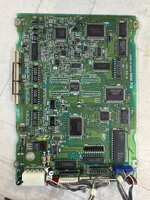
Got an AppleCD SD that doesn’t seem to work. I took it apart to find that it didn’t have the usual leaky caps, however it also doesn’t seem to read CDs. Put in my Apple Legacy CD (the 7.6.1 variant) that I burned to find that it flashes the orange light up front twice before slowly spinning the CD backwards. If I put in an audio CD, it does the same thing but stops the CD after the two flashes. I tried cleaning the lens with rubbing alcohol to no avail.

Any fixes for the units that don’t have bad caps?
 
I believe there are a couple adjustment pots but I do want to wait till I get more advice before I start tweaking those. AFAIK these are old enough to not use belts.
 
Chances are it's the caps, even if they're not physically leaking. I have a PLI branded caddy CD-ROM drive that didn't read until I re-capped it, they just seem to drift out of spec when the caps age it seems.
 
The thing is it doesn’t have the caps that people normally point out as leaking.

I’m wondering if the laser diode has died (or is weak and unable to read CDs).
 

Attachments

  • IMG_5725.jpeg
    IMG_5725.jpeg
    2.6 MB · Views: 13
Is it the AppleCD 300 Plus series with the tray. The non plus uses a caddy system and that one is known for leaky caps.

However the 300 plus is known for a harder to fix issue...broken worm gear.

The way to tell if this is the case is if the laser assembly moves. if it doesn't, the worm gear that moves it has a split in it and the motor can no longer engage it properly. I have 2 300Plus's that both have this issue though one seems to still work despite it. There isn't really a way to fix it. It requires replacing the worm gear and no one has made a 3d printed replacement for that one yet (would be difficult since the tolerances have to be very precise and that's hard to do at the small size this part is for 3D printing). The easiest way to tell if it can move it properly is when checking it with the top off. If the laser assembly doesn't move to the roughly middle of it's range when you go to eject the tray, then it's stuck. My still working unit always does that before it ejects the tray but the non working one doesn't.

The laser diode is likely fine. It just can't seek anymore so it can't read the CDs properly.
 
Oh that one looks like a caddy drive. The caddy drives are the only one's I know of that use a voice coil to move the laser assembly. Yeah those definitely suffer from capacitor issues. However the OP's board does not have SMD caps on it....I am assuming it's the non caddy drive with a failing worm gear. Sure it could need new caps but unless it's caps in a high heat environment like the analog board/PSU of some AIO machines like the Macintosh SE, Macintosh Performa 575, etc, those are probably still fine.

Maybe I'm mixing up which is the caddy version. The Plus or the regular? That and the "SD" part here (maybe what Apple named the external versions. The drives meant for internal drive bays like the ones in the AIOs have an i added to the end of their model number) This may be a different series of CD rom drives maybe because I don't recall mine having that SD in the model name, but I still feel it may be a mechanical issue. Would have to hear back on the OP on how the laser assembly behaves when it's in operation to know for sure.
 
Last edited:
Nice picture of the SC Plus, 300, and 300 Plus all in one picture here (en français):

 
I can confirm, this unit is the caddy loader. It seems like a later/early revision of the drives didn’t have the leaky caps.
 
The cd sc plus I have here is really leaky and as dead as a doornail after full recap

So I bought a slightly newer CDU 561-10

Just swap the front and put it in:)
 
Oh yeah possible that model drive does not like CD-Rs. I have a newer AppleCD 300i caddy loader (internal drive to my Macintosh LC 520) and it reads every CD-R I've made so far. Even some mini-cds. Just have to carefully position them and a little luck for it to stay aligned on insert.

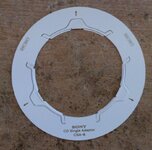
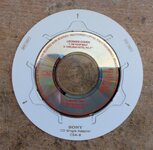
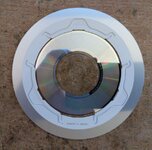
On that note I wonder if anyone has ever made mini-cd adapters for the caddies because I have yet to see any caddies with the mini-cd indent in them like the newer tray loaders have. Mine will read them fine. (it seems like a 3D printed part could easily fill this role) I just have to get lucky with the alignment when it pulls the caddy in. :P

I would think a simple adapter that fits into the caddy that is thick enough to just barely fit with the lid closed should be safe to use.


Anyways since caddy drives auto eject CDs it can't read, you can always just find a normal CD that is either audio cd or PC formatted and see if it will take it. If it doesn't eject it, then it's reading CDs just fine and just doesn't like the CD-Rs you are using. Note that CD-RW discs certainly will not work. Mine doesn't read the 2 I got. I don't expect any of these old era drives to be able to read them. ;)
 
Back
Top