• Hello MLAers! We've re-enabled auto-approval for accounts. If you are still waiting on account approval, please check this thread for more information.

Apple Airport Extreme A1143, $5

I never knew this, but you can find crazy deals for cheap Airport Extremes, like the one I got for $5, I'm seeing them all over the place for $20 or less. Honestly, I'm not sure of how good they are, but I figured for the price, I couldn't be doing to bad.

Also for the record, even though it may not be too vintage, Apple already labels it obsolete.

 
I was sorta annoyed that Apple killed Airport. I had one of the first. But then I looked at the used market, indeed any model can be had pretty affordably. I have the latest Express right now but its range is poor. I will be picking up the latest Extreme, used. And there are better devices out there really, but I just like the pure simple ease of Airport gear.

 
I was sorta annoyed that Apple killed Airport. I had one of the first. But then I looked at the used market, indeed any model can be had pretty affordably. I have the latest Express right now but its range is poor. I will be picking up the latest Extreme, used. And there are better devices out there really, but I just like the pure simple ease of Airport gear.
That's something I noticed right off, so easy to get setup compared to other devices. I also noticed I can use it to extend the range of my primary wireless router.

 
Yes, I employ different generations. For instance, I have older, flat mode ones that I use to extend range outside for phones, and one older one I use as a bridge to connect my Ethernet classic Macs to my home network.

 
I have them at home and at work.  Just one at work but two at home.  Lately, I'm finding I need to reset (unplug from power, wait, plug back in) the units at home every couple days because they seem to forget the Internet connection or something.  That is, the wireless network is up, but there's no Internet connectivity.  The Internet router itself will be fine because computers connected via ethernet are still online.

The model at work rarely has needed to be reset.

 
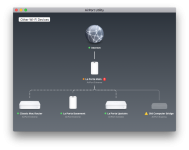
Yes, totally wireless. I have my G4 iMac, PowerTower Pro, and Mac Plus connected to the Classic Mac Router. The Mac Plus is via an iPrint AppleTalk adapter so it can connect to the PT Pro. Both the G4 and PT Pro have internet access this way.

I believe it is a 2012 model, if i'm not mistaken.

 
Last edited by a moderator:
Yes, totally wireless. I have my G4 iMac, PowerTower Pro, and Mac Plus connected to the Classic Mac Router. The Mac Plus is via an iPrint AppleTalk adapter so it can connect to the PT Pro. Both the G4 and PT Pro have internet access this way.
That's pretty cool, too bad Apple discontinued the product, it was a pretty good one. So far I don't need to buy another one, I wasn't thinking the signal could reach where I put some of my computers.

 
Yes, totally wireless. I have my G4 iMac, PowerTower Pro, and Mac Plus connected to the Classic Mac Router. The Mac Plus is via an iPrint AppleTalk adapter so it can connect to the PT Pro. Both the G4 and PT Pro have internet access this way.

I believe it is a 2012 model, if i'm not mistaken.
Another quick question, if I got another cheap Apple Airport Extreme and connect wirelessly to my other Apple Airport Extreme, I could connect my Powermac G4 in my garage to it via ethernet, therefore getting more speed than the Airport PCMCIA 802.11b wifi connection that I currently have, is this correct?

 
That is correct. I get much better speed for my iMac G4 via the ethernet/AirPort route than it's built in AirPort card...that's the main reason I do it that way.

 
Back
Top