• Hello MLAers! We've re-enabled auto-approval for accounts. If you are still waiting on account approval, please check this thread for more information.

Apple 14" Color Hi res Display M1297

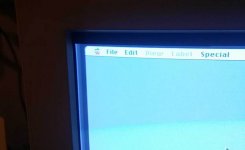
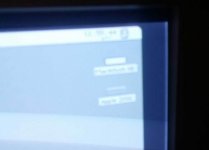
I have this color monitor thats getting a lot of ghosting (for lack of a better term). Meaning the screen isn't black around the image area. Is there an adjustment for this sort of thing? or is it just old?

Here's some pics:
monitor_210833.jpgmonitor_210822.jpg

 
Last edited by a moderator:
I've been looking for spec differences between the M0401 Display and the M1297. I can't really find anything. Is there even a difference?

 
Lowering the brightness of the display should reduce this effect. 

It looks like you've got the brightness turned all the way up right now, which has always led to these displays (in my experience: almost all older CRTs) looking washed out and gray like this on the edges.

 
Then adjust the contrast. One or the other control does it. Next thing is the Screen adjustment which is the G2 cutoff on the flyback transformer itself. 

 
If the brightness and contrast has no effect on the Raster, then your missing the Cutoff voltage to the CRT. 

You can compensate by adjusting the G2 screen control on the rear of the flyback transformer (inside), but it may make the picture too dark without turning the brightness back up bringing back the washed out raster. 

You will have to play with it. 

 
Took the back off the monitor and messed with the geometry controls only to realize I didn't have to take the back case off. The top knob took care of the ghosting problem, it looks to be some sort of voltage control. I turned it down and the monitor's blacks got blacker. It turned it up and the monitor went white and then turned off as if a fuse had blown. I turned it back on after turning the knob down and it came back on.

Anyway, the display looks great now. Blacker blacks and more intense color with edge to edge picture, yay!

M1297Monitor.jpg.71f858ac9947cc091e66e61e83a57293.jpg


Back
Top