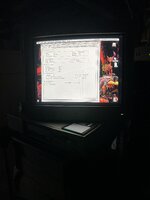
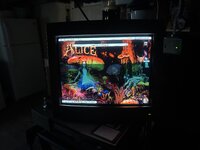
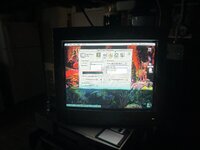
8100, apple vision 17” and 8.5.1

So i made a custom mac 8100/100 in a 7600 case. So far all good. Just need to clean up io port area. I have an hpv nubus video card in it. I have used the apple vision with a 6100, a 7100 both with onboard video and the av cards. Sometimes i get weirdness with the monitor and cant get anything more than 640x480. They both run 7.6.1. Now, i have this 8100 with 8.5.1 and the hpv cards. I have no issues so far and can switch to way more resolutions. Is it the os?? Dont think 8.5.1 was out when this monitor came out but maybe mac os 8?? I dont get the same looking monitors and sound in mac os 7.6.1. Going to try and install os 8 on the 6100 and see
 

Attachments

  • IMG_0042.jpeg
    IMG_0042.jpeg
    2.4 MB · Views: 10
  • IMG_0044.jpeg
    IMG_0044.jpeg
    1.4 MB · Views: 10
  • IMG_0043.jpeg
    IMG_0043.jpeg
    1.9 MB · Views: 10
It's the OS, there is a specific driver for the AppleVision CRT which is assigned to the Monitors & Sound Control panel probably Mac OS 8 and up.

This link refers to a standalone application you can install, haven't tried as is on the OS install CD normally.


Nice displays glad you've got one running well.
Ok, good to know, thanks! Will try os8 on the 6100 and see. Yeah, i like this monitor, nice and crisp.
 
Yup, got the apple vision installer off of a legacy apple cdrom and all is good on the 6100:) so now will do my 7100. So nice to change resolutions

 
For the AppleVision/ColorSync displays, I recommend installing the latest version of Apple Displays Software that your OS version supports. Version 1.5.5 at the very least. The 17" version of this display can be quite buggy, and installing the later versions of its software prevents a lot of problems (like the display image suddenly going blank/black).


The display's ADB cable is supposed to be plugged in so that you can control things like brightness using the built-in software, but the display should still work without it. I recommend that you avoid "calibrating" the display using the built-in software. It's not necessary, and a faulty display will fail with a calibration that causes the blank/black symptom. If this happens to you, connect the ADB cable, and start the computer with Command-Option-A-V keys held down on the keyboard to restore the display to its previous working calibration.
 
Back
Top