• Hello MLAers! We've re-enabled auto-approval for accounts. If you are still waiting on account approval, please check this thread for more information.

6 PowerBook 100's.... but not one works!

The SCSI Numbers flashing across the screen mean that you have the wrong cable for using an external drive on your BabyPBs.

That cable is the one you use to put the PB100 into SCSI Disk Mode. When you use it correctly, the PB100's HDD looks like an external SCSI Drive to another Mac. It's probably a lot harder to come by than the standard kind! [;)] ]'>

Great work, Comrade! :approve:

 
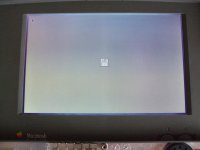
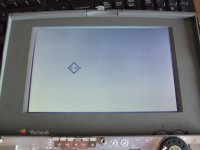
I revived a second one! Same method. Put the hear dryer for 30 second on all the parts on the MB and ...BINGO!! A floppy with a question mark!

Now I can hook up an external floppy driive or the one HD that is working. 4 others spin...but are not working

@Trash80toHP_Mini

Thanks for the compliment and thanks also for the explanation about the adapter. I will try to use it like that later. Will be handy if I like to add a new system to the disk!

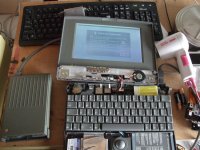
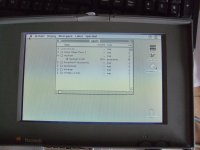
Some pictures:

pb100-paard 006a.jpg

pb100-paard 009a.jpg

pb100 001a.jpg

pb100-paard 007a.jpg

 
De nada, you did great! I've got some BabyPB Hackin' to do soon too. I'm getting a dead LCD PB100 off eBay and I'll put the LCD from my original, very first PB into it. BabyPB has already had a 2300c LCD installed in her lid, so the original Lid Stuffings are stored in one of the magic plastic drawers. If successsful, I'll have the one, maxed out, working PB100 that I've got now and another repaired one, hopefully fully functional, as a long term PartsBook in whatever config it arrives. Meanwhile the BabyPB/2300cHack™ that's been on the back burner for a few years now . . .

. . . just might be moved higher up on the agenda! }:)

 
Are the 1xx series particularly prone to failure? I see listing after listing on ebay with weird things like: "great shape", "nice condition" - and the descriptions say: "does not boot". I wonder if people rate the 1xx on a different standard, almost as if the expect them not to work. I don't see this so much with Duos and 5xx. Is it unusual to just buy a working 1xx?

 
The hairdryer is reforming the bad capacitors.

As i said in the beginning, YOU HAVE TO CHANGE ALL THE CAPACITORS.

Soon as the capacitors get cold, it will fall back to its old ways again. until they warm up.

They also smell like fish when they get hot.

 
@CJ_MIllar

As far as I can see the PowerBook 100 is indeed not a very reliable machine....

As I told in this posting I collected over the past 15 years 6 PowerBook 100's. My first one, bought way back in 1996, booted with a blinking disk but the hard drive was not working. The Macintosh sysop I worked with had a lot of experience with PB100 and told me I had to smack on the back of the laptop to get some movement in the reading head of the SCSI disk. And yes.. it worked! The PB100 booted from hard disk. The official PowerBook 100 FAQ has called this method after my sysop:

.....reports the 'method Harm Spek', named after his sysop who helpedhim out with a broken pb100. The needle of a hard disk not used for a while

may get stuck, perhaps because the lubricant becomes sticky. Without opening

the Pb100, hit the back of it gently but not too gently a couple of times

right where the hard disk sits (see picture in Jack Van Olst's article for the

location). If you're lucky, the needle becomes unstuck and a SCSI scan will

reveal the hard disk.
http://www.open.ou.nl//psl/pb100/

Over the years I forgot to use it and when I tried to start it it failed. Also back in these days I put the PB100 on a radiator of our central heating system to warm and then it booted. Last time I tried to boot it that alsofailed. I have send it to a Macintosh repair service but they couldn't do much.

So I started to buy other PB100. I bought 4 which where officially declared dead and where sold for parts. But... I thought ( how naive... ) that I could easily made at least one good working one. Last month I bought one which booted if you tried it many times (should have been a warning....). This was the one I started my test with. When I tried it last month it booted after 20 times trying... now it boots only after the hair dryer trick. Out of four spinning hard disks only one works.

This means that there are at least two vital parts on a PB100 which could fail easily. The capacitors on the motherboard and the SCSI disk.

So yes... the PowerBook 100 is definitive not the best ever lasting machine Apple build..... If you have a working one ... cherish it and keep your

fingers crossed every time you boot it.

@techknight

I'm afraid that you are right...

Here is no quick win solution possible...

For the moment I can live with a laptop which needs special treatment like this but for the long term a capacitors change is necessary.

But I have to say....it is very nice to see the laptops boot now! I now know for sure that the rest of the parts are fine. I can test HD,etc.

About recapping. I found this manual to do it:

http://450.servehttp.com/reference/caps/

Is this the way to go? But then again... a friend of mine with lots of experience in electronics told me that it would be better just to solder the faulty capacitors out and then replace them.

What is best?

In general I like to add some things.

- I got the advice to leave the main batteries in the PowerBook and also the backup lithium batteries. This is not neccessary. It will also boot without them.

- To troubleshout I connected an external keybord and mouse and removed internal keybord and trackball. So basicly only a motherbord and LCD screen where attached.

- The PowerBook still boots fine. maybe the capacitors are revived enough to last a little bit longer. Although I also think that replacement is better.....

 
the sideways cutters IMHO is a BAD idea. ive broken lots of traces this way.

In a cramped circuit board like that, then the easiest thing to do is use 2 soldering irons at once, or a pair of SMD tweezer irons, and remove each capacitor that way.

then you can follow the rest of that guide to replace them.

Once you replace those capacitors, i bet everyone of those machines will boot.

Cant say much about the SCSI drives. they will all fail eventually. getting old.

Im working on a replacement for that......

 
Thanks techknight for the advice!

I guess I have to find someone to help me with this because it is not a simple soldering job.....

About the SCSI disks... You make me very curious!!

Could you reveal a little bit where you are working on???

It would be fabulous if there will be an alternative for these faulty SCSI disks.

I found two more disks in my spare parts box....also dead like a dead parrot....

 
Has anyone done a FAQ on:

Which Macs from 1984-> _?_ Absolutely NEED re-capping no matter what?

Which Macs from _?_ -> _?_ May NEED re-capping, depending upon which types of Capacitors Apple MAY have used?

Which Macs from _?_ -> _?_ Probably DON'T NEED re-capping do to use of newer technology capacitors?

Which Macs from _?_ -> _?_ Definitelly DON'T NEED re-capping do to use of newer technology capacitors?

:?:

 
No, because i havent seen EVERY mac. and some of the ones ive seen in the past i dont remember.

But regardless, anything with an electrolytic capacitor needs replaced eventually.

Anyone that dabbled into restoring tube type equipment should know this as well as the same rules apply.

I am not sure what the average lifepsan of the capacitor is, but i do know that alot of the modern ones are VERY short. some under a year. the chinese junk ones.

unless you get the high quality united chemicon or rubycon/nichicon authentics, not clones. They have about the same life span as the old ones.

STAY away from capxon, sanwha, etc etc etc, they all used ripped off electrolyte formulas with missing ingredients or bad mixtures that cause early electrolysis evaporation, in other words, they dry out way early. sometimes you can physically see the buldge, sometimes not.

But judging by the electronics repair experience that i have, Any vintage computer from the mid 90s and earlier need recapped by now. maybe even later models if exposed to extreme temperature gradients or low quality capacitors.

Any and all SMD electrolyics will need changed by now. standard radials on a day-by-day basis, but if i were to restore something to preserve and use it, i recap it anyway .

 
Funny, I've got to replace a pair of caps in my tube amp... But failed more due to being under speced(68v rated in a 70v circuit) lasted 14 years though...

 
yea, only a couple of volts shouldnt matter much.

But try that with a capxon and see how far you get. lol.

Anyway, i restore vintage/antique electronics, like amps, radios, and TVs from the 40s/50s so i know all about the "capacitor plauge"

and just how they like to EAT transformers and rectifier tubes when they short. LOL. Dont ask me how i know. LOL

 
Transformers, chassies, and cage are the only parts of mine that are original still. Rebuilt it from the ground up in '96 (Dynaco Stereo-70)

 
UPDATE.....

Still working on my six laptops and I've got some news.

As you could read two of my PowerBook 100 had some live in it. One is actually

really back from the grave and is booting also from a cold start. I guess that

the capacitors are bad...but they can live for maybe some months.....

Out off all my hard disk only one is working. Last night I was working with

it and to my utter disbelieve after a reboot I had not the plesant smiling macintosh but a

flashing floppy with question mark...

Normally this means: another dead disk.... As a last resort I switched the

SCSI cable to the monterboard and ...YES... the disk worked again...

You can understand that these PowerBooks are not good for my nerves...

I also have to make a confesion. This week I bought my seventh PowerBook 100.

The offer was very tempting. The owner was not asking much for it and promised

to deliver it at home. He also told me that it was working. But in a second

email he told me that he didn't have an adapter anymore. How could be know

that the PowerBook was working without any power? Well....he told:

"It worked when I stored it many years ago". But since he was bringing the machine I

could check for myself. The outcome was good and not good. It booted without

any hair dryer.... but the harddisk was not able to boot. Since it was not to

much money I bought it and decided that I would transfer the only hard disk

that works to this one. I also transfered a modem to this machine.

Thats how far I'm now. I hooked up the PowerBook to my Quadra with the special

cable so that I could see the disk on this machine and made a backup. This

specially for the modem software.

I'm still think what to do with the rest of the SCSI disks. Is there a way to

repair or revive these? Or make one good one out of two broken ones?

 
They're most likely suffering from "sticksion" as it was called back in the day. The bearings/lubricant/whateveritis inside gooies up over time when not used regularly and causes the drives to be very stubborn when it comes time to start spinning. That's why you have instructions online like:

1) extend the back legs . . .

2) place PowerBook on a hard surface . . .

3) lift the front edge of the PowerBook up between 1.5" & 2" off the surface . . .

. . . and drop the freakin' thing right after powering up. 8-o

. . . used to work like a charm for me, but I had a an upgraded APS HDD (don't remember size or make, though 230MB rings a bell) along with the faster APS modem and a full 8MB of RAM in BabyPB. I moved all those goodies over to another PB100 a while back and started a hack on BabyPB. Just got another PartsBook 100 in the mail today . . .

. . . but the AC Adapter included was for a Duo. :p

If I can dig up my other adapters I'll to give 'em a whirl! [;)] ]'>

 
I had 4.5gb quantum vikings that seized up on me. I took them apart finding goop that had the heads bound to the platter.

I cleaned up the goop on the platter with a microfiber cloth to free up the spindle and heads, put the drives back together, and they still work even to this day.

 
Update SCSI disks PowerBook 100

After the advices of Trash80toHP_Mini and techknight I decided to open up my SCSI disks and give it a try to revive them. I could not use them anyway.

I never opened up hard disks so everything was new for me. First of all..what to open. A close review showed that I should remove the sticker about warranty. After 20 years I don't think it would matter :pb: . Second I had to remove 5 special shaped, so called tork screws on top of the disk. I had to use Tork screw driver 8 on the Conner 40 MB disks and Tork 6 on the 20 MB disks. On the picture you can see where to find them. If you have removed them use a very small normal screw driver to separate the top from the bottem. You can wrigle a little bit in the left or right corner and it will come lose.

hd2.jpg.0ed967650b46437721aae33321c46be5.jpg


If you have opend the disk you will see this inside:

hd.jpg.68682e21f3678a47e6916103c1f0bdd5.jpg


On the picture I have made some marks. I will explain.

To get live back into your disk you first have to inspect if the disk is clean. If not you can use a microfiber to clean. In my case the disks where perfectly clean. The disk is parked on the possition you see on the picture. If it starts it has to go to the edge of the disk. With a old disk this movement doesn't work anymore. It is stuck. Sometimes a smack on the back of the PowerBook works at start up of the spinning of the disk. I my case it is not enough.

What to do?

You should watch carefully when the disk start to spin. If it starts you genly push the slider to the edge of the disk. You can hold your finger on the green area of the slider or use a screw driver to manipulate. In this way you help the disk over a dead point.

In my case I revived 2 disks like that. A 20 MB and a 40 Mb disk. The third, a 40 MB disk, I only opened and pushed the slider to the edge even without connected it to the mother board. Then I connected it and it started up direct!

On the 40 MB disks I added a drop of Teflon spray to lubricate on the spot of the blue arrow. Not sure I usefull but a smooth movement of the small slider is essential.

Now I have I working PowerBook 100 and two sort of working PowerBooks. The last two have to be warm to start.

 
I must warn you, it is not wise to open a hard disk in an area where there is ANY dust at all. Very few microns of dust could ruin the magnetic heads.

Time will tell if the drives remain working.

 
Back
Top