• Hello MLAers! We've re-enabled auto-approval for accounts. If you are still waiting on account approval, please check this thread for more information.

512kE Periodic Maintenance

TheMacGuy

68000
In all truthfulness, I'm more of a software guy then a hardware guy. So, I need help with the maintenance for the 512kE. I want to give it a full overhaul (minus retro brightening and caps unless REALLY bad), so essentially, replace the internal batteries (CMOS, etc) and lubricate the floppy drive (since a disk is stuck in it). But I have no idea what to do, like how to de-electicify the CRT or get the disk drive out or the disk out :p . So please help. Thanks.

 
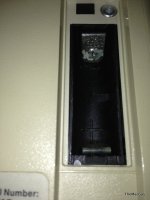
Battery is behind the door above the power switch. To open the case, you'll need a long T-15 screwdriver - there is a guy on eBait who is selling a long T-15 bit that fits any screwdriver bit handle (I use mine with a bit handle from a 1996 Volvo 850 that I found in a wrecking yard). Use that to remove the two screws in the handle, and the three screws on the back. With the other three, a regular T-15 screwdriver works fine. One of the five screws will be made obvious once the battery door is removed. Once all screws are removed, place the computer face down on an upholstered chair (or ottoman, whatever's handy), and pull up on the machine while holding it on the sides of the case. The chassis should slide out of the case. Disconnect the floppy drive cable and the cable from the analog board. Slide the motherboard toward you. Once that's removed, you should see the phillips screws that hold the floppy drive bracket to the chassis. Remove the screws, pull out the drive, then start working on cleaning it out with denatured alcohol and swabs. You might even discover that the reason the disk is stuck, is due to a misalignment issue. I've noticed that before on the earlier compact Macs

-J.

 
Don't worry about the CRT, you only have to discharge it if you are removing the anode cable (big red wire to the "suction cup"). Take care not to bang around the neck board plugged into the end of the CRT. The evacuation pip is delicate and it's all to easy to hear that sickening CRACK-PSSSSSSSSSSSSsssssssssssssssssssssssssssssst and the tube is done for.

Caps are definitely recommended, but if it works fine, you can probably leave that alone for now. I do advise touching up the solder joints holding the deflection yoke connector to the analog board though, they are a common failure and loss of deflection can burn the phosphors in the tube.

 
Sears has a 6" T15 driver. That's what I use, and it's only $6 and change.

The back/side/bottom plastic case is friction fit to the front tightly (unless you've had it apart a few times). That first time taking the back off can be frustrating, but resist the urge to go at it with a flat head screw driver. You will mar the plastic, and uglify your Mac. Try leaving the two torx screws by the ports on the back on and pushing down on them with your thumbs while pulling up on the sides with your palm/fingers. Take it slow and be patient.

Once inside, that torx driver and a small (#1) phillips driver will let you take it the rest of the way apart if you want to. The evilest part with a 512ke is gonna be getting the power supply molex plug to the logic board unclipped without gouging your thumb or otherwise being a pain. The FDD in my 512 was held onto the chassis with phillips head screws, but have your torx driver ready just in case.

Good luck!

 
Is the FDD bracket attached to the logic board? I seriously need a manual. :p I haven't soldered ever, and my dad only really solders wires.

 
2-IMG_2512 copy.JPG

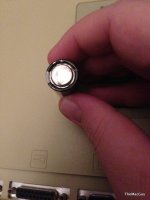
I pulled the battery just in time! It was starting to bust at the seams! It looks the be the original Energizer from 1986/87. I'm finding out more that this machine must have been taken care of, always in the A/C, and never really used.

1-IMG_2514 copy.JPG

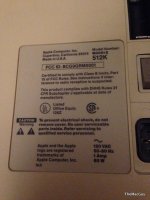
3-IMG_2515 copy.JPG

 
Back
Top