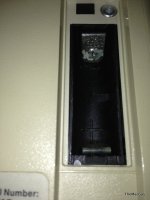
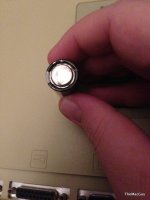
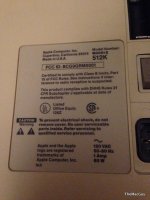
Battery is behind the door above the power switch. To open the case, you'll need a long T-15 screwdriver - there is a guy on eBait who is selling a long T-15 bit that fits any screwdriver bit handle (I use mine with a bit handle from a 1996 Volvo 850 that I found in a wrecking yard). Use that to remove the two screws in the handle, and the three screws on the back. With the other three, a regular T-15 screwdriver works fine. One of the five screws will be made obvious once the battery door is removed. Once all screws are removed, place the computer face down on an upholstered chair (or ottoman, whatever's handy), and pull up on the machine while holding it on the sides of the case. The chassis should slide out of the case. Disconnect the floppy drive cable and the cable from the analog board. Slide the motherboard toward you. Once that's removed, you should see the phillips screws that hold the floppy drive bracket to the chassis. Remove the screws, pull out the drive, then start working on cleaning it out with denatured alcohol and swabs. You might even discover that the reason the disk is stuck, is due to a misalignment issue. I've noticed that before on the earlier compact Macs
-J.




 . So please help. Thanks.