Reverse Engineering the MacSnap SCSI

... AAAAAAAAAND it's working! 🎉

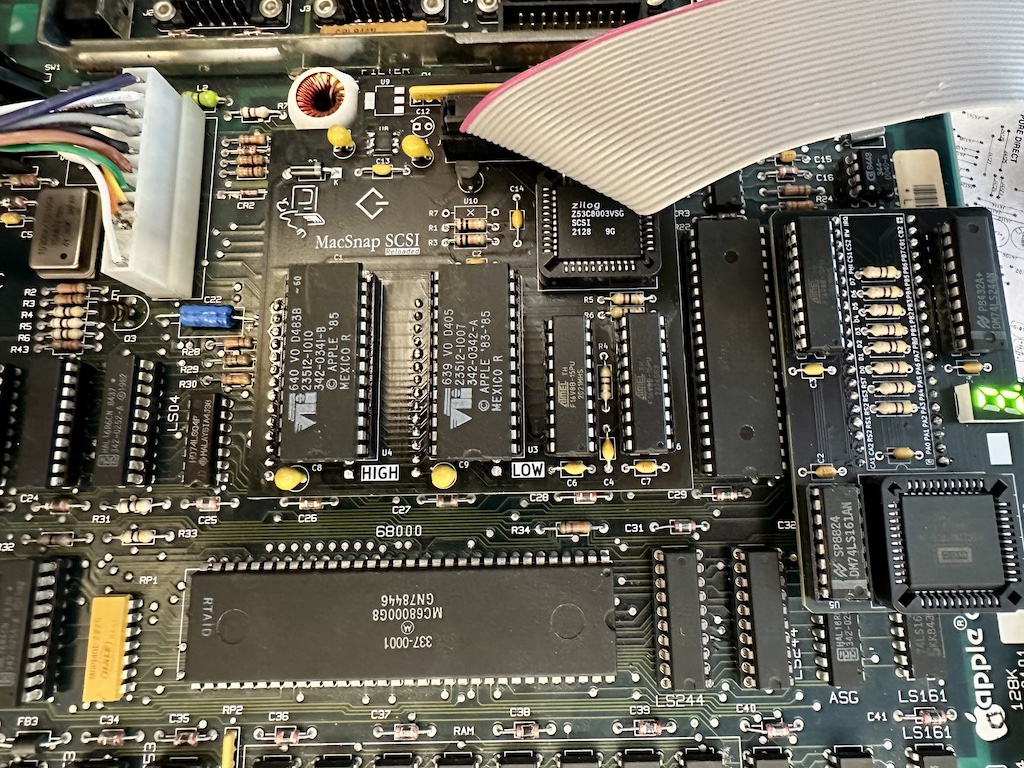
All of that thanks to @Builder68 who noticed that I had one ping wrong on two 47Ω resistors. So far we build a few boards of the last PCB revision (v2.1) and they are working fine after a few days of stress testing (minus some limitations, that the original has as well).

As promised, the design is OpenSource (CERN permissive license). I've uploaded the files on a dedicated repository, as it's a teamwork between @Bolle, @Builder68 and myself.
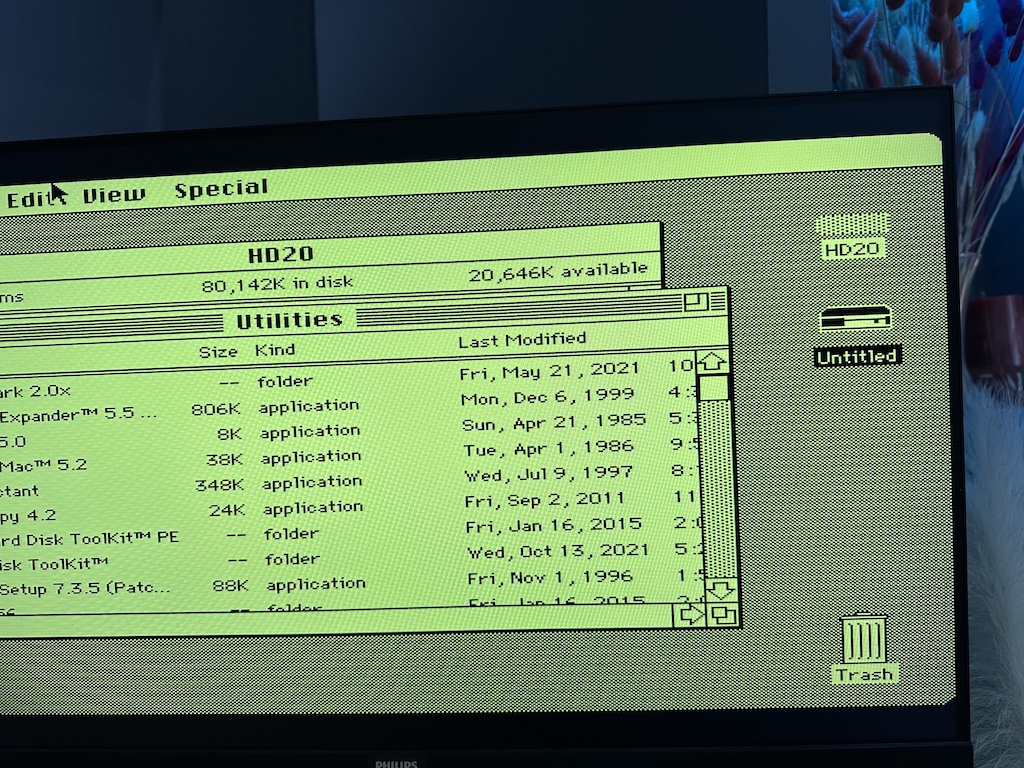
success.jpeg


final_PCB.jpeg


KiKad files are already in, as well as gerbers. BOM and some documentation will be uploaded later.


This reproduction improves the original design by adding an active reset circuit (EconoReset) and an active termination circuits (two building choices possible, one with a dedicated SCSI terminator chip: MC34268, the other with a more generic LDO)

You are free to spin your own designs (some technical limitations may apply). As promised, this is a gift to the community, I will do a small EU+UK batch after a few more testing.

Time to clean your ROM sockets :)
 
Thanks everyone!

Documentation has been pushed to the GitHub, should be good enough so everyone than can build one. Let me know if something need to be improved

As for the limits of this board, there is a couple of limitations which are present on the original as well.

Sockets
First main issue is that the board is connected using the ROM sockets, but the board is heavy enough that if you press on it, it will likely stop being correctly inserted and you will run into weird stuff (black screens, garbled chimes, freezes, etc). The (MacSnap) board is by no means secured to the main logic board.

After 10-30 insertions, I've come to the conclusion that the original sockets are dead. If something like this happens, you will likely have to replace the logic board sockets. PDIP sockets with machine pins will provide a secure enough connexions with the MacSnap SCSI.

Power

Second is power, especially with devices sucking juice out of the termination circuit. The board uses a RC timer which is very sensitive to voltage fluctuations. The RC timer is mostly used on writes (and @ boot), so of you have power issues you will start seeing random writes errors, then permanent write errors with FS corruption, and at extreme worst cases scenarios, SCSI will not be detected at all

This is what happened to @dhamultun
I’ve got a Mac 512 that has both the MacSnap SCSI and a memory upgrade. ROMs must have been changed as well since it show up as a Mac Plus. Seems to be working reasonably well until I decided to boot from my BlueSCSI ver 1.1-a. Boots fine and is ok until it needs to write to the disc. Maybe the chipset is not compatible with BlueSCSI? Same BlueSCSI works flawlessly with my actual Mac Plus. ideas?

It's not a chipset issue, since it's the same 53C80 in both cases.

The issue is more like the ROM slots weren't designed to feed 1A of current to external devices (especially with dodgy contacts). You are likely to see it as well if your 512Ke analog board is not up to the task or the logic board needs recaping

So far we were able to reproduce the issue with the following combinaisons
- bad power supply (4.8V ish) + external Jazz drive
- BlueSCSI V1 with passive termination circuit enabled
- Modern SCSI devices based on the PicoW (the PicoW has some transient load spikes and when WiFi is enabled)

Reducing the device power consumption can help (disabling WiFi, etc), removing SCSI termination can also help since the active one in the replica is more efficient than any passive termination.

It's highly recommended to use a SCSI device with external power. That being said, I didn't have any issues with a ZuluSCSI Mini. I expected other variants to work fine as well

Happy building
 
This is a great project. I recently purchased a Mac 512k and was surprised to find a MacSnap RAM expansion card installed. I found your SCSI recreation board and ordered some PCB's.

I was planning on using a BlueSCSI v2, but was concerned about power. I have several old external 20mb SCSI cases and thought of using one of them to install the BlueSCSI.

However, I would like to keep everything internal. Is something like that possible to place the BlueSCSI v1 or v2 inside the case of a Mac 512k and using the external BlueSCSI version? I have two 512k the other has the BMOW Rom-inator. I also have a Apple HD20.

Thanks again for the recreation board.
 
This is a great project. I recently purchased a Mac 512k and was surprised to find a MacSnap RAM expansion card installed. I found your SCSI recreation board and ordered some PCB's.

I was planning on using a BlueSCSI v2, but was concerned about power. I have several old external 20mb SCSI cases and thought of using one of them to install the BlueSCSI.

However, I would like to keep everything internal. Is something like that possible to place the BlueSCSI v1 or v2 inside the case of a Mac 512k and using the external BlueSCSI version? I have two 512k the other has the BMOW Rom-inator. I also have a Apple HD20.

Thanks again for the recreation board.

Answering this and your message in the other thread.

You are right about power delivery, it can induce issues (see my post above in this page). The Original board had provisioning for SCSI power but somehow they didn't include it in the final version (too much issues ?)

Having an external power is better than none, using old HDD enclosures or similar is a good idea.
My internal setup is using a DB25 ZuluSCSI directly from the LPT header

Am I understanding your current situation correctly ?
- Got both RE and OG boards.
- The OG board does not boot with a BlueSCSI v2, with external power directly from the Pico PSU
- RE board does not work as well, potential cable issue

The fact that the Blue blinks make me thing the MacSnap state machine isn't working properly and as a result it's reading garbage from the SCSI bus.

As a first step, what voltages do you have at ROMs, PLDs (EP320s) and the output voltage of the SCSI termination power chip on the replicas ?
 
Answering this and your message in the other thread.

You are right about power delivery, it can induce issues (see my post above in this page). The Original board had provisioning for SCSI power but somehow they didn't include it in the final version (too much issues ?)

Having an external power is better than none, using old HDD enclosures or similar is a good idea.
My internal setup is using a DB25 ZuluSCSI directly from the LPT header

Am I understanding your current situation correctly ?
- Got both RE and OG boards.
- The OG board does not boot with a BlueSCSI v2, with external power directly from the Pico PSU
- RE board does not work as well, potential cable issue

The fact that the Blue blinks make me thing the MacSnap state machine isn't working properly and as a result it's reading garbage from the SCSI bus.

As a first step, what voltages do you have at ROMs, PLDs (EP320s) and the output voltage of the SCSI termination power chip on the replicas ?
Thanks for the info. I will check voltages later today on both original and recreation boards.

Are the resistor packs on the MacSnap OG and RE boards required when using a BlueSCSI or any external SCSI? When I bought this Mac512k it had the MacSnap RAM expansion board and the SCSI board. The resistor packs were cut off.

I have two original MacSnap SCSI boards and the two recreation boards I built. It's a great project.

In another post Builder68 helped me with adding RAM to the expansion board.
 

Attachments

  • macsnap ram board jumper.jpg
    macsnap ram board jumper.jpg
    1.3 MB · Views: 3
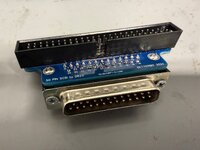
Would something like this Overeasy 25pin to 50pin SCSI adapter work for a internal drive?

I know I would still need power, but just seeking suggestions for a internal drive for the Mac 512k.

Is it just the BlueSCSI that will not work? Is a ZuluSCSI a better option?

Sorry for all the questions.

Thanks in advance
 

Attachments

  • overeasy 25-50 pin scsi.jpg
    overeasy 25-50 pin scsi.jpg
    1.2 MB · Views: 3
Thanks for the info. I will check voltages later today on both original and recreation boards.

Are the resistor packs on the MacSnap OG and RE boards required when using a BlueSCSI or any external SCSI? When I bought this Mac512k it had the MacSnap RAM expansion board and the SCSI board. The resistor packs were cut off.

I have two original MacSnap SCSI boards and the two recreation boards I built. It's a great project.

In another post Builder68 helped me with adding RAM to the expansion board.

Well they are part of the SCSI termination circuit. You are supposed to have termination on both ends (the host and the last device). However they are specific cases where you can commit one of them, and have only one device do all the work (usually an active terminator does work fine with short wire length)

The downside of a SCSI termination circuit is that it's eating power (passive ones are eating more, active are eating just what's needed to bring the signal on spec)

What's interesting in your case is that the original owner probably removed them to help stabilise the MacSnap SCSI board (less power consumption).

I will have a look at your other thread.

Would something like this Overeasy 25pin to 50pin SCSI adapter work for a internal drive?

I know I would still need power, but just seeking suggestions for a internal drive for the Mac 512k.

Is it just the BlueSCSI that will not work? Is a ZuluSCSI a better option?

Sorry for all the questions.

Thanks in advance

That adapter should work, I used similar stuff with centronics and other adapters just fine during prototyping

BlueSCSI v2 is also likely fine, especially with external power, it's the v1 (Bluepill based ones) that's are not working due to not being too far away from the SCSI spec

No worries for the questions, that's what the forums are for. Hope we can sort this out :)
 
Back
Top