• Hello MLAers! We've re-enabled auto-approval for accounts. If you are still waiting on account approval, please check this thread for more information.

iMac G3 (Rev A -> C) G4 CPU Upgrade

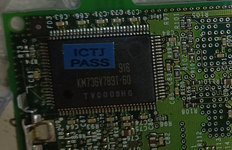
Is the cache at 3.3v on those boards? The pins and solder joints are exposed on the QFP parts so a soldering iron might work better than an oven for repairing the connections.

That was actually with a soldering iron, I don't actually own a soldering oven (only my Aixun T3A station and Atten hot air station).
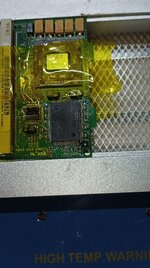
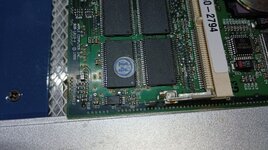
I removed it, and found quite a lot of cruddy traces and vias under the ICs (photos here, first set of six are under the cache IC next to the CPU, second set of six are under the cache IC on the other side of the board).

I scraped it all off, tinned the exposed copper, and reinstalled the cache ICs.
That didn't help, but knowing that the crud under the ICs was worse on the CPU side, I did a bit of a Hail Mary and reflowed the CPU with the hot air station and board preheater.

That did actually improve the situation somewhat, as the system will now actually attempt to boot, but it crashes to Error 41 when OS 9 tries to start Finder (in Dutch as the old OS 9 install on this is set to that).
That is true even with all extensions (and thus MAChSpeed Control) disabled and swapping in different RAM SODIMMs, but it at least supports the theory of crud under the CPU or in the solder ball joints causing stability problems.
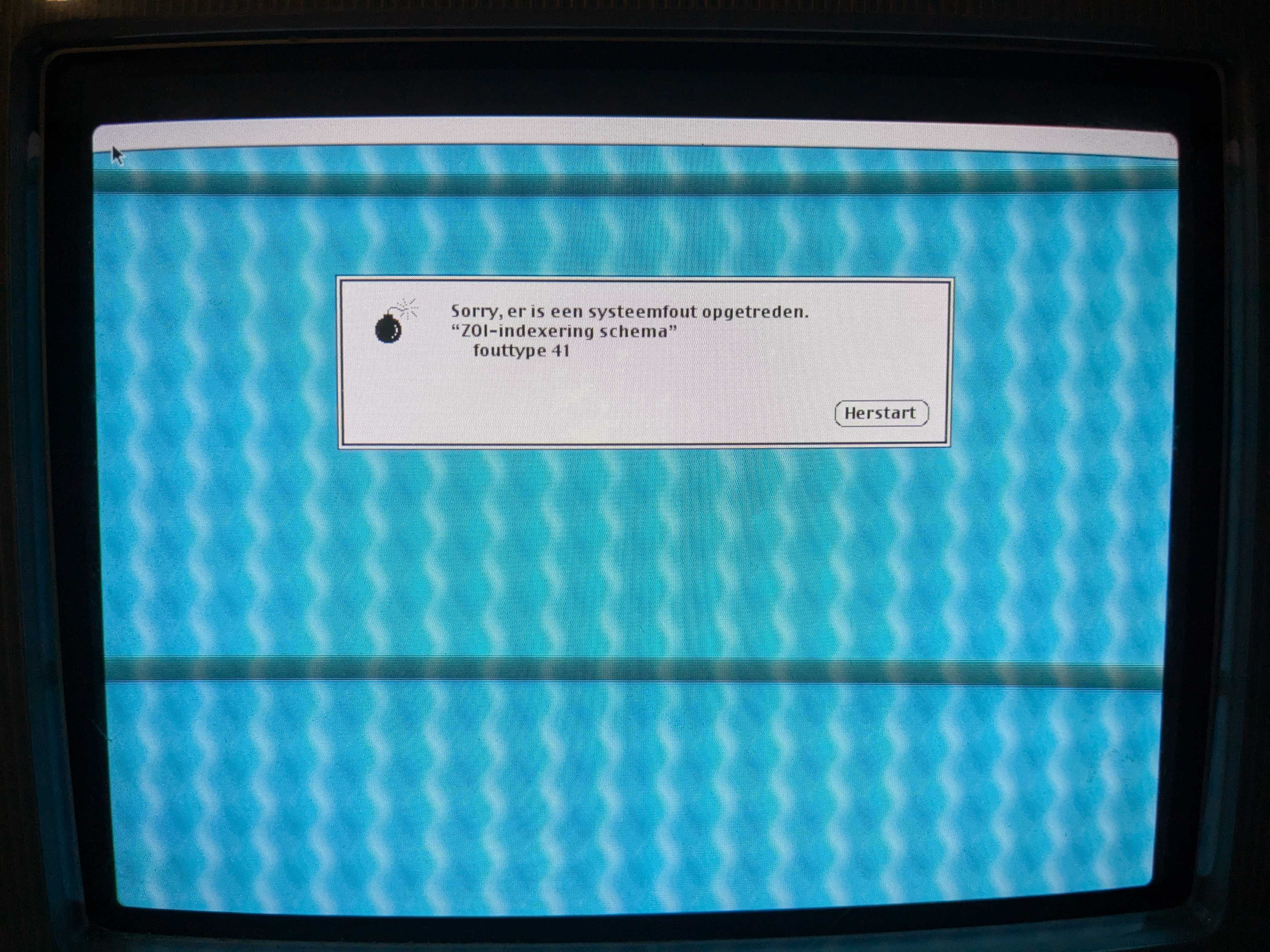
error41.jpg


Reballing might fix the issue entirely, as well as cleaning under the chip, but it would be sad as this chip has .89mm solder balls, which I wouldn't be able to replicate, so it'd get rid of the "factory finish" these XLR8 cards have.
 
Couple of days of bashing my head at this did actually get me results!
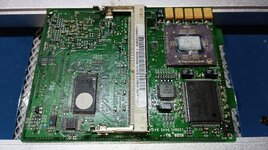
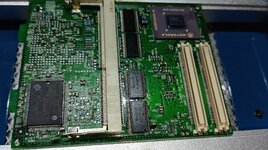
The eBay G4 card is actually an XLR8 MAChSpeed 400 G4, so that's pretty cool to know, even if it unfortunately doesn't work yet.

Now, I went in circles trying to figure out the cache SPD EEPROM out.
Had a few false starts, but eventually my own cache upgraded card started working, but I couldn't get it to report 1MB of cache in Gauge Pro.

The SPD EEPROM from the XLR8 did differ slightly, and they're both factory 233MHz G3 cards, so that did indicate something was different.
However, I got a sneaking suspicion it needed the MAChSpeed Control Panel installed to get the full cache to work.

Hi @Daniël.

As you know, I'm playing with an iMac G3 tray CPU, which I upgraded to a G4.

If I were to consider swapping the original cache for the one that came with the 7400@466MHz DA, wouldn't it be enough to swap the G4 DA EEPROM with the one from the iMac G3? I also have the EEPROM from a Pismo, but I don't know if the EEPROM information is compatible with the iMac firmware.

Can you give me some clues? Thanks.
 
Hi @Daniël.

As you know, I'm playing with an iMac G3 tray CPU, which I upgraded to a G4.

If I were to consider swapping the original cache for the one that came with the 7400@466MHz DA, wouldn't it be enough to swap the G4 DA EEPROM with the one from the iMac G3? I also have the EEPROM from a Pismo, but I don't know if the EEPROM information is compatible with the iMac firmware.

Can you give me some clues? Thanks.

The SPD EEPROM data of the PowerMac G4 cards is quite different from that of the iMac G3 cards.
Using it just results in no cache detected.

I'm still not sure what the XLR8 SPD data changes, but it is enough for the MAChSpeed Control Panel to be able to actually enable the extra cache.
 
The SPD EEPROM data of the PowerMac G4 cards is quite different from that of the iMac G3 cards.
Using it just results in no cache detected.

I'm still not sure what the XLR8 SPD data changes, but it is enough for the MAChSpeed Control Panel to be able to actually enable the extra cache.

So, the XLR8 SPD EEPROM alone isn't enough to enable the cache? Is the MAChSpeed Control panel necessary?

You mentioned that @dosdude1 used the SPD EEPROM from a Lombard and it worked, but at a 5:2 ratio. I have a 300MHz Wallstreet CPU that has a 2:1 cache ratio and uses 1MB. Could it be compatible?

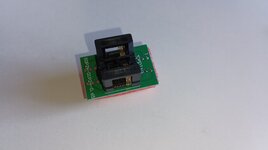
I'll look for an adapter for my TL866 so I can read the Wallstreet EEPROM, but what EEPROM model is it? I have to select it from the menu, otherwise I won't be able to read it. I have some EEPROMs I could use, from discarded G4 GE PCBs.
 
The external L2/L3 cache is configured with a register, via software. This can be done at boot through the firmware and/or after boot with software that has access to CPU registers.

To get an idea what is happening at boot, look for a .pdf titled something like "Yosemite BootROM ERS.pdf" which describes how open firmware is being loaded/used in the boot process: BootROM Engineering Requirements Specification (ERS). The iMac you're working on is probably somewhat similar to this documentation, which has passages like:

Call HardwareInit.s:"SizeExternalCaches" (do not confuse with EnableExternalCaches), calls Grackle.s:"SizeExternalCaches_Grackle", which sizes and prepare L2/L3 caches (if present), for Yosemite calls GetL2CacheInfo, which gets its info from tables based on processor card settings read from the Paddington ASIC. The information is written into NVRAM for OF use/OS use.

Maybe you can even find some files with relevant info about the System Configuration block or lookup tables used, like a version of HardwareInit.s that is similar to what your firmware was compiled with. It is also probably possible to brute force decompile the binary firmware to see what it's doing. I think joevt is the resident expert on all of this sort of thing.

Another .pdf titled "MPCPCMEC.pdf" has a proposed arrangement of the i2c EEPROM contents, that might not be far off from what you have. There may even be a way to write to this EEPROM through open firmware to test settings. That could save a lot of trouble un-soldering it, programming it, then re-soldering it, etc.

Of course if the machine will boot up, then you can fool around with the settings then too.
 
Maybe you can even find some files with relevant info about the System Configuration block or lookup tables used, like a version of HardwareInit.s that is similar to what your firmware was compiled with. It is also probably possible to brute force decompile the binary firmware to see what it's doing. I think joevt is the resident expert on all of this sort of thing.

The 256 byte System Configuration Block
- Does not exist in Open Firmware 3.0.f3 (or 1.3f3 or 3.1.3f3) and earlier.
- Does exist in Open Firmware 3.2.4f1 and later.

There's a couple documents that describe different versions of the Configuration Block.
- Configblk_2.5.15.pdf
- Boot_Flash_System_Configuration_Block_V1.5_19990301.pdf
You have to look at how the Open Firmware uses the configuration block to see which matches best.
There's probably more versions.

If you want more info for a specific version of Open Firmware, let me know.
 
Thanks for all this information. Unfortunately, it's beyond my knowledge; no matter how much I read and reread it, I don't know where to start. I would need someone's help modifying the EEPROM dump.

Seeing the changes in firmware versions, if the Lombard EEPROM worked in an iMac G3 tray, would the Wallstreet II EEPROM be compatible? A 300MHz version with 1MB of L2 cache.

I'm ruling out using the EEPROM from a PM G4 GE, based on what @Daniël told me.

I've already purchased the SPD EEPROM adapter to use in the TL866 so I can read and write whatever I need. The TL866 software asks me to select the EEPROM model to be able to read and write, but I can't find the reference of the EEPROM installed anywhere, not even the text engraved on it.

I'll find a time to change the L2 cache chips to 1MB.
 
I'll look for an adapter for my TL866 so I can read the Wallstreet EEPROM, but what EEPROM model is it? I have to select it from the menu, otherwise I won't be able to read it. I have some EEPROMs I could use, from discarded G4 GE PCBs.

Don't pin me down on it, but I recall it being the ST 24C02 (2 kilobit/256 byte) serial EEPROM.
If it's marked as "402W" or something like that, that would confirm it.
 
Take a look at "MPCPCMEC.pdf" as this seems to be the closest documentation to what you have. For example, it says: "The Software Presence Detect (SPD) describes the PCM but does not tell the software what register bits to use" So the EEPROM may have an entry for the speed of the cache chips, and the software can calculate/pick its own ratio to stay below that. If you can read the L2CR register, that will tell you the current configuration and you can check this against what the other software tools are telling you. I would guess that they're accurate. You can also test empirically with something like Cache Basher to measure whether your changed cache settings are having an effect. I posted some example results in this thread:

68kmla.org/bb/index.php?threads/experiments-with-g4-external-backside-cache.47085/

If you post all the different ROM dumps here, we may be able to compare them and make some guesses about settings to try. Or, as mentioned, you could try changing things with the OF write commands. If this bricks something, then you can resort to your external programmer.
 
Hello.

Today I found some time and continued modifying the processor in my iMac G3.

First, I swapped the 256kb cache chips for two 512kb ones taken from the same DA 466MHz daughterboard, clocked at 250MHz (it has the -25 at the end of the reference). Thanks @herd for your tips on working with the cache chips; they worked very well for me.

IMG_20250530_175141.jpgIMG_20250531_160032.jpgIMG_20250531_160116.jpg

After powering on, as @Daniël warned me, it would still only recognize 512kb of cache instead of 1MB.

So, as I mentioned, I removed the EEPROM from the Wallstreet 2 (300MHz, 1MB, 2:1 ratio), dumped its contents, and copied them to the EEPROM I also removed from the DA 466, to keep the ones from the Wallstreet and the iMac intact.

IMG_20250531_102158.jpgIMG_20250531_102207.jpg

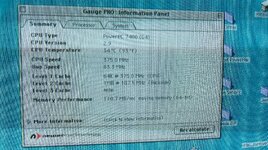
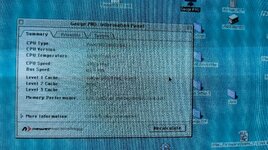
With the bus at 83MHz, the processor at 375MHz, it shows 1MB of cache at 187MHz, right in the middle, 2:1 ratio. What I was looking for.

IMG_20250531_163151.jpgIMG_20250531_163326.jpg

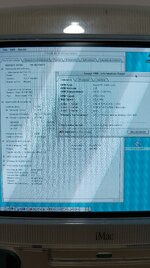
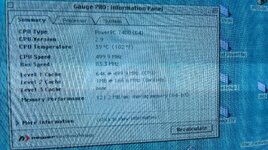
So I decided to give the processor speed a final push, up to 500MHz, and since the cache chips are 250MHz, they can handle it. But after tweaking, the processor runs at 500MHz but the cache has dropped to 166MHz!!!

IMG_20250531_165439.jpg

What happened? 3:1 ratio.

Wow, looks like I'm going to have to use Lombard and stick with a 2.5:1 ratio.

I'm attaching the Wallstreet EEPROM file, and also the DA 466MHz EEPROM. Although it won't be of any use to us in this project, it might be useful to someone.

Do you think it's possible to modify something in the Wallstreet EEPROM to be able to work with a 2:1 ratio with the processor at 500MHz and the bus at 83MHz?
 

Attachments

Nice work!

What happened? 3:1 ratio.

"The Software Presence Detect (SPD) describes the PCM but does not tell the software what register bits to use" So the EEPROM may have an entry for the speed of the cache chips, and the software can calculate/pick its own ratio to stay below that.

What does the Lombard EEPROM dump look like? If the Wallstreet CPU had cache chips rated for 150MHz, what is the speed rating of the Lombard cache chips? In the Wallstreet ROM, the 0x98 at offset $012 may be the cache speed. What happens if you change this to 0xFC?
 
Nice work!


What does the Lombard EEPROM dump look like? If the Wallstreet CPU had cache chips rated for 150MHz, what is the speed rating of the Lombard cache chips? In the Wallstreet ROM, the 0x98 at offset $012 may be the cache speed. What happens if you change this to 0xFC?

Hi @herd

I've tried changing that value, but upon startup it tells me there's no L2 cache. I've attached the .bin file in case I made the change incorrectly.

IMG_20250601_084108.jpg

I've also attached the EEPROM dumps from the Lombard 400MHz with 1MB cache, which I believe has a 2.5:1 ratio as commented in previous posts. I've also attached the original iMac dumps and the extra dumps from a QS 933MHz with 2MB L3 at 4:1. I read it before deleting.

I've also attached photos of the Lombard cache chips so you know the speed; I haven't been able to find the datasheet where it indicates this.

Captura de pantalla de 2025-06-01 08-51-09.png
 

Attachments

I know @dosdude1 at one point tried editing the SPD data for the iMac G3 Trayloader as well, but also ended up settling for the Wallstreet SPD data, which also resulted in a 3:1 ratio (133MHz L2, 400MHz CPU on 66MHz bus).
I too believe the attempts at editing data just caused the machine to no longer detect any L2 cache, which again makes me wonder if there is some sort of checksumming going on.

Then again, the MAChSpeed cards have four bytes changed, and that somehow causes it to maintain the original values, but also allows MCP to detect that, and change the L2 speed through software. But I'm way out of my depth on this one. Would be nice to have it working without MCP, so alternative operating systems like Linux or Windows NT can use the upgraded cache.
 
Looking at all my photos, I get the feeling that the EEPROM content is conditioned by the processor speed. Below 400MHz, everything works fine; we've always maintained the expected ratio, but at 400MHz or higher, the ratio drops. No matter what EEPROM is used, it always drops when reaching 400MHz.

As if:
<400MHz -> 2:1
400MHz or higher -> 3:1
 
With a few versions to compare, that location seems to agree with the cache speed. 133MHz 0x86, 150MHz 0x98, 167MHz 0xB1. Maybe 0xFC is faster than it expects. You could try some other values to see what it does. If you change it to 0x86 then it should slow down to match the iMac version. If this disables the cache, then there may be more going on, like a checksum. If it does slow down, then this would confirm the location, and it's a matter of seeing what values the firmware can work with. Maybe 200MHz 0xCA, 220MHz 0xDE, 0xFB, etc.

Maybe the extra changed bytes at the end are a checksum. Or you could add the changed byte at the end that enabled MCP on the other ROM.
 
Looking at the dump of the MAChSpeed SPD ROM, offset $12 is set to 0x96, which does translate to 150 in UInt8 (and (U)Int16), so there might be things going on in that SPD to allow higher speeds. The question would still remain why MCP is necessary to actually achieve the speeds and see the full 1MB, if that is the case.
 
Last edited:
Back
Top