I'm curious to see how it looks in the flesh... maybe as an experiment I'll try this on a computer I don't care too much about. How do you make the water transfer decals? After it's applied can you still tell that it's a decal?



I'm curious to see how it looks in the flesh... maybe as an experiment I'll try this on a computer I don't care too much about. How do you make the water transfer decals? After it's applied can you still tell that it's a decal?
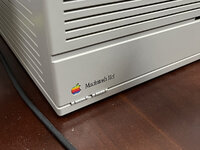


I believe it used a different plastic? Except the spacebar... the space bar does yellow.


Wow !!
Your work is very impressive !!
Can you share us a picture comparing your NOS AEKII with you IIci please ? (to "see" the difference between your paint and the original Apple case colour)
As you, the more I read about retrobrighting, the more I'm thinking about paint for my old Macs.
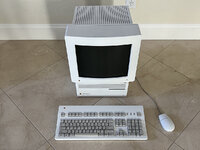
Ok! Got it, thanks.The very first post/picture in this thread of my Quadra 700 + monitor + keyboard has my NOS untouched AEK II. Both the Quadra 700 and monitor have case repairs and were repainted. As you can see from that picture, the original keyboard is a little brighter.

Ok! Got it, thanks.
I did not pay attention to this because I thought that it was an effect from your room's lights.

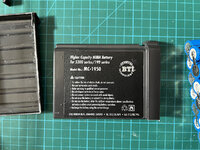
How many hours will it run off the battery for? I'm guessing 2-3 ?Finally rebuilt the battery in my PowerBook 5300c (documented here)
How many hours will it run off the battery for? I'm guessing 2-3 ?


View attachment 61883
As you can see, very close up you can see the decal outlines. And depending on how close you cut, it's more or less visible.
If you use a product called MicroSol, the lines will utterly vanish and it will fully integrate into the case. Just brush it on in two or three applications over the decal. Wonderful stuff, and will not harm plastic: