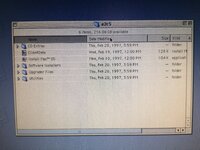
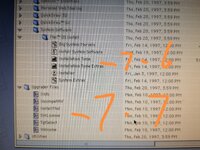
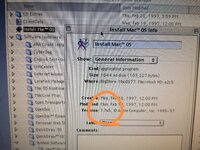
I didn't even look close at the contents. I can see if it really is a true 7.7 install and make a toast image.


That’d be wonderfu.I didn't even look close at the contents. I can see if it really is a true 7.7 install and make a toast image.

Just checked, and unless I'm looking at the wrong one, the one on that drive is for 7.6...
I noticed that I thought it was very odd.Oh, that's where it says it. Looks like this version is before they even changed the what's new notes.


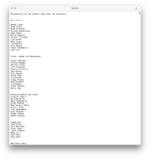
Apparently a couple of these guys and gals have patents.gotta love those Easter eggs.

How'd you do this just tried off a disk and can't get it to work same symptoms.Excuse the manic flashing. I did a clean install on a Performa 630 (68040).
Seems to work fine.
Should work ok on an LC 475, they are similar machines in some ways. Related memory controller and same processor at least.
Did you do a clean install? I ran the installer application and created a brand new System Folder on the 630.How'd you do this just tried off a disk and can't get it to work same symptoms.
I booted from a 7.5 image upgrade to 7.6.1 and then upgraded to 7.7. Did I do something wrong?Did you do a clean install? I ran the installer application and created a brand new System Folder on the 630.
I just ran the 7.7 installer straight, while booted from another disk. I used the uncustomised install for the OS and Macintalk, but deselected everything else.I booted from a 7.5 image upgrade to 7.6.1 and then upgraded to 7.7. Did I do something wrong?