• Hello MLAers! We've re-enabled auto-approval for accounts. If you are still waiting on account approval, please check this thread for more information.

Where to start with 3 Mac IIs?

I recently recovered three Macintosh IIs from the trash at my work. I'm hoping that between the three of them, I'll be able to create at least one working machine. Below I've documented what I have. So far, I haven't been able to get video output from any of the Macs. I consider myself an expert on modern Macs, but a complete novice on anything pre-Power PC. If y'all could guide me to the point when I can get video output from one of the Macs, that would be tremendously helpful!

Accessories
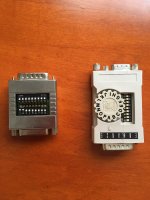
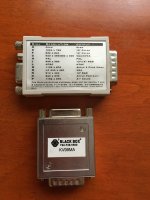
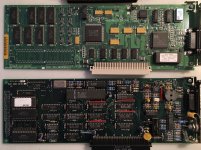
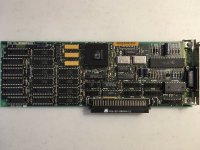
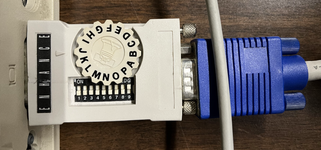
  • Two Mac video adaptors, pictured below. I can't find anything about these online. I've tried several of the settings with all of the Macs, but nothing has worked so far, so I think I need a more systematic approach. 
  • Modern Acer V213H monitor (1080p native) with VGA input
  • ADB keyboard and mouse

IMG_2355.JPGIMG_2356.JPG

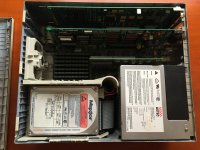
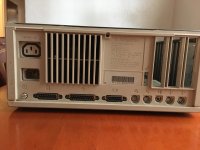
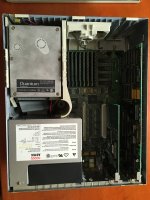
Computer 1: Macintosh IIci

  • All RAM slots full
  • 2 expansion cards with video ports
  • Hard drive is noisy, possibly failing?
  • When plugged in, the power light turns on, but there is no startup chime

IMG_2358.JPGIMG_2359.JPG

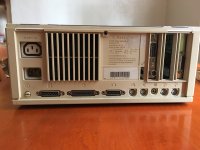
Computer 2: Macintosh IIci

  • Some RAM slots empty
  • No hard drive
  • When plugged in, gives an error startup chime

IMG_2360.JPGIMG_2361.JPG

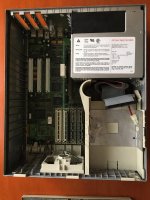
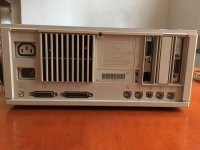
Computer 3: Macintosh IIcx

  • All RAM slots full
  • 2 expansion cards with video ports
  • When plugged in, the power light flashes, and there is no startup chime

IMG_2363.JPGIMG_2364.JPG

 
On ci #1 and cx #3, the cards closest to the power supply are ethernet cards rather than video cards.  The 15 pin connector there is an AUI connector

ci #2 might get better results if you pull that single ram simm out of the bank.

edit:  You may be able to find documentation on your video adapters in the Peripherals section, "Video Adapter Docs Scan Dump" thread.


Last edited by a moderator:
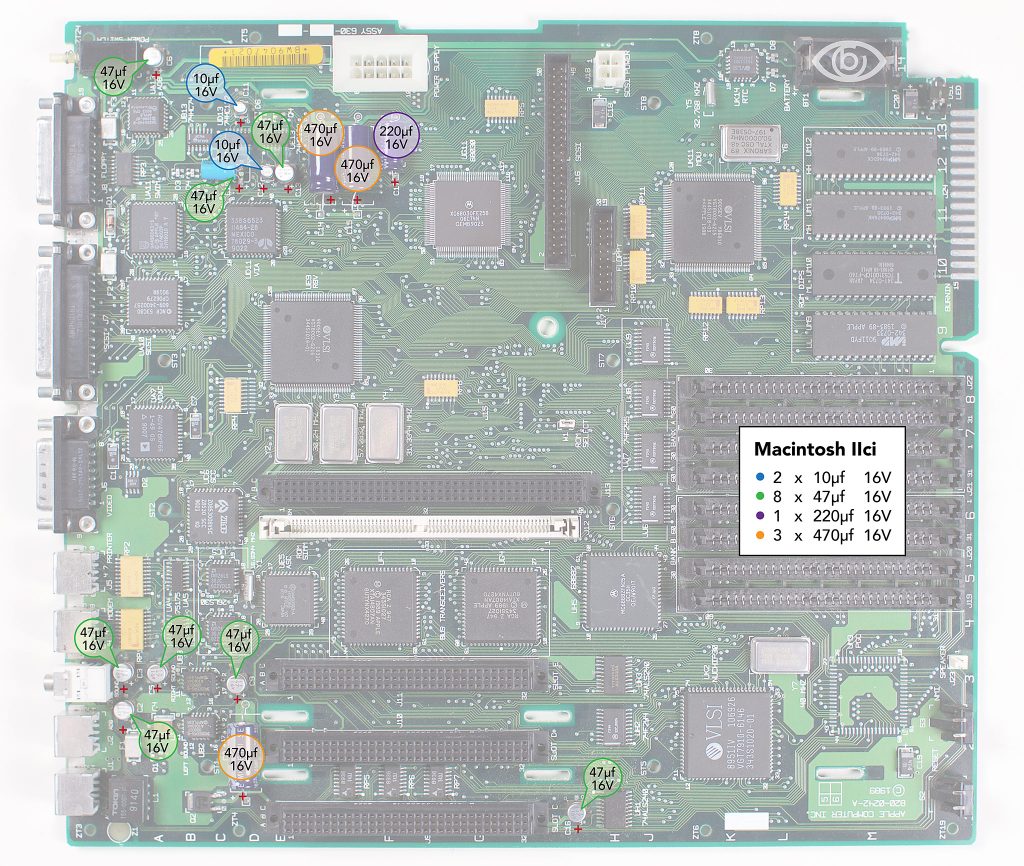
With any of them, you probably want to start by replacing all SMD capacitors on the motherboards and cleaning up any leakage and inspecting for damaged traces. Then try them out and go from there.

On the IIci (dunno about the IIcx), there are SMD caps back near the power circuit that can wreck havoc.

Oh yeah, make sure to check the battery (lurking under the HDD/FDD assembly) and pull it on each of the machines. I got a IIci the other day where the battery had disintegrated, eaten the battery holder and most of the nearby motherboard. It was an amazing mess!

Good luck! 

 
Last edited by a moderator:
@sstaylor Ah, thanks for the clarification with regards to the AUI  connectors.

Excellent, after removing that extra stick of RAM the error chime is gone: now #2 gives only the standard startup chime. 

Based on the information in that thread, I attempted to configure my video adaptor. However, with the adaptor plugged in, #2 no longer gave the startup chime! After removing the adaptor, the chime returned. Perhaps due to the ancient PRAM battery?

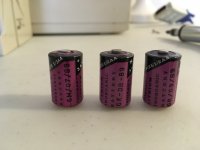
@mattsoft Thanks for the tips! I successfully removed all three PRAM batteries. Thankfully, they all appeared intact and not to have caused any damage. 

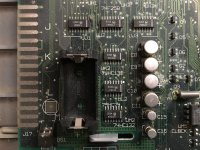
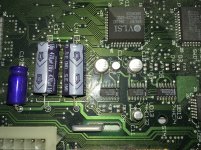
I didn't see any obvious corrosion in the IIcis (#1 and #2), but I did see some in the IIcx (#3, see photo below). Perhaps this is due to leaky capacitors? For now I will focus on #1 and #2, but if they turn out to be equally difficult, I will clean #3's board and test/replace capacitors on all the boards. 

I'm assuming all the IIs need PRAM batteries to boot? If so, I'll probably need some replacements before I continue my troubleshooting. 

EDIT: This video suggests that a PRAM battery is needed to boot: 


IMG_2366.JPG

IMG_2365.JPG

 
Last edited by a moderator:
Nice find - I wish I could find Mac IIs in a dumpster near me!

Something that is fantastic for debugging video is the Open Source Scan Converter. The little dip switches on those DA15-Dsub15 adapters can be really tedious when you try a mode that should work but it doesn't... the OSSC displays information about what it can scan and makes picking a mode a lot easier. It will also tell you if there is video present but your monitor just doesn't want to do that.  

 
With leaky caps it's unlikely you will get reliable audio or video output anyway, so I would start with cleaning those boards and recapping them before going further.

 
Couple of notes, You do not need PRAM batteries in most 68K's for them to boot (The only ones I can think of off the top of my head that do are the II/IIx/IIfx and the LC/Performa 475) you defiantly don't need them on the IIci or IIcx so it's best to just leave them out one removed

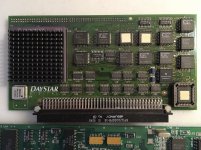
And secondly, do I spy a accelerator card in IIci #1? There is a card in the cache slot that looks to have a heatsink on it and i'm pretty sure the standard cache card wouldn't have that, If so that was a very nice find indeed!

Otherwise as others have said you need to clean and reap those boards before you can do any real troubleshooting on them

 
@mattsoft and @joshc Right you are: after closer inspection, I do see some corrosion near the caps on both IIcis. Thankfully, the corrosion looks superficial, so hopefully the caps will be the only thing needing replacement. So recapping will be my next step! 

IMG_2377.jpg

@aeberbach Ah, the Open Source Scan Converter looks excellent! Unfortunately, a bit out of my price range at the moment, though it's definitely on my wishlist now. If anyone owns one in the greater Pittsburgh area and would be willing to let me borrow theirs, just let me know! ;)

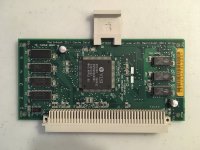
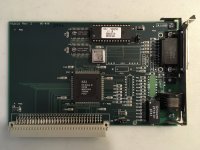
@max1zzz Good to know that the batteries probably aren't needed. Looks like it is an accelerator card! I've attached photos of all the expansion cards:

 IMG_2382.jpgIMG_2383.jpgIMG_2384.jpgIMG_2385.jpgIMG_2386.jpg

 
I believe C10 and C13 have traces running UNDER the SMD as well that can get rotted from the electrolytics. Sometimes you have to remove the cap, clean, and then bodge the trace before replacing the cap. 

 
Great success! I recapped the Macintosh IIci's following this guide:

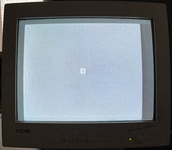
Using a CRT monitor, I found a setting for the video adaptor that works!
Resolution: 640 x 480
Output: 13"/14" RGB
Composite: On

Of course, without the hard drive plugged in, the machine won't boot. However, I'd like to back up the hard drive as soon as possible, since it might not last long. My first instinct is to remove the 50-pin SCSI hard drive, plug it into a modern machine via USB, and to clone all the blocks (similar for what I would do with an IDE/PATA hard drive). However, I'm having difficulty finding adaptors for 50-pin SCSI drives. Any ideas?
 

Attachments

  • tempImagerBvrlM.png
    tempImagerBvrlM.png
    8.5 MB · Views: 6
  • tempImaget5BGMr.png
    tempImaget5BGMr.png
    12.6 MB · Views: 8
My first instinct is to remove the 50-pin SCSI hard drive, plug it into a modern machine via USB, and to clone all the blocks (similar for what I would do with an IDE/PATA hard drive). However, I'm having difficulty finding adaptors for 50-pin SCSI drives. Any ideas?
Sadly USB to SCSI adapters cost a fortune, they're still in demand for things like recording studios.

Your best bet is probably to get an external ZuluSCSI or similar, set it up and once one of the machines is happily booting from it, power everything down, plug in one of the disks ,(making sure there aren't SCSI ID conflicts with your SD card to SCSI adapter), boot and backup the disk.

Then shutdown and swap in the next disk, etc.
 
Back
Top