


• Hello MLAers! We've re-enabled auto-approval for accounts. If you are still waiting on account approval, please check this thread for more information.

What is wrong with my Color Classic screen?

elSchus

6502
I finally have a Color Classic through the generosity of a man getting out of old macs on Craigslist.

I've had it for a few months, but recently, I noticed this pattern on the monitor (see pic). :-/ The photo doesn't show it well; there is a pinkish splotch horizontally across the middle of the screen.

My best guess is that it's a degauss coil problem? I don't think it was exposed to any major magnetic fields, but you never know. I want to say that this is a recent problem, but it could have been going on for a while. Do I have what is described in 1.1.6 on this page: http://colourclassicfaq.com/general/basics.shtml ?

Other symptoms: sometimes it gives off a high-pitched and loud whine. If left alone, the whine goes away on its own after two minutes or so. I'm not sure if those are connected problems.

Ultimately, I'm trying to decide if this is something to live with or if its fixable. My fear is that the analog board is just 'going'. I haven't seen a CC analog board on ebay...I imagine they are pretty rare (read: $$$). I also don't want to break it apart if I'll just make it worse. I still have nightmares of the trace I broke on my SE/30.....

Sorry if this is answered in another thread.
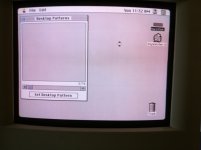
IMG_1164.jpg

 
Seems like your degaussing circuit is shot.

There are ways to manually have it degaussed but some of them are what I would call "unusual" }:)

From colorclassicfaq:

1.1.6 — My screen is all splotchy, with some dark areas and light areas and weird colours. How can I fix it?
Your CRT needs to be degaussed. Most likely, the cause of the splotchiness is a strong magnet that has come near the display. In some cases, however, the degaussing circuitry on the analogue board may have failed.

Step 1: If you know that your degaussing circuitry works, shut the CC down but leave the power switch in the back turned to the on position. If the CC is off, turn it on, but don't boot it up. Leave it plugged in and powered on like this for about 24 hours. Boot it up after 24 hours have passed and see if the splotchiness is reduced or gone. It probably will be, but if not, proceed to the next paragraph.

Step 2: If your degaussing circuitry is non-functional and you have a second CC around, simply swap analogue boards and follow the above procedure. If you don't have a second CC or the above didn't fully cure the problem, AND YOU FEEL COMFORTABLE WORKING WITH 110/220VAC ELECTRICITY, here's what to do:

Step 3: Get a strong magnet and a six-foot length of wire with a standard AC wall/mains plug on one end. Strip about 1 cm of insulation from each conductor on the other end. Unplug the degaussing coil from the analogue board and boot up the CC. Put the stripped wires into the two holes in the degaussing coil plug. With the CRT on so you can see the screen, very briefly plug the degaussing coil into the wall, taking care to remove it after a tenth of a second or so. NEVER leave this plugged in for more than 5 seconds. This should help the problem a bit, but may temporarily make it worse. After doing this step three or four times, plug the degaussing coil back into the analogue board and use the strong magnet to spot-fix any remaining areas. If you have a second CC with working circuitry, you may wish to follow Step 2 above as an additional fix. If you can't get it thoroughly degaussed, take the tube (or whole computer) to a TV repair shop and have them professionaly degauss it.

Alternative to Step 3: buy a degaussing coil on eBay for about $10-20 and use that. It's safer and less powerful than the DIY method described above. You can also use some sort of current-limiting AC transformer to step the voltage down, which is basically how the commercial coils work.
 
2 things.

1 thing it could be bad solder joints, but I am leaning towards a bad thermal-MOV(thermistor) that drives the degausser.

What happens is when the system is powered on, current flows through the degausser, which causes the MOV to heat up. As it gets hot, the resistance increases and causes less current to flow. this process repeats until thermal runaway exceeds the current that flows through, so the coil now "opens"

When the unit is off, this cools down. and therefore it can be degaussed again when it fires back up. Some monitors, this thermistor/coil isnt hot all the time. there is a relay that will engage this circuit. Relay clicks, and this same process happens with the MOV. then the relay disengages, giving the MOV time to cool.

This works very effectively. But the thermistor will stay hot all the time on a non-relay controlled circuit. It eventually burns up/goes bad.

When the solder joints break, or the MOV goes bad, you end up with exactly this.

 
Bolle: "unusual" is probably a mild description. Step 3 from the FAQ strikes me as incredibly bad advice.

The mains voltage is AC at 50 or 60 cycles per second. This means that the degaussing coil alternately magnetises, demagetises and then magnetises with the opposite polarity 60 times per second. Unless you happen to pull the wall plug at EXACTLY the instant that the mains voltage crosses zero volts, the technique in step 3 of the FAQ will almost certainly make the problem worse (possibly much worse), not better. The same applies for using a fixed magnet to try to fix the problem.

As technknight has described, the on board degaussing circuit operates by starting out applying full mains voltage to the degaussing coil, then decreasing it to zero over many mains cycles. This effectively demagnetises the CRT.

The proper way to degauss manually is to use a degaussing wand. With this, the technician turns the power on with the wand well away from the CRT, then brings it closer while moving it in a cicular pattern around the CRT. The wand is then slowly withdrawn a couple of metres and the power turned off. Degaussing wands emit a more powerful and concentrated magnetic field than the built in coil and can remove persistent purity problems that the built in system can't handle, or that it would take many "power on from cold" cycles to rectify. They can also do a great job of demagnetising any floppy disks or credit cards in the vicinity ;- )

 
1 thing it could be bad solder joints, but I am leaning towards a bad thermal-MOV(thermistor) that drives the degausser.
Do I have any way of verifying bad solder or bad thermal-MOV? Are we talking about weak solder throughout the board or a couple of trouble spots? I've re-soldered failed joints on the SE analog board, no problem. But if we are talking about something in the middle of the power supply with a lot of tiny surface mount stuff nearby, then it's probably beyond my skill.

What about thermal-MOV part replacement? Is bad thermistor a death sentence for the analog board?

 
I have a CC parts analog board. worked with bad H-STAT.

I will check it and see. If you take your CC apart, there is a big coil of wire that runs around the picture tube, toward the front. has 2 wires comming from it and plugs into the analog board near the AC power input side. This is the degausser. there is a round disc-like thing that is silver and has 2 legs. thats the MOV.

A redneck way to degauss until you fix it, is use a soldering gun. 100 to 200watts is fine. Not an iron, a gun. you pull the trigger type gun. It has a large transformer inside which generates magnetic fields. Ive used these guns to demag CRTs before. hold the gun up to the CRT, pull the triger and watch the colors vibrate/change. Slowly move the gun around the face of the CRT and then pull it away from the CRT. once its far enough away, let go of the trigger.

 
Thanks for the suggestions. I'm planning on opening it up soon and taking a look. Maybe the degauss cable is loose or disconnected from the analog board? I'll also look at those components, but I'm not sure I'm willing to or capable of using magnets around a CC. I may never have another one, so I don't want to risk it. Same goes for de-soldering components unless I can be reasonably sure they've failed.

Anyway, I'll report back once I find time to get it open.

 
Well I finally opened it up this week, and as expected, everything was connected properly. Still have the same problem after putting it back together.

The haze isn't too bad, actually, but I'm concerned that the machine is on its deathbed... I have other symptoms. It's apparently common (?) that the CC won't boot after it's been unplugged for a day or two. It has to sit with the power on for a few hours before it will boot. If I don't give it the full time, it may spin up, but it doesn't chime. It also still has the high-pitched whine. On its first successful boot up today, it restarted mid-way through the boot process (during Mac OS logo and icon parade). The good news is that I am back to my desktop and still playing Classic Daleks.

Maybe I'm being too picky... do your compact macs have problems, and do you put up with them? At what point do you start ripping the machine apart?

 
Back
Top

