
-
 Hello Guest! We're hosting a challenge to welcome vintage Intel macs to the MLA during the month of July! See this thread for more information.
 -
We've made some quality of life improvements to the Trading Post. More info here.
You are using an out of date browser. It may not display this or other websites correctly.
You should upgrade or use an alternative browser.
You should upgrade or use an alternative browser.
What IDE adapters are you using?
- Thread starter BespokeMan
- Start date



Good question on the RAM. I’ve got it maxed at 64MB, but it had 16 MB previously with no issue as far as 8.6. I’ve used the SD card adapter with first it’s native 133 MHz card, and now a NuPower G3.OK, encouraging. What's the RAM requirement for 8.6 on your PB1400? Oh, and what's the PB1400c's spec?
While we're on the topic of IDE adapters, what's the best way to get OS 7.6.1 or Mac OS 8.6 into my PowerBook 3400c? I don't have floppies and don't have a CD drive for my PowerBook 3400c. Would it be to restore a .dsk created in Basilisk to the SD/CF card? Install from a CF card in the PCMCIA slot?
Previously I had weird behaviour with CF2IDE adapters, but those problems stopped when I started using industrial CF cards that are intended to be used as a replacement for fixed storage vs. removable storage. https://www.savagetaylor.com/2023/12/17/ide-replacing-your-old-ide-drive/

Gosh that's incredible. I knew that 8.1 seemed to use about 7.2MB on my PB1400c, but always imagined that 8.5 and 8.6 were massive memory hogs. My PB1400c has 48MB of RAM which I suspect would make it OK. I suppose the New World Macs use more RAM, because they have the 'ROM' in RAM too.Good question on the RAM. I’ve got it maxed at 64MB, but it had 16 MB previously with no issue as far as 8.6. I’ve used the SD card adapter with first its native 133 MHz card, and now a NuPower G3.
That was quite an amount back in the day, you also have to consider memory cards where expensive not been a standard format didn’t help.
For reference the iMac G3 was shipped with « only » 32MB in 1998.
48MB is plenty of memory for 8.6, you’ll be fine here.
Depending on what you do virtual memory won’t even be necessary. (save some writes cycles on the flash, for the peace of mind)
For reference the iMac G3 was shipped with « only » 32MB in 1998.
48MB is plenty of memory for 8.6, you’ll be fine here.
Depending on what you do virtual memory won’t even be necessary. (save some writes cycles on the flash, for the peace of mind)
Yeah, that's one of the anachronistic aspects of our retro Macs in that we stuff them with more RAM than we ever had on those machines in the day. I think the iMac's original 32MB was criticised as being a bit small though. Having said that, the original iBook/300 also came out with 32MB of RAM and I thought I was doing well to add 64MB immediately when I bought my Tangerine one in mid-2000: 96MB was fine for Mac OS 9.0.4 and 9.1 (though eventually I boosted it to 288MB).That was quite an amount back in the day, you also have to consider memory cards where expensive not been a standard format didn’t help.
For reference the iMac G3 was shipped with « only » 32MB in 1998.
Actually it turns out I have 56MB, running Mac OS 8.1 and you're right, I should turn off VM to save flash wear and tear (which is set to 58MB) since it's only using 9.2MB.48MB is plenty of memory for 8.6, you’ll be fine here.
Depending on what you do virtual memory won’t even be necessary. (save some writes cycles on the flash, for the peace of mind)
-cheers from Julz
My PCMCIA CF card reader and SD to IDE adapters have arrived. I've "burned" the PowerBook 3400 Restore CD to the CF card but it won't boot in my PowerBook 3400c via the PCMCIA card reader. I've also copied Mac OS 8.6 System Folder to the SD card prior to putting it inside but also no bueno. Any ideas on how to install Mac OS?
What do you mean by burn?
Because if you byte-copie the CD image to the CF you’ll run into problems as CDs have a different Apple Driver from hard drives.
To have a working CF you must format it in HFS with a proper Apple partition map and driver first.
Then you can try to copy the CD files to the formatted CF, but sometime the system will refuse to boot it « as it is design to run from a CD »
Because if you byte-copie the CD image to the CF you’ll run into problems as CDs have a different Apple Driver from hard drives.
To have a working CF you must format it in HFS with a proper Apple partition map and driver first.
Then you can try to copy the CD files to the formatted CF, but sometime the system will refuse to boot it « as it is design to run from a CD »
What do you mean by burn?
Because if you byte-copie the CD image to the CF you’ll run into problems as CDs have a different Apple Driver from hard drives.
To have a working CF you must format it in HFS with a proper Apple partition map and driver first.
Then you can try to copy the CD files to the formatted CF, but sometime the system will refuse to boot it « as it is design to run from a CD »
Right. I've tried formatting it as HFS with Apple Partition Map as well but still doesn't work.
Last edited:

its a bit of a pity if you dont have any other Mac with a running system or a CD or even floppy drive for the 3400c..you just can copy a running system onto the CF/SD and boot off it without a problem. I can remember when I didnt have any drive for my first 3400, but I had a 1400c to copy from.
No happy Mac or Mac OS refusing to boot because not a CD?
With which Mac OS have you formatted the drive?
On OS X, Apple extended may not work, if you can format from a computer that support HFS (non plus) as formating with HFS+ may produce different outcome depending on your OS version.
On 10.4 and lower you have an OS 9 compatibility checkbox IIRC before formating.
With which Mac OS have you formatted the drive?
On OS X, Apple extended may not work, if you can format from a computer that support HFS (non plus) as formating with HFS+ may produce different outcome depending on your OS version.
On 10.4 and lower you have an OS 9 compatibility checkbox IIRC before formating.
Is your other computer a Mac or a PC?While we're on the topic of IDE adapters, what's the best way to get OS 7.6.1 or Mac OS 8.6 into my PowerBook 3400c? I don't have floppies and don't have a CD drive for my PowerBook 3400c. Would it be to restore a .dsk created in Basilisk to the SD/CF card? Install from a CF card in the PCMCIA slot?
Is your other computer a Mac or a PC?
I've a Pismo, iBook G3 Clamshell, Mac Mini G4 and a Mac Mini 2018. I used my Pismo to format the CF and SD cards. CF cards won't boot because they aren't the industrial type.
No CD drive but I copied the files to a CF card which is plugged in via a PCMCIA card reader. The PowerBook 3400 keeps ejecting the PCMCIA card reader, though.No happy Mac or Mac OS refusing to boot because not a CD?
With which Mac OS have you formatted the drive?
On OS X, Apple extended may not work, if you can format from a computer that support HFS (non plus) as formating with HFS+ may produce different outcome depending on your OS version.
On 10.4 and lower you have an OS 9 compatibility checkbox IIRC before formating.
I formatted the SD card using my Pismo.

They shouldn't need to be on these Macs. I've got cards that my PCs refuse to recognize that the PowerBooks will happily boot from.I've a Pismo, iBook G3 Clamshell, Mac Mini G4 and a Mac Mini 2018. I used my Pismo to format the CF and SD cards. CF cards won't boot because they aren't the industrial type.
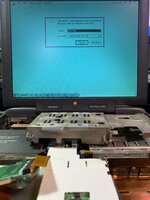
I managed to get it working albeit not consistently. Here's how I did it. I used my Pismo running Mac OS 9.2.2. I formatted the CF card in the PCMCIA card reader using Drive Setup making 3 partitions (one for OS 7.6.1, one for OS 8.6, and one for general files). Then I restored the PowerBook 3400c software to the CF card's first partition. Then I put the CF card in my PowerBook 3400c which happily booted but asked me to initialize the 3rd partition on the card. I closed up my PowerBook 3400c and now it just shows the flashing floppy icon. I'll try reformatting the CF card tomorrow and leaving space that won't be formatted. I'll also try formatting the SD card using Drive Setup but it seems it won't work via Firewire or USB so I'll have to open up my Pismo to do this unless I can find another way.
Similar threads
- Replies
- 0
- Views
- 556
- Replies
- 5
- Views
- 2K
- Replies
- 22
- Views
- 2K


