• Hello MLAers! We've re-enabled auto-approval for accounts. If you are still waiting on account approval, please check this thread for more information.

What Drawing Tablet + Scanner for a Quadra 950?

Zhinü

6502
Title says most of what I’m looking for. I’m looking for an era-accurate drawing tablet and scanner (SCSI or otherwise) for a Quadra 950. Preferably something with similar design language.

I was originally going to pick up an Apple Onescanner but they seem to be pretty rare, especially working, and when they do come up, the asking prices are astronomical for a monochrome scanner!
 
Taking a bit of a guess based on personal memories and supplies on hand... how about the HP scanjet 4c for a scanner, and an ADB Wacom tablet?
 
I had a UMAX 1200s I think was the model number connected to my Q950 at one time. Wacom tablet is connected to the KVM that goes to my Radius 81/110, SE/30, Beige G3, and Q950.
 
@Zhinü just one simple thing to know about with the wacoms if you had never used them before, if you don't load any extension the tablet simply acts like a 1:1-to-the-screen basic mouse. but install [and then still boot with] the wacom extension successfully and you now can do additional things with it like the variable pressures or to "block off" a section of the display screen which would make the tablet more precise (drawing within a physical 4x5inch square to an entire 800x600 screen is one thing compared to drawing within a 500x400 section of the same screen)

and finally there is like the basic 'pen' which naturally is only the nipple end (and eraser top too I think or was that actually absent..anyone?) whereas the more pro variation one has nipple/eraser and a rocker-like side button to provide up to two more functions (without extension it acts as one mouse button click but I think with the extension you can get alternative behaviours..again anyone mind correcting me on that if necessary?)

its been quite a while since I had been using my small one (still passively looking for a large one someday atm but mm) but I'm pretty sure I remember things right tho..so there
 
I bought a big Wacom tablet (A4) thinking it would be better. It's not. It means you have to move your arm a lot more and it's impractical on the desk. Also, A4 is the size of the active area, it's quite a bit bigger than a sheet of paper.
 
@paws many of the times the bigger models gets used for when precision over a longer distance was warranted like say a long piece in cad (especially if partially copying an existing blueprint paper too) .. but to draw a cartoon head bust etc the smaller adb-powered ones were more than good enough for these tricks otherwise .. thats what I suspect you know
 
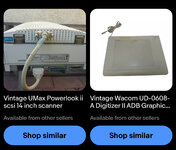
Ended up picking these two devices up for cheap!
UMAX Powerlook II with UTA-II (transparency?)
Wacom Digitizer II (UD-0608-A)

Apparently some pens from android tablets will work with this Wacom, just need to pick one out (hopefully find a beige one).
 

Attachments

  • IMG_8357.jpeg
    IMG_8357.jpeg
    496 KB · Views: 10
@Zhinü don't mind my slight long of a helpful answer for you: yeah if there is a wired lid on a scanner its generally most likely for to do negatives/slides with (among a few rare other things the active backlit is useful for) .. at least naturally you can simply unplug the lid itself whenever you're trying to scan one side of a double-sided paper print as to avoid the knowingly unfortunate effect of seeing the backlit making the reverse page 'bleed' into your page etc

(although I should mention that I'm only going by single experience as I don't know if other scanners have the otherwise ability to turn the backlit on&off less physically)
 
Back
Top