• Hello MLAers! We've re-enabled auto-approval for accounts. If you are still waiting on account approval, please check this thread for more information.

Wasn't there a hack to turn the 7.5+ boot into System 7?

olePigeon

68040
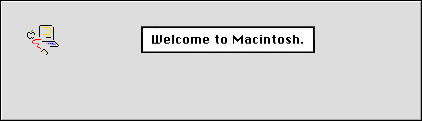
I prefer the old Picasso Mac Welcome to Macintosh boot over the System 7.5 boot screen. I seem to recall there was an extension or maybe a hack that turned the 7.5+ boot back into the old System 7 boot screen. Anyone remember this? Or am I remembering it wrong?

 
If you can find the PICT resource inside the system folder on 7.X, then I'm pretty sure you can save it as StartupScreen in the system folder in 7.5 and it will show that instead.

Otherwise find an image of it online, save it as a PICT resource in photoshop as StartupScreen and throw it in the system folder.

EDIT: is this for a compact? if so I can just make the image for you. :b&w:

 
Hi,

Actually, I found that if you go into the System file on 7.5.5 and simply delete any PICTs which resemble the startup screen, it'll default to the old fashioned one. I don't know about 7.6.x, but I suspect the process is similar (I'll have to test that).

Incidentally, I even got it on OS 9.2.2! However, instead of simply deleting the PICT, I took a screenshot of Mini vMac, and cropped it to size, pasted it over the existing PICT, then, through some trial and error, I managed to align the progress bar with it's approximate position on the older OS. It wasn't perfect, but it worked :)

The problem is, I am not quite sure if I can remember how to do it again :O .

I'll see if I can remember, though.

c

 
System 7.5 still has the Welcome to Macintosh splash screen. I think it was 7.5.1 and above that went to the Mac OS screen. Just a guess tho...

 
System 7.5.0, and I think 7.5.1 displayed the Picasso boot screen during the entire boot process, and displayed a progress bar as the extensions loaded.

System 7.5.2 (I think), 7.5.3 and 7.5.5 displayed the Picasso boot screen when the machine first starts booting, before switching to the Mac OS logo when the extensions begin to load.

System 7.6 (and onwards) display the Mac OS logo with "Welcome to Mac OS" underneath, and show the Mac OS logo for the entire boot process.

 
7.5.1 was the first version that did the modern MacOS startup.

Hmmm, now I'm tempted to hack the 9.2.2 install on one of the drives in this machine to see if I can vintagify it...

-J

 
Oh, this I'd be interested in.

Is there any reason it couldn't work on New World macs? :)

I wouldn't mind my iBook (Late 2001, 600) displaying the old-fashioned "welcome to macintosh" - In fact, IMO, the System 7.5 one was the best - both a status bar, for those with many CDEVs/INITs, and the older cleaner simpler greeting. ;)

I'll be interested to see if this works on 9.2.2 :D

 
Why not? AFAIK (I never used pre System 6) but 6 all the way to 9.2.2 make use of the StartupScreen file.

I bet I can get this going. iMac has a new experiment.

 
Well, it turns out to be a little wonky.

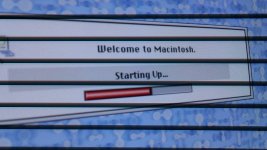
DSC00809.JPG

However this is how I managed it.

Copied my system file,

opened the copy in resedit 2.1.3.

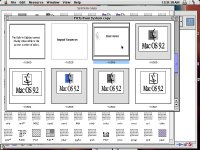
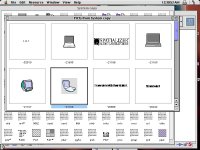
open the pict resource. then open -16505 and copy to clip board.

Pictur9.jpg

I pasted it into photoshop 4. edited it to the welcome to macintosh screen and cropped it. copied the final result and pasted over top of -16505 in resedit. and saved.

dragged my system file to the desktop and replaced it with the edited copy.

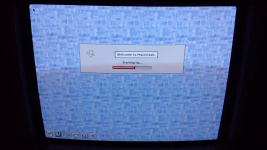
and rebooted to see the first pic. (It would actually look perfect if the background was gray)

ALSO: Was OS9 intended to live on further than it did? like on the Powerbook G4 or snow iBook?

Pictur8.jpg

 
Sorry, I don't know why I didn't think to upload the image I made for it.

Hope this helps.

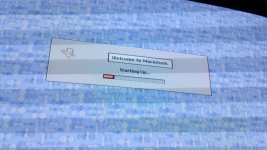
Also here is a pic of the full screen loading the extensions.

[i cant upload a *.sit file here, so I uploaded the PNG version (no quality loss like gif or jpeg) and You might be able to just paste it like that into resedit but I think you have to convert to PICT first.]

EDIT: Works great in OS 8.6 Also

Welcome.png

vlcsnap.png

 
Back
Top