


With the launch of MacIPRpi 6.02 I was pointed at the existence of MacProxy Plus. A web proxy for old browsers. I didn't knew about it and it seemed really something to incorporate in coming versions of the MacIPRpi. So I started testing and I really liked it a lot. You can have some fun browsing the internet with very old browsers like Netscape and MacWeb. I tried my own site www.macip.net. That went reasonably well, but all images are in a kind of vague black and white. You can see a little bit what things are, but that is about it.
Then I tried the 68kMLA forum. That was a straight "no go". Not possible to visit. All pages refused to load properly.
I started wondering if it would be possible to build a custom extension (one of the nice features of macproxy_plus) for accessing the forum. So I had look how this all worked. The extension are pieces of python code which use libraries to rewrite the html code. First I tried to add a kind of whitelist with only html 2.0 elements: Everything else was stripped out. I also did't like the way it handled images. I found out that old browsers only decode the luminance (“Y”) channel of JPEGs, ignoring the chroma (U/V) channels entirely. So the PIL library helps to fetch the image upstream, flatten any transparency onto white, convert it to a standard baseline (non-progressive) RGB JPEG and serve it with caching disabled. That guarantees any browser with even minimal JPEG support sees a full-colour image in one go.
I also had to think of a way to present the top menu. That is now rewritten to a nice old browser friendly part. The forms to search, login and post are also special tested and work nice.
To handle this both the proxy.py and a new extensions 68kmlaorg.py are created.
I still have to learn a lot in Python programming, but I was able to rewrite the Wikipedia extension to the 69kMLA one. I have spend a lot of time because of all the strange quirks you ran into. Google and Gemini / LLM's were my friends and I think the end product is nice to use. But I still see it as a kind of Minimal Viable Product (MVP) as it is called today.
Some more details:
- Use my branch 68kmlaorg
- INSTALL.txt how to install
- Use config.py.68kmla as your config.py
- You are able to configure a debug mode and a mode without images. Just edit the values in the config.py
- You can login and use a personal menu. In progress
- Search is in place
- Old forum can be visited
- Posting is possible.
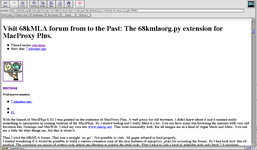
I also added rewriting of images to the general proxy.py, so we can see modern png, jpg, etc with old browsers also on other web site.
If you want to try it, you're welcome! Still doing some roundups and changes, but nice to show as it is now!

 github.com
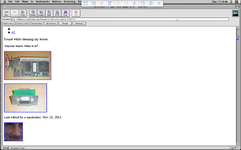
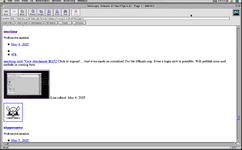
I added some pictures.
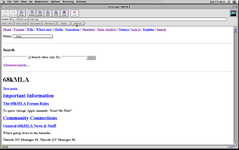
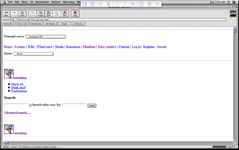
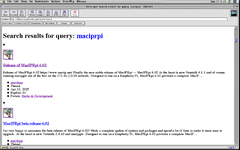
Then I tried the 68kMLA forum. That was a straight "no go". Not possible to visit. All pages refused to load properly.
I started wondering if it would be possible to build a custom extension (one of the nice features of macproxy_plus) for accessing the forum. So I had look how this all worked. The extension are pieces of python code which use libraries to rewrite the html code. First I tried to add a kind of whitelist with only html 2.0 elements: Everything else was stripped out. I also did't like the way it handled images. I found out that old browsers only decode the luminance (“Y”) channel of JPEGs, ignoring the chroma (U/V) channels entirely. So the PIL library helps to fetch the image upstream, flatten any transparency onto white, convert it to a standard baseline (non-progressive) RGB JPEG and serve it with caching disabled. That guarantees any browser with even minimal JPEG support sees a full-colour image in one go.
I also had to think of a way to present the top menu. That is now rewritten to a nice old browser friendly part. The forms to search, login and post are also special tested and work nice.
To handle this both the proxy.py and a new extensions 68kmlaorg.py are created.
I still have to learn a lot in Python programming, but I was able to rewrite the Wikipedia extension to the 69kMLA one. I have spend a lot of time because of all the strange quirks you ran into. Google and Gemini / LLM's were my friends and I think the end product is nice to use. But I still see it as a kind of Minimal Viable Product (MVP) as it is called today.
Some more details:
- Use my branch 68kmlaorg
- INSTALL.txt how to install
- Use config.py.68kmla as your config.py
- You are able to configure a debug mode and a mode without images. Just edit the values in the config.py
- You can login and use a personal menu. In progress
- Search is in place
- Old forum can be visited
- Posting is possible.
I also added rewriting of images to the general proxy.py, so we can see modern png, jpg, etc with old browsers also on other web site.
If you want to try it, you're welcome! Still doing some roundups and changes, but nice to show as it is now!
GitHub - mactjaap/macproxy_plus: browse the modern web on vintage computers
browse the modern web on vintage computers. Contribute to mactjaap/macproxy_plus development by creating an account on GitHub.
github.com
I added some pictures.
Attachments
Last edited:






